EasyManua.ls Logo

AIPTEK MZ-DV - User Manual

AIPTEK MZ-DV
32 pages
Print Icon
To Next Page IconTo Next Page
Loading...
82-408-10010-000v1.0
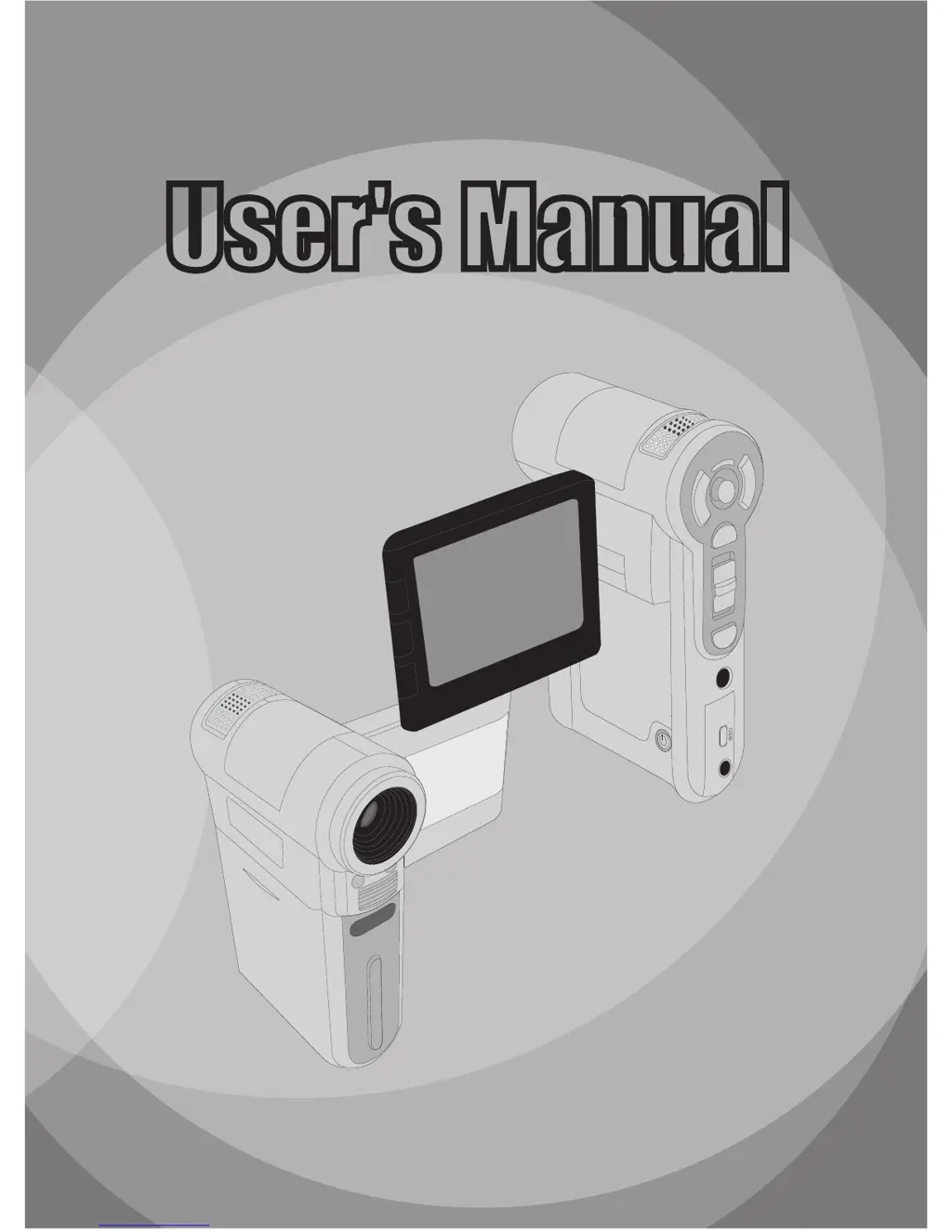
User's ManualUser's Manual

Questions and Answers

  • M
    Molly BlackAug 20, 2025
    What to do if my AIPTEK MZ-DV is not responding?
    • J
      Jackson McdanielAug 20, 2025
      If your AIPTEK Camcorder is not responding, it might have encountered a software failure. To resolve this, remove the battery pack, reinsert it, and then power on the camcorder.
  • M
    Meghan WilliamsAug 22, 2025
    How to fix AIPTEK MZ-DV that won't power on?
    • S
      Sarah ThompsonAug 22, 2025
      If your AIPTEK Camcorder cannot be powered on normally, the battery may be out of power or incorrectly installed. Try replacing the battery or re-installing it.
  • C
    Cynthia AndersonAug 25, 2025
    What to do if my AIPTEK MZ-DV LCD screen is not displaying?
    • L
      Lee MillsAug 25, 2025
      If the LCD screen on your AIPTEK Camcorder doesn't display anything, try pressing any button except the power button to reactivate the display.
  • B
    Brian OliverAug 26, 2025
    What does it mean if my AIPTEK MZ-DV says 'memory error'?
    • S
      sheena52Aug 26, 2025
      If your AIPTEK Camcorder displays a “MEMORY ERROR” or “CARD ERROR” message or cannot read the memory card, the format of the memory card may not be compatible with the camcorder, or the memory card is corrupted. Try formatting the card using the camcorder’s “Format” function or replacing the memory card with a new one.
  • L
    Lori MartinezAug 28, 2025
    Why can't I take pictures on my AIPTEK MZ-DV?
    • B
      Brent HendersonAug 28, 2025
      If you cannot take pictures or video clips with your AIPTEK Camcorder, it could be due to several reasons: 1. You may be out of memory. Free up space on the SD/MMC card or internal memory. 2. The camcorder might be recharging the flash strobe. Wait until it is fully charged. 3. You might be using a protected SD card. Set the SD card to be writable.
  • T
    Timothy QuinnAug 30, 2025
    Why are my AIPTEK Camcorder videos too dark?
    • R
      riverajacobAug 30, 2025
      If the recorded pictures or video clips from your AIPTEK Camcorder appear too dark, the environment may not have adequate light. Use the flash strobe when taking pictures, or add extra light sources or enable video light when recording video clips.
  • S
    Sandra WrightSep 1, 2025
    Why can't I view AIPTEK Camcorder videos on my computer?
    • M
      Michael RivasSep 1, 2025
      If you cannot view video clips from your AIPTEK Camcorder on your computer, it may be because the necessary drivers or software are not installed. Install Direct X 9.0c or above and Windows Media 9.0 Codecs to resolve this.
  • W
    wangchristopherSep 2, 2025
    Why won't the flash work on my AIPTEK Camcorder?
    • W
      william80Sep 2, 2025
      If you cannot use the flash strobe on your AIPTEK Camcorder, the battery may be low, causing the flash strobe to be disabled due to insufficient voltage. Replace the battery.
  • S
    Scott SandersSep 4, 2025
    How to fix blurred pictures on AIPTEK MZ-DV Camcorder?
    • K
      Kelly McdonaldSep 4, 2025
      If the recorded pictures from your AIPTEK Camcorder appear too blurred, the focus may not be correctly set. Adjust the focus to an appropriate position.
  • L
    Lisa CarneySep 6, 2025
    Where did my photos go on my AIPTEK MZ-DV?
    • E
      Emily MoralesSep 6, 2025
      If you did not delete pictures and video clips but cannot find them on the memory card of your AIPTEK Camcorder, the recordings may be saved in the internal memory. This can happen if you insert a memory card after taking a few pictures or video clips. Access those files by removing the memory card.

AIPTEK MZ-DV Specifications

General IconGeneral
BrandAIPTEK
ModelMZ-DV
CategoryCamcorder
LanguageEnglish

Related product manuals