EN
EN
Product introduction
The digital photo frame boosts a bright 7” (7-inch) TFT-LCD panel and is powered by
multimedia technology. It has the following features:
Automatically start/repeat picture display (15-picture reviewing)
Automatically display pictures in slide show mode, supporting various transition
effects
Supports the customization of display intervals
Supports SD/MMC memory card (up to 2GB)
Supports JPEG-format pictures of up to 12 mega pixels
Supports USB disc drive
Built-in memory for storing favorite pictures
•
•
•
•
•
•
•
Technical specication
Input voltage of power adapter: AC100~240v, 50~60Hz
Input voltage of this equipment: +9VDC
Power consumption: <5W
Picture format: JPEG (YUV code)
Operation mode: Buttons
Resolution of Liquid Crystal Display (LCD): 480×234 pixels
Effective display area: 137 mm × 86.58 mm
•
•
•
•
•
•
•
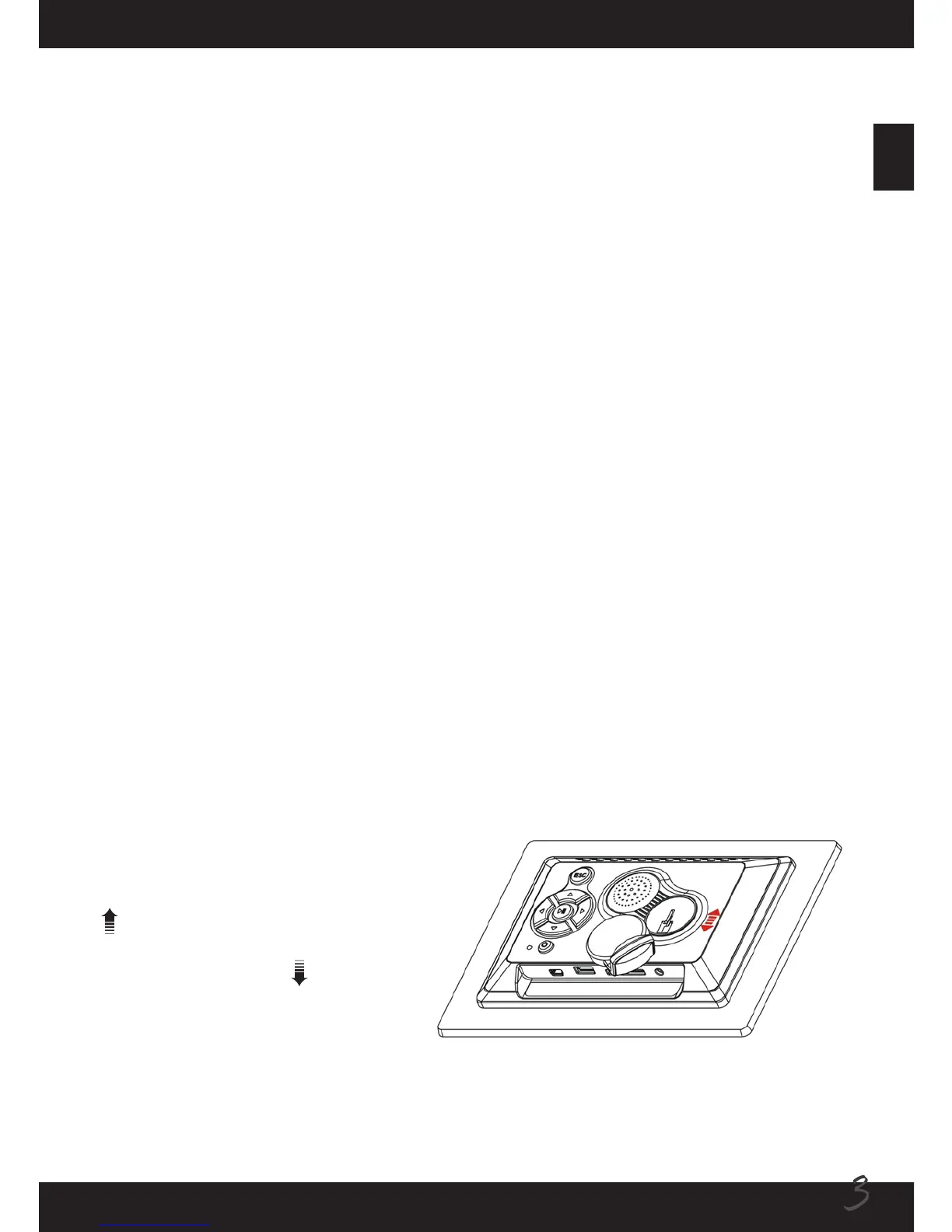
Attaching the stand
Insert the front end of the stand
into the slot on the back frame as
indicated. Push the stand upward
( ) until the stand is properly
locked. To detach the stand, push
the stand downward ( ) until it is
removed.



 To Next Page