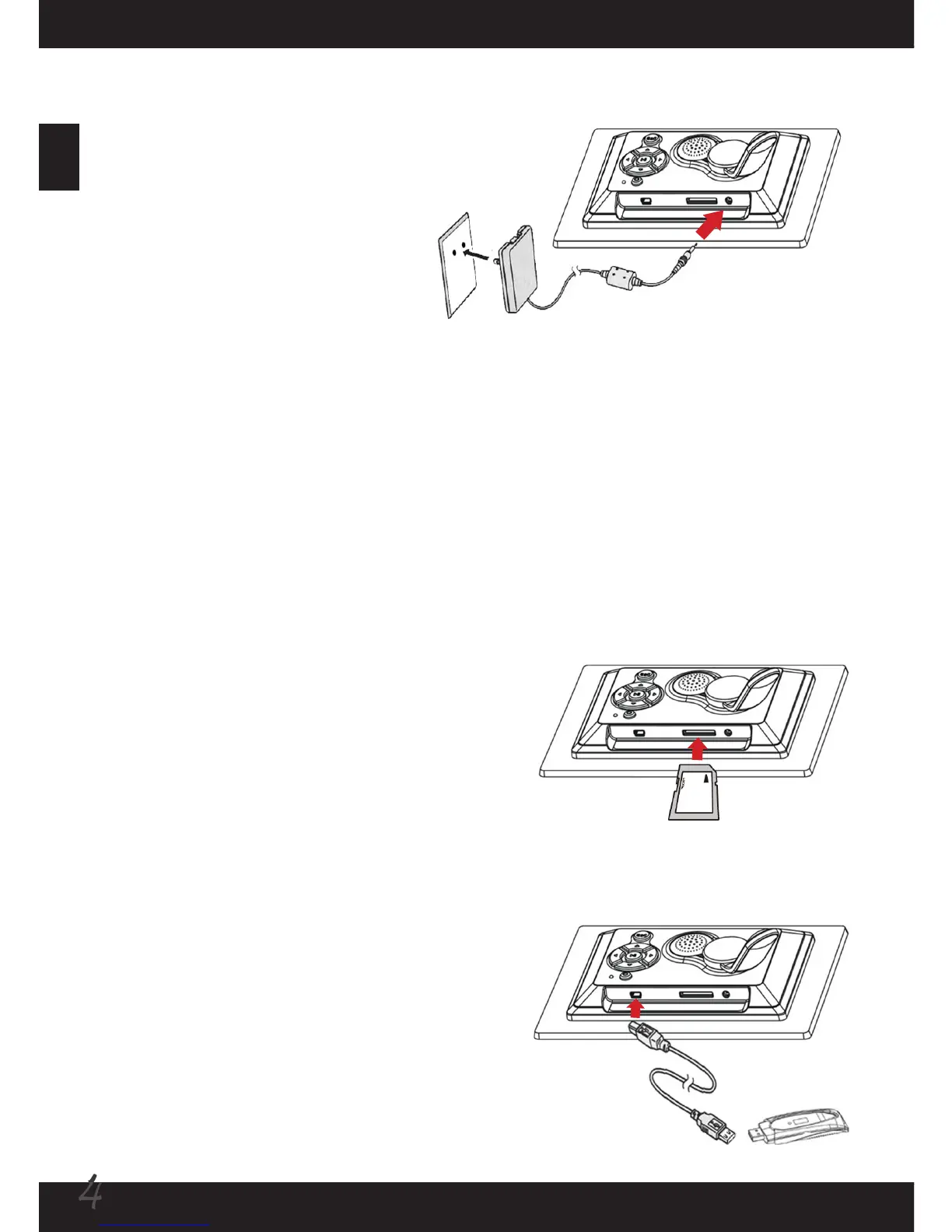
Connecting to AC power
Connect one end of the accessory
power cable to the photo frame,
and then connect the power
adapter to a power socket.
Note: Always use the accessory
power cable only.
Connecting to a USB drive (optional)
Connect one end of the accessory USB cable
to the photo frame, and then connect the
other end to a USB drive.
Powering on/off the photo frame
When connecting to AC power, the power LED will indicate red. Long press the
power button about 2 seconds to power on the photo frame, and the LED will
indicate green. Long press the power button to turn off the photo frame, and the LED
will become red again.
Using SD/MMC card (optional)
To insert a memory card, gently push the card
until the card reaches the bottom of the slot
(make sure the beveled corner is correctly
aligned). To remove the memory card, gently
push the card and it will pop up. Then pull the
card out of the slot.



 To Next Page