EasyManua.ls Logo

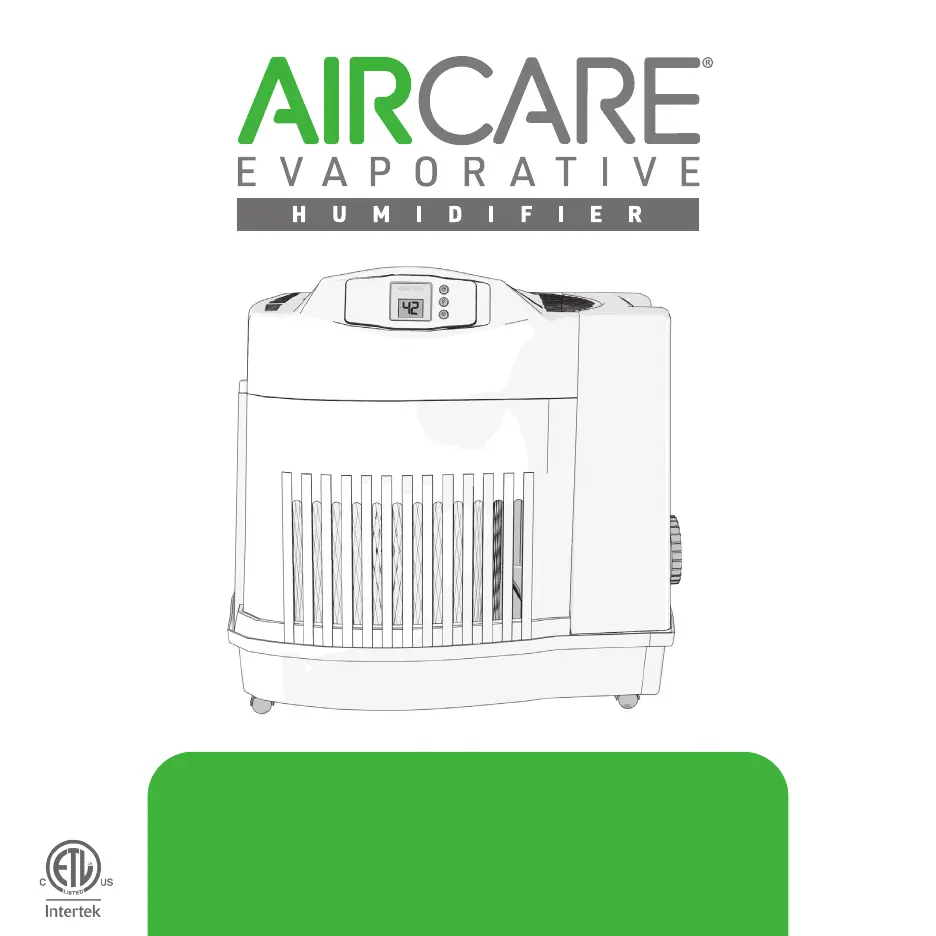
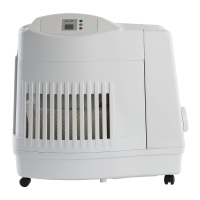
Aircare MA1201 - User Manual

Aircare MA1201
24 pages
Print Icon
To Next Page IconTo Next Page
Loading...
Read and save these instructions
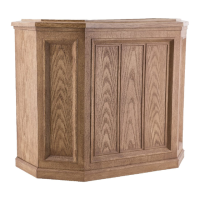
CONSOLE
Everything you need to know about your
ALL MA1201 MODELS
1B73362
8/2020

Other manuals for Aircare MA1201

Questions and Answers

  • A
    andrea67Aug 15, 2025
    How to unlock the controls on my Aircare Humidifier?
    • M
      Mrs. Karen WilliamsAug 15, 2025
      If the controls on your Aircare Humidifier are unresponsive or 'CL' is displayed, it means the CONTROL LOCK feature has been activated. To deactivate it, hold the power button down for 5 seconds.
  • S
    Steven ShortAug 17, 2025
    Why is the digital display not working on my Aircare MA1201 Humidifier?
    • W
      William KruegerAug 18, 2025
      If the digital display of your Aircare Humidifier is not illuminated, it could be due to a couple of reasons: * **No Power:** Ensure the humidifier is connected to a working 120-volt power source. * **Power Button:** Make sure you have pressed the power button once to turn the unit on.
  • M
    Miranda DunlapAug 21, 2025
    Why is the fan running constantly on my Aircare MA1201 Humidifier?
    • L
      Lindsay RossAug 21, 2025
      If the fan is running continuously on your Aircare Humidifier, there are a couple of possible reasons: 1. **SET Humidity Level:** A SET humidity percentage of 65% operates the fan continuously. Adjust the SET level between 25% - 60%. 2. **Room Humidity Level:** The room humidity level has not reached 1% or more above the SET humidity level. Allow the humidifier to run until the desired humidity level is achieved, which may take up to 48 hours initially.
  • C
    Catherine RobertsAug 25, 2025
    Why is the fan not working on my Aircare Humidifier, even though the display is on?
    • B
      Brittany MoranAug 25, 2025
      If the fan on your Aircare Humidifier is not operating but the digital display is illuminated, it could be because the ROOM humidity level is not 3% or more below the SET humidity level. If desired, raise the SET humidity level.
  • A
    Alexander HowardAug 28, 2025
    What to do if my Aircare MA1201 Humidifier has poor evaporation of water?
    • J
      Justin Martinez Jr.Aug 28, 2025
      If you're experiencing poor evaporation of water with your Aircare Humidifier, and the 'CF' (Check Filter) message is flashing, it indicates that you should change to a fresh, new filter.
  • P
    patricia44Aug 31, 2025
    Why does the bottle continue to empty on my Aircare MA1201?
    • T
      thomasanitaAug 31, 2025
      If the bottle continues to empty after complete filling on your Aircare Humidifier, consider these potential causes: * **Air Entering Water Bottle:** Ensure the fill cap is tight and free from any debris that might interfere with the seal. * **Leak in Water Bottle:** Check the water bottle for any leaks.
  • J
    Jamie MclaughlinSep 4, 2025
    Why is the fan on my Aircare MA1201 Humidifier running slower than the display indicates?
    • T
      Terri HudsonSep 4, 2025
      If the fan on your Aircare Humidifier is operating slower than the speed registered on the digital display, it is likely because the humidifier is in DRY OUT mode. In this mode, the humidifier automatically switches the fan speed to ULTRA QUIET when the DRY OUT mode message is displayed.
  • A
    Andrew LopezSep 7, 2025
    What does it mean if the CF message doesn't appear on my Aircare Humidifier?
    • J
      Jessica MercadoSep 7, 2025
      If the CF (check filter) message does not appear on your Aircare Humidifier, even when the filter is dirty or humidifier performance is clearly reduced, it means that a loss of power has caused the CF message to prematurely reset. Replace the filter.
  • M
    Miss Rachel Morales DVMSep 12, 2025
    Why isn't my Aircare MA1201 Humidifier shutting off during DRY OUT mode?
    • L
      leeannetteSep 12, 2025
      During DRY OUT mode, the Aircare Humidifier will continue to run on ULTRA QUIET speed as required for a 2-hour period if the filter is not dry.

Summary

Important Safety Instructions

Two-Year Limited Warranty Policy

Getting Started with Your Console

Console Components Overview

Lists all parts included with the Aircare Console humidifier for setup identification.

Assembling the Console Base

Instructions for attaching the casters to the humidifier's base without using tools.

Installing the Humidifier Wick

Guide on how to properly insert the wick into the humidifier base for optimal performance.

Optimal Humidifier Positioning

Recommendations for placing the humidifier for maximum circulation and accurate humidity readings.

Filling the Water Bottle

Steps for preparing the water bottle, including cartridge installation and filling at a faucet.

Placing and Draining the Water Bottle

Instructions on how to correctly place the water bottle in the base and ensure it drains properly.

Wick Saturation and Water Additives

Details on allowing the wick to saturate and guidance on acceptable water additives for the unit.

Operating and Controlling Your Console

Guide on powering on, setting fan speed, humidity levels, and understanding unit operation.

Understanding Console Error Codes

Cleaning and Maintenance

Frequently Asked Questions

Aircare MA1201 Specifications

General IconGeneral
BrandAircare
ModelMA1201
CategoryHumidifier
LanguageEnglish

Related product manuals