Unpacking Your Fan 2.
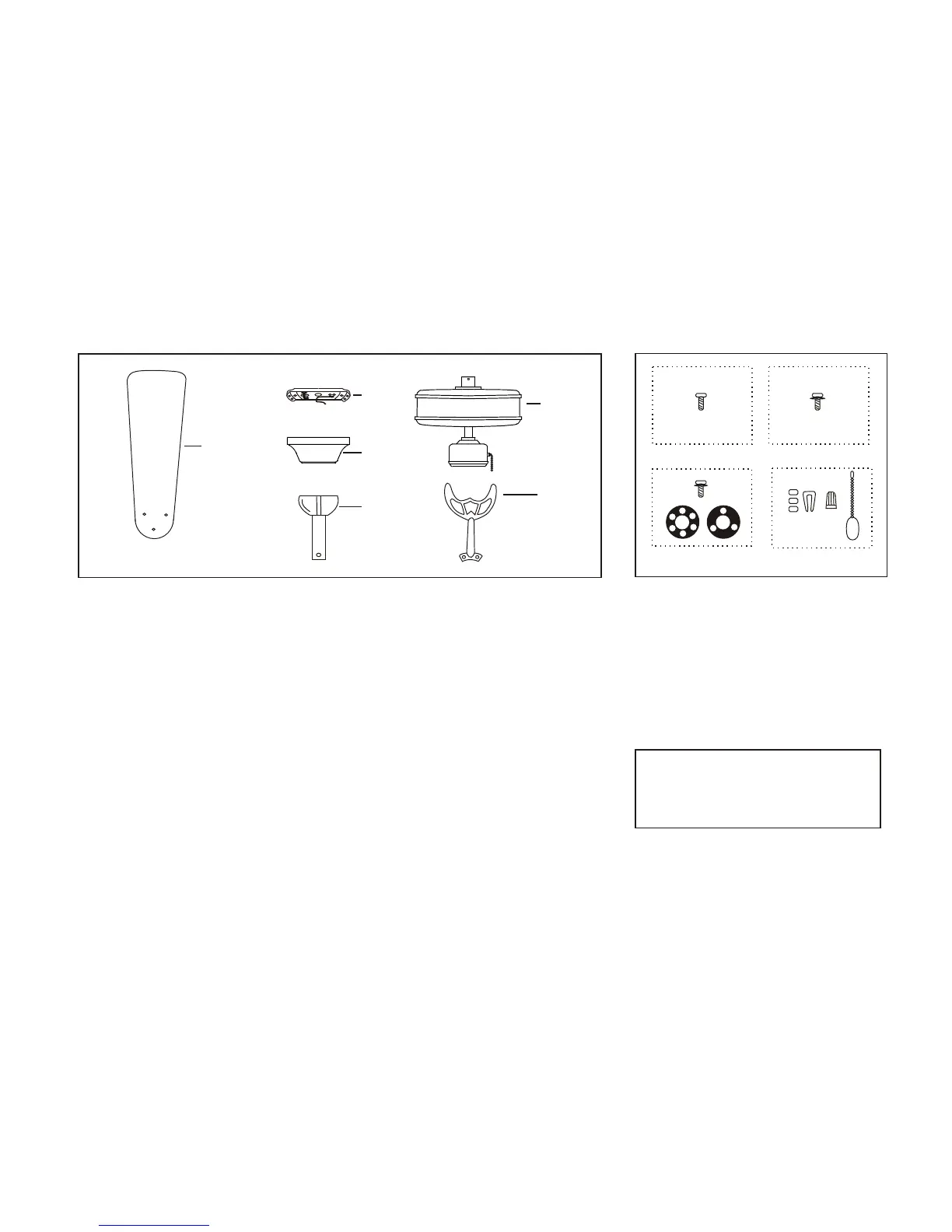
Unpack your fan and check the contents. You should have the following items:
a. Blade attachment hardware
(16 screws)
c. Mounting hardware
(3 screws, 1 rubber gasket,
1 metal gasket)
d. Electrical hardware & Balancing kit
b. Blade bracket attachment hardware
(11 screws with lock washers)
(3 plastic wire connectors, 1 Pull chain,
)Blade balancing kit
a b
c
3
1
2
5
6
4
d
1.
2. Mounting plate (located inside canopy)
3. Canopy assembly
4.
Set of blades (5)
Ball/downrod assembly
5. Fan motor assembly
6. Set of blades bracket (5)
IMPORTANT
PLEASE REMOVE RUBBER MOTOR
STOPS ON THE BOTTOM OF THE FAN
BEFORE INSTALLING BLADES OR
TESTING MOTOR


 To Next Page