AirServer Connect User Guide
14
Wi-Fi
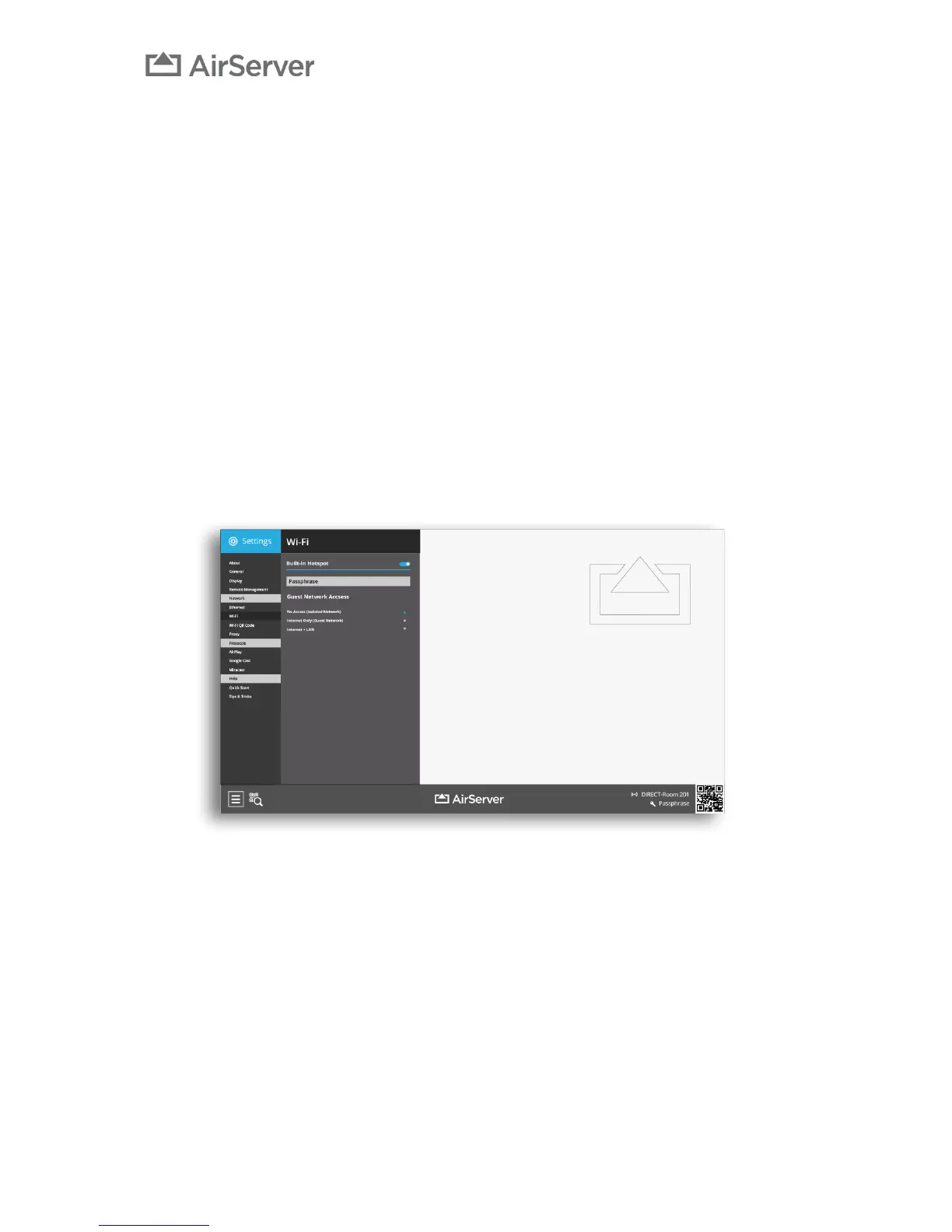
The Wi-Fi menu allows you control the built in Wi-Fi hotspot and turn it off if desired.
You can set a Passphrase for the guest network. The passphrase will be displayed on the home screen.
We recommend keeping this field empty as then the AirServer Connect will generate a passphrase and
automatically change it regularly. That will prevent you from overloading the built in guest Wi-Fi as users
that have previously used the guest Wi-Fi may reconnect to it automatically even though they are not
using the Air’
You can then select what type of access guests get to the building network through the guest network:
No Access (Isolated Network) – Only allows guests to cast their screens to AirServer Connect, no
internet access.
Internet Only (Guest Network) – Gives guest only access to cast to AirServer Connect and public
internet.
Internet + LAN – Gives the guest full access to the wired network. Note that access can be limited by your
network administrators.
The Wi-Fi hotspot is encrypted and secured using the WPA2 security protocol.


 To Next Page