ELECTRICAL SySTEMS
H - 7
H
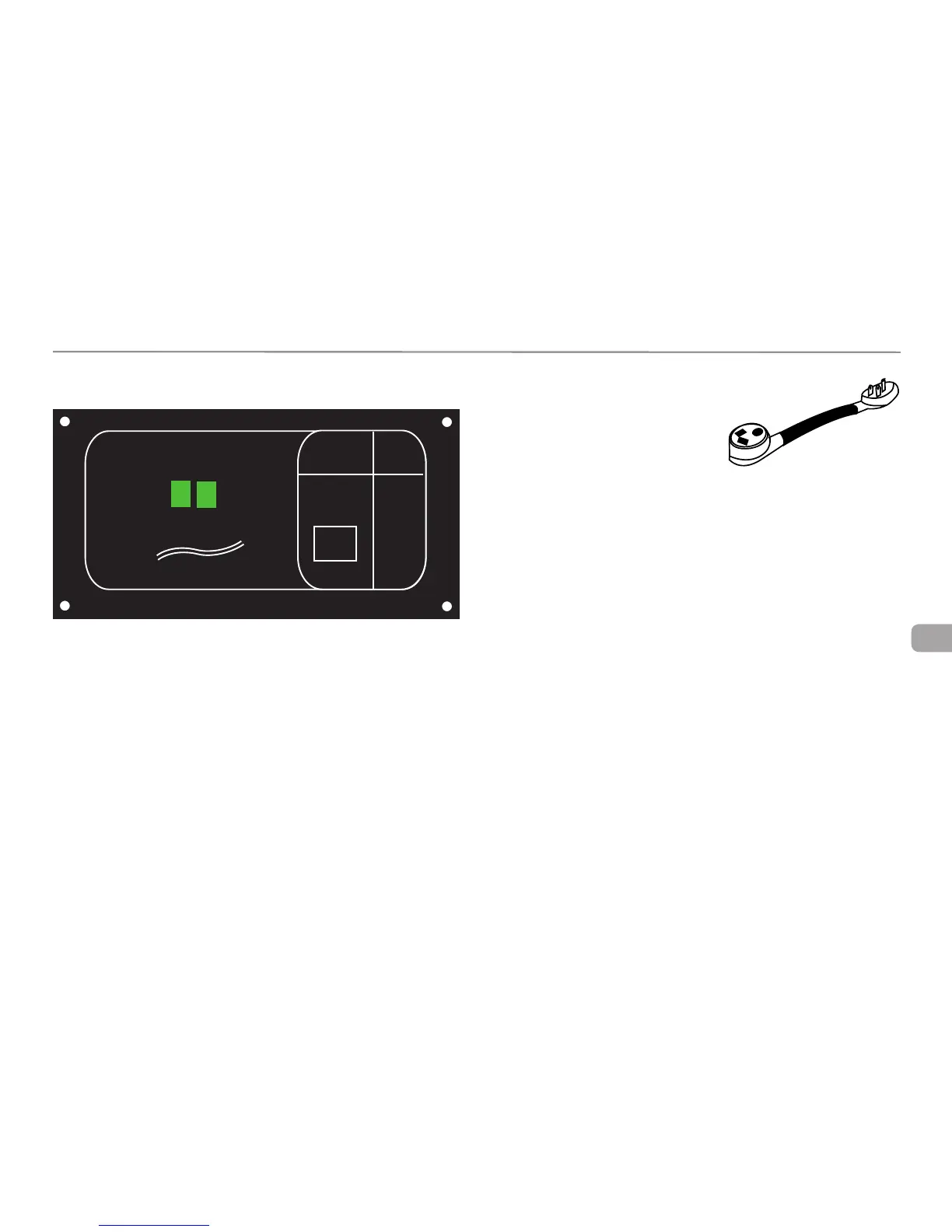
Display Panel
Service
The “Select” button allows the service type to be set to either 30 Amps or 20
Amps, to match the incoming service.
When power is first applied, the system will be in the 30 amp mode. The
30A LED will be ON when the system is in the 30 amp mode. Momentarily
pressing the “SELECT” button will switch the system to the 20 amp mode.
Momentarily pressing the button again will switch the system back to the 30
amp mode.
Press the “Select” button to switch to 20
amp service If it is necessary to use a 20
amp adaptor such as the one pictured or
you know the shoreline power is 20 amps,
The 20A LED will light up.
The generator supplies 20 amp service and is set to switch the system auto-
matically to the 20 amp mode whenever the generator is the power source.
The “GEN” LED will light when the generator is supplying power, the 20A light
will not.
The Display Panel is protected by a 5 amp automotive type fuse located un-
der the EMS 110 volt Distribution Panel cover. Remove the covers four screws
to access the fuse.
Status
The water heater, roof air conditioner, coffee maker receptacle, and micro-
wave are set at the factory to be the controlled circuits and are shed in this
order.
This means if a power hungry electric grille is plugged into an outlet and the
system begins to use more than 30 amps it will begin to shed loads and will
Status
GEN
Service
30A 20A
SELECT
W/H
A/C
COFFEE
MICRO
Power Control System
AC Amps
Precision Circuits Inc





 To Next Page