CAMPING
D - 5
D
CaUTiOn: It is important to test this unit every week to make
sure it is working properly. Using the test button is the recommended way
to test this Smoke/CO Alarm.
Test this Smoke/CO Alarm: Press and hold the Test/Silence button 3-5 sec-
onds until unit starts to alarm.
During testing, you will see and hear the following sequence:
The • Horn will sound 3 beeps, pause, 3 beeps. The Power/Smoke LED
flashes Red and the CO LED will be Off. NOTE: For Canada the horn will
sound 6 beeps, pause, 6 beeps. The Power/Smoke LED flashes Red and
the CO LED will be Off.
Next the Horn will sound 4 beeps, pause, 4 beeps. The• Power/Smoke
LED will be Off and the CO LED flashes Red.
If the unit does not alarm, make sure the batteries are correctly installed and
test again. If the unit still does not alarm, replace it immediately.
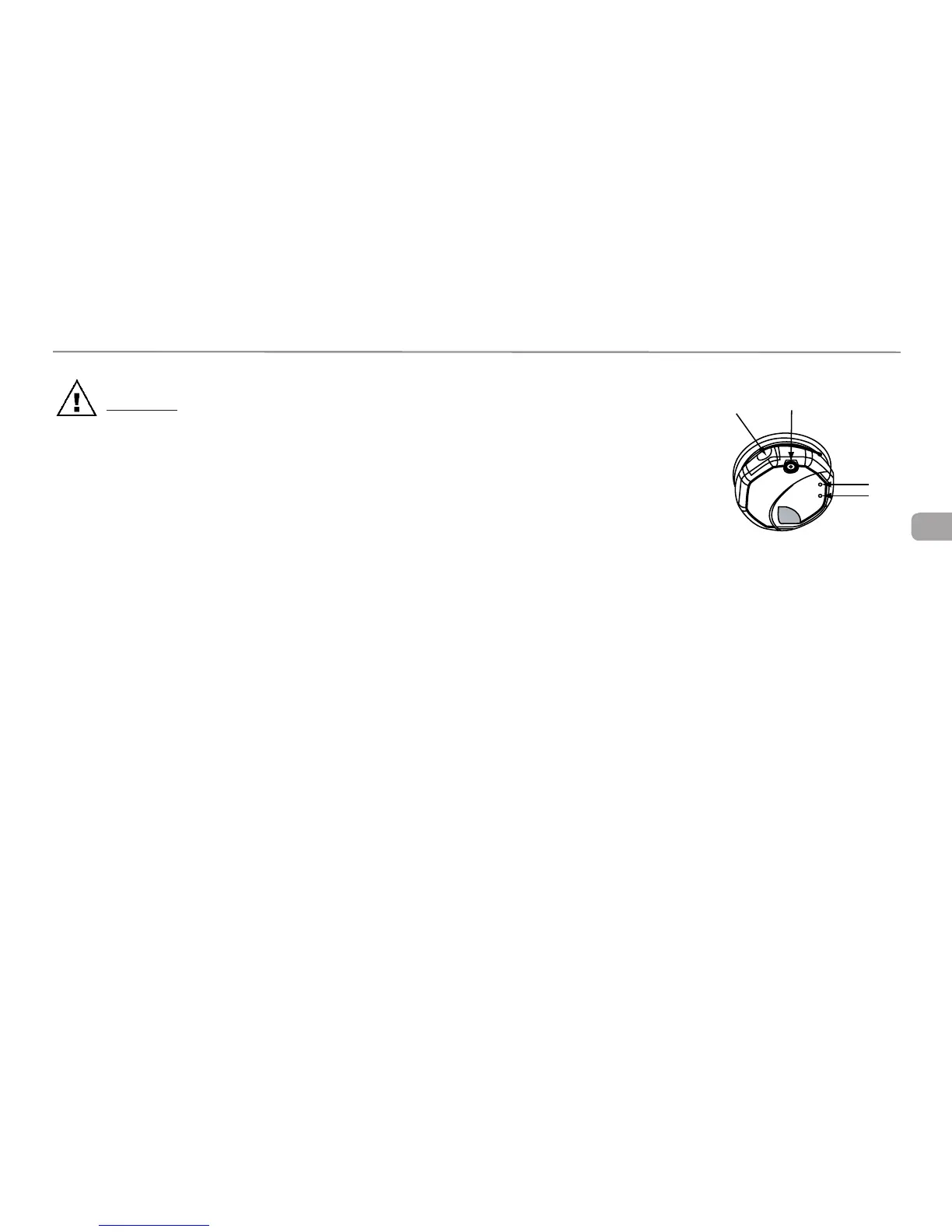
Parts Of This Smoke/CO Alarm
Test/Silence Button1.
Battery Compartment2.
Power/Smoke Alarm LED3.
CO Alarm LED4.
REGULAR MAINTENANCE
This unit has been designed to be as maintenance-free as possible, but there
are a few simple things you must do to keep it working properly. Use only
the replacement batteries listed below. The unit may not operate properly with
other batteries. Never use rechargeable batteries since they may not provide
a constant charge.
•Testitatleastonceaweek.
•CleantheSmoke/COAlarmatleastonceamonth;gentlyvacuumtheoutside
of the Smoke/CO Alarm using your household vacuum’s soft brush attach-
ment. A can of clean compressed air (sold at computer or office supply stores)
may also be used. Follow manufacturer instructions for use. Test the Smoke/
CO Alarm once a week. Never use water, cleaners or solvents since they may
damage the unit.
•IftheSmoke/COAlarmbecomescontaminatedbyexcessivedirt,dustand/
1
2
3
4







 To Next Page