Interior
5-18 Flying Cloud
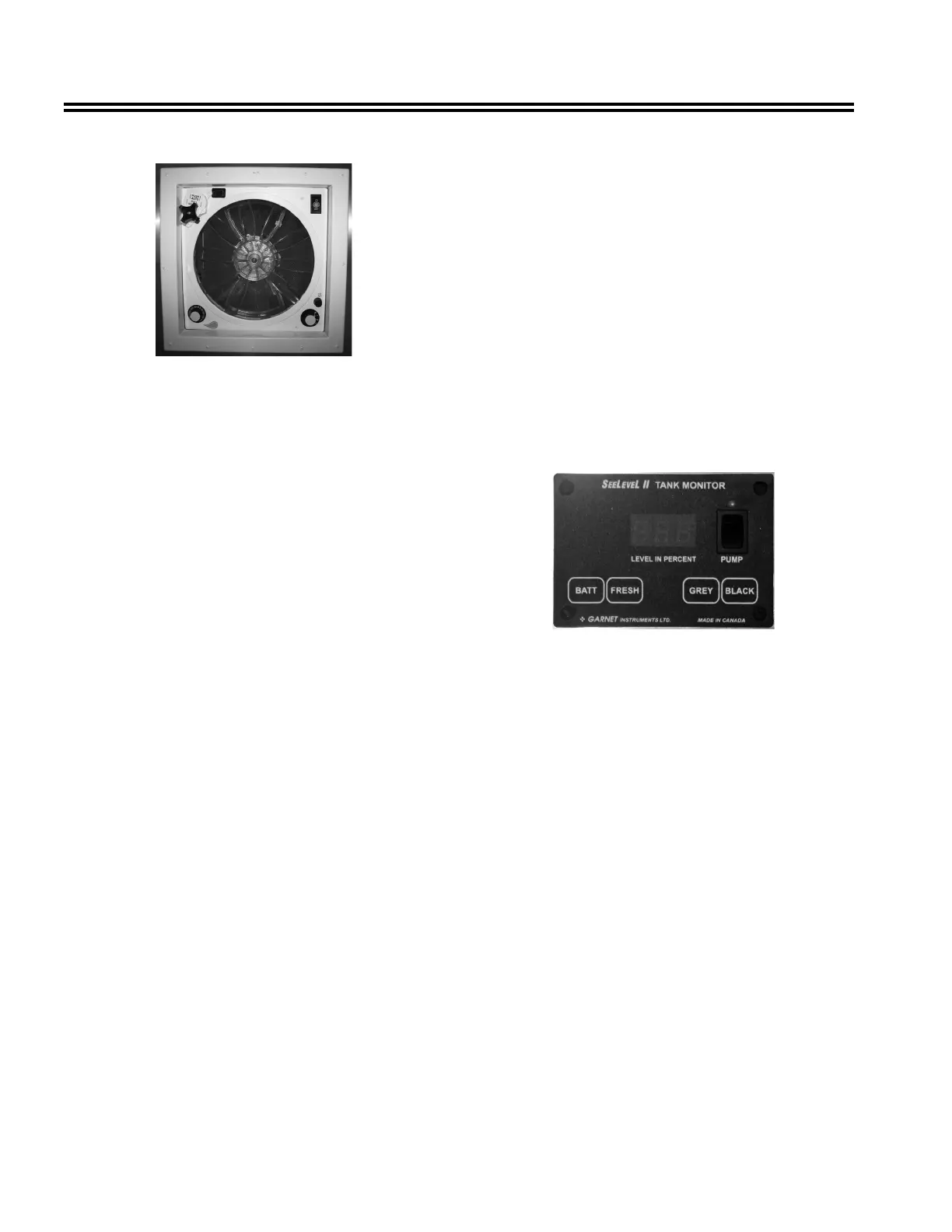
High Volume Roof Vent
The optional high-volume roof vent system is designed
to quickly exhaust stale, hot air and draw in fresh air. It
is great to use when the outside temperature does not
call for air conditioning, but heat has built up in your
coach.
Operation
1. Open dome approximately 3 in. or more (ceiling fan
has a built-in safety switch that will not allow motor
to operate unless dome is partially open).
2. Turn 3-speed knob to desired performance level
(3-Low, 2-Medium, 1-High, O-Off).
3. Open window(s) or door for airow.
The source of airow is determined by the number of
window(s) or door opened. For best results, close all
roof vents and open one window that is the greatest
distance from the ceiling fan.
note
Never place Lindeen™ or a like cover over ceiling
fan. Greatly restricted airow and increased sound
levels will occur.
When Thermostat Equipped
1. Follow the previous operation steps one through
three.
2. Select desired temperature or comfort level on
thermostat. Fan motor will now start and stop
automatically as interior temperature of coach
exceeds or drops below selected level.
note
Fan motor will not start if temperature selected is
warmer than interior temperature of coach.
Cleaning Instructions
1. Turn fan motor off.
2. Remove eight painted at head Phillips screws
around perimeter of screen insert only.
3. Clean screen with soap and water solution, dab dry
with a soft cloth, and reinstall.
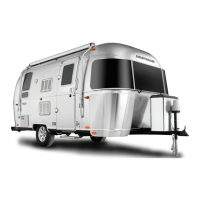
SeeLevel II Monitor Panel
SeeLevel II Tank Monitor
Manufacturer: Garnet Technologies Ltd.
201 M&M Ranch Rd.
Granbury, TX 76049
877-668-7813
www.sales@rvgauge.com
The display is the only system component that is
accessed by the user. All user input to the display is
done using the ve buttons along the bottom of the
display.
The display receives the information from the three
sender panels via a single, two-conductor wire, and
displays the level information in percent of full on a
three-digit, LED display. When the front panel button
for a particular tank is pressed, the display powers
up and displays the level for that tank. If the button is
pressed and released, the display will show the level
for about 5 seconds and then shut down automatically.
If another button is pressed before the display shuts
down, then the new level will immediately be shown. If
the same button is pressed twice, the display will hold
on that tank and continue to show updated levels for
5 minutes before shutting off. This allows the user to
monitor the lling or draining of the tank. By pressing
two buttons at once, the diagnostic functions can be
accessed.





 To Next Page