21User Manual | Edition 1, April 2021
WiFi Setup
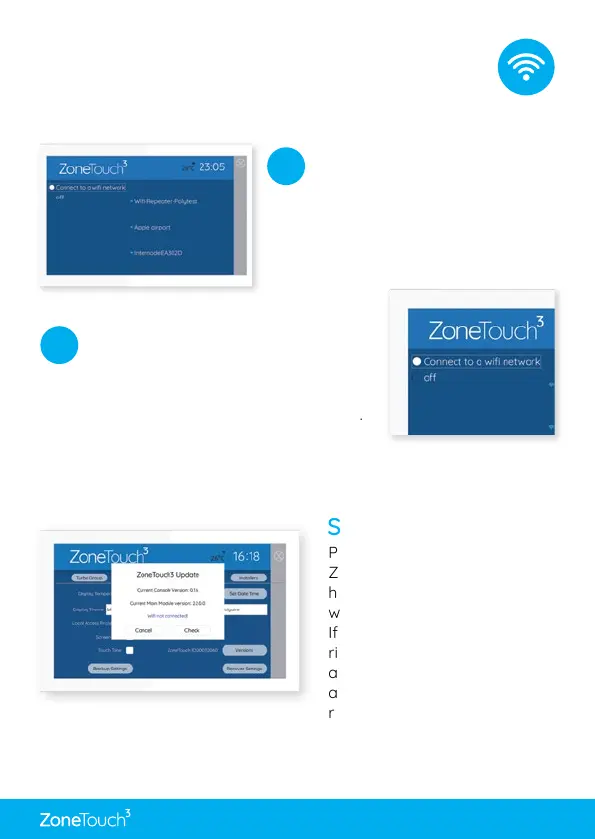
Go to WiFi Connection
from the Quick Menu
and the system will start
scanning for nearby WiFi
networks.
1
Tick Connect to WiFi and select the
WiFi network to be connected
Input the correct password to
connect. If it’s successful, the WiFi
name will be shown with Connected.
If WiFi connection is not required, tick O.
2
Connect your ZoneTouch 3 to WiFi.
Software Updates
Please make sure the
ZoneTouch 3 is connected to the
home router or your hotspot
which has internet access.
If there is a red dot on the top
right corner of Quick Menu,
a new version software is
available for update. Follow the
red dot and prompts to update
the system. If the update fails,
please try it again.


 To Next Page