EasyManua.ls Logo

AirTouch ZoneTouch3 - User Manual

AirTouch ZoneTouch3
30 pages
Print Icon
To Next Page IconTo Next Page
Loading...
airtouch.net.au
User Manual

Other manuals for AirTouch ZoneTouch3

Questions and Answers

Summary

Quick Start

Console Interface Overview

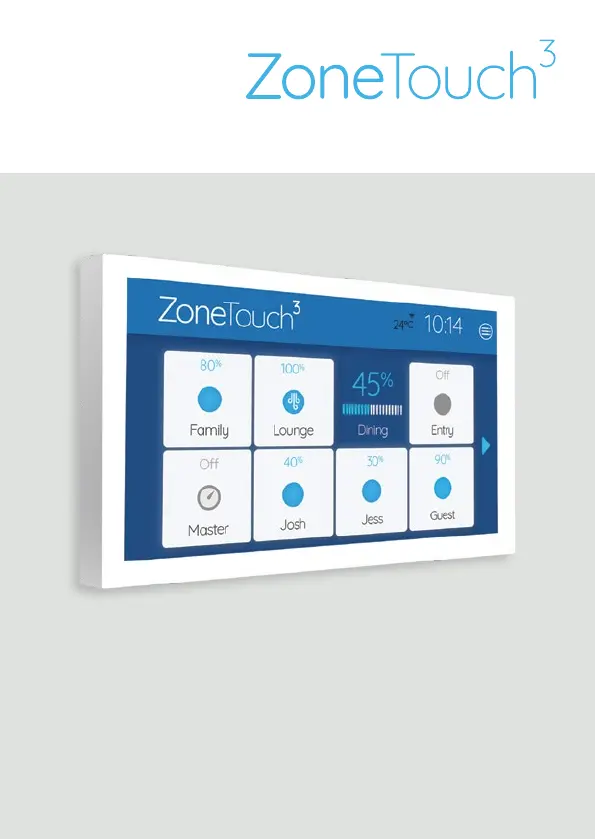
Explains the main screen elements and their functions on the ZoneTouch console.

Mobile App Interface

Shows the home and airflow screens of the ZoneTouch mobile application.

Quick Menu & Controls

Accessing Quick Menu

Describes how to access the Quick Menu for common features.

Adjusting Zone Airflow

Details how to adjust airflow percentage for a zone using the slider.

Setting Programs

Program Functionality

Explains the program function for timed zone control.

Program Management

Guides on adding, naming, scheduling, and assigning programs to zones.

Turbo Zone Feature

Turbo Zone Functionality

Explains the feature for increasing conditioned air volume in a single zone.

Manual Turbo Activation

Steps to manually activate the Turbo function for a zone.

Favourites Setup

Favourites Functionality

Allows saving climate control scenarios as presets.

Creating Favourite Presets

Guides on creating, configuring, and naming favourite presets.

ZoneTouch 3 App

App Installation & Requirements

Information on downloading, installing, and system requirements for the app.

System Settings

Date & Time Configuration

How to configure the system's date, time, and time zone.

Console Colour Customization

Customizing the background colour of the console display.

Zone Name Customization

Personalizing zone names for easy identification.

Screen Lock Setup

Setting up a password to prevent unauthorized access.

Owners Name Configuration

Setting a name for the system to distinguish it in the app.

WiFi Connectivity

Connecting the ZoneTouch 3 console to a WiFi network.

Software Update Procedure

Information on how to update the system software.

Local Access Security

Securing app access via WiFi with a password.

Troubleshooting Guide

Damper Response Issues

Solutions for when dampers do not respond.

Zone Control Issues

Troubleshooting steps for zones that cannot be turned off.

LCD Display Problems

Resolving problems with the console's LCD display.

Display & WiFi Troubleshooting

Fixing corrupted LCD displays and missing WiFi symbols.

Technical Specifications

Electrical & Environmental Specs

Details on power, frequency, temperature, and humidity.

Zone Output & Transformer Specs

Information on output voltage, current, transformer, and fuse.

Liability and Disclaimer

Product Disclaimer Notice

Standard notice regarding specifications and installation procedures.

AirTouch ZoneTouch3 Specifications

General IconGeneral
Input TypesTemperature sensors
Operating Temperature0°C to 50°C
ConnectivityWi-Fi
DisplayTouchscreen
FeaturesMulti-zone control
CommunicationWi-Fi
Power Supply24V DC