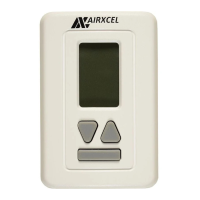
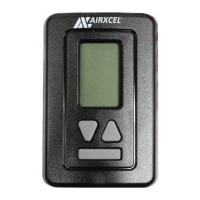
EasyManua.ls Logo

Airxcel 9630-352 - User Manual

Airxcel 9630-352
2 pages
Print Icon
To Next Page IconTo Next Page
Loading...
A. THERMOSTAT LOCATION
This thermostat is a sensitive instrument. For accurate temperature control and comfort, the
following considerations should be taken into account:
1. Locate the thermostat on an inside wall about ve feet above the oor.
Pick a dry area where air circulation is good.
2. Do not install thermostat where there are unusual heating
conditions, such as direct sunlight, near heat producing
appliances (televisions, radio, wall lamp, etc.), or a furnace or air
conditioner supply register.
B. INSTALLING THE THERMOSTAT
1. Place mounting screw template against the wall where thermostat will
be mounted.
2. Using supplied screws, mount the template to the wall.
3. Remove plastic from between mounting screws.
4. Connect thermostat wiring to motorcoach wiring.
5. Place thermostat on mounting screws and gently push the thermostat
down to lock the thermostat onto mounting screws.
6. Turn on power to the thermostat.
Caution
This thermostat should be installed by trained technicians only. Adhere to all local and national
codes. Disconnect all power to the system before installing, removing, or cleaning.
Button Functions
UP – Wake thermostat and increase temperature
DOWN – Wake thermostat and decrease temperature
MODE – Wake thermostat, change mode
Note: Hold mode button down for 5 seconds. The thermostat will change from fahrenheit to
celsius or celsius to fahrenheit. The backlight will turn off after ve seconds.
Operation
The display indicates the mode and the room temperature. When the mode button is pressed
once, the thermostat will wake and if your thermostat is equipped with a backlight, the backlight
will illuminate. When the mode button is pressed again, the mode will change. Press the or
button to wake the thermostat, the set temperature will display and ash. Press the or
button again to change the set temperature. The thermostat will go back to sleep mode after 5
seconds if no buttons are pressed.
In electric heat mode, if the heat pump is unable to satisfy the thermostat call, the heat pump
will go into lockout (See heat pump and backup heat example for conditions of heat pump
lockout). When thermostat is in lockout, ELEC will ash on the display.
In gas heat mode, the gas furnace will provide the only source of heat and the heat pump is
locked out.
Temperature
Mode
Range
°F °C
Cooling (set) 33°F to 99°F 1°C to 37°C
Heating (set) 33°F to 99°F 1°C to 37°C
Refer to the operation chart for a more detailed listing of operation sequence.
INSTALLATION, OPERATION
& APPLICATION GUIDE
HEAT PUMP
9630*352*
The thermostat wiring is factory installed by the OEM (Original Equipment Manufacturer). RV
Products suggests the thermostat wiring be a minimum of 18 gauge. The thermostat is intended
for use with a 12 VDC control circuit that does not exceed 1 amp. The thermostat is equipped
with a replaceable 2 amp fuse located on the base of the thermostat. The fuse is designed to
“open” if the circuit is mis-wired or if there is a short in the system. Before replacing the fuse, the
cause of the failure must be located and corrected.
Application
Installation
ELECTRICAL SHOCK HAZARD – Turn off power at the main service panel by
removing the fuse or switching the appropriate circuit breaker to the Off position
before removing the existing thermostat.
05-03-18
1. Download the RVClimate app from either the
Google Play store or Apple App store.
2. Open the app and select “ADD NEW
THERMOSTAT”.
3. On the thermostat, hold the Up and Down
buttons simultaneously to enter pair mode.
4. On the App select “PAIR NEW
THERMOSTAT”.
5. When prompted, enter the 6 digit ID from the
thermostat and select “PAIR”.
6. Once connected the thermostat will revert to
the main screen.
7. Slide screen to the left (2nd screen).
8. Press .
9. Select “ZONE NAME”.
10. Assign a name or description to the thermostat
(7 characters max).
11. Select SET” to save the assigned name or
description.
Note: Each thermostat may be connected
to a maximum of 4 individual phones.
Any subsequent connections will
result in the oldest/first connections being automatically deleted in order.
Pairing additional thermostats
1. Using the RVClimate app.
2. Slide screen to the left (last screen).
3. Select “PAIR NEW THERMOSTAT”.
4. On the thermostat, Hold the Up and Down buttons simultaneously to enter pair mode.
5. When prompted, enter the 6 digit ID from the thermostat and select “PAIR”.
6. Once connected the thermostat will revert to the main screen.
7. Slide screen to the left (2nd screen).
8. Press .
9. Select “ZONE NAME”.
10. Assign a name or description to the thermostat (7 characters max).
11. Select “SET to save the assigned name or description.
Note: A maximum of 3 units may be added to an individual phone.
Pairing a previously paired thermostat
1. Using the RVClimate app select ADD NEW THERMOSTAT”.
2. On the thermostat, Hold the Up and Down buttons simultaneously to enter pair mode
3. Thermostat will automatically pair.
Note: If thermostat doesn’t pair automatically, when prompted enter the 6 digit ID from the
thermostat and select “PAIR”.
4. Once pairing is complete, press the thermostat’s mode button to return to the main screen.
Pairing the Thermostat
Wiring Diagrams
Green
Gray
Wht/Blk
2
3
1
4
Fan Hi
Heat Pump
Fan Lo
M
Plug Housing
Amp P/N: 1-480702-0
Pin Terminal x2
Amp P/N: 350218-1
F
Cap Housing
Amp P/N: 1-480703-0
Socket Terminal x4
Amp P/N: 350536-1
From thermostat 9630*352*
Y
R
B
W
White
Red
Blue
Yellow
2
3
1
4
Furnace
+12 VDC
-12 VDC
Compressor
WHP
GH
GL
Note: When used to replace a thermostat which previously did not use plugs,
please remove the plugs and use wire nuts as needed.
Question and Answer IconNeed help?

Do you have a question about the Airxcel 9630-352 and is the answer not in the manual?

Summary

Wiring Diagrams

Caution and Safety

General Caution

Thermostat installation should be done by trained technicians adhering to all codes. Disconnect power before installation or removal.

Application and Operation

Thermostat Application

Designed for 12 VDC control circuits not exceeding 1 amp, equipped with a replaceable 2 amp fuse for system protection.

Thermostat Operation Modes

Explains display, wake function, temperature adjustment, and mode changes, including electric and gas heat behavior.

Button Functions

Details the UP, DOWN, and MODE buttons for waking the thermostat and adjusting settings, including Fahrenheit/Celsius conversion.

Installation Guide

Electrical Shock Hazard

Turn off power at the main service panel before removing or installing the thermostat to prevent electrical shock.

Thermostat Location Selection

Choose an inside wall, five feet above the floor, in a dry area with good air circulation, away from heat sources.

Thermostat Mounting Steps

Use template to mount, connect wiring, attach thermostat to screws, and secure it to the mounting base.

Thermostat Pairing

Initial Thermostat Pairing

Guide to pairing the thermostat with the RVClimate app using a 6-digit ID, including zone naming and saving settings.

Pairing Additional Thermostats

Instructions for adding more thermostats to the RVClimate app, up to 3 units per phone, using a 6-digit ID.

Re-pairing a Thermostat

Steps for re-pairing a previously connected thermostat, which may involve entering the 6-digit ID if auto-pairing fails.

Detailed Operation and Troubleshooting

Thermostat Control Via App

How to control temperature and modes remotely using the RVClimate app, including selecting desired settings.

Removing a Paired Thermostat

Procedure to remove a thermostat from the RVClimate app by selecting 'REMOVE THERMOSTAT' on the app.

Conditions of Heat Pump Lockout

Details temperature thresholds and conditions that cause heat pump lockout, including strikes and backup heat activation.

Operation Chart

Lists various modes (Cool, Heat) with call signals (Yes/No) and corresponding wire operations (e.g., GL-Fan Low, WHP).

Backup Counter Reset

Explains how the backup counter resets when the heat pump runs for 20 minutes without needing backup heat.

Summary

Wiring Diagrams

Caution and Safety

General Caution

Thermostat installation should be done by trained technicians adhering to all codes. Disconnect power before installation or removal.

Application and Operation

Thermostat Application

Designed for 12 VDC control circuits not exceeding 1 amp, equipped with a replaceable 2 amp fuse for system protection.

Thermostat Operation Modes

Explains display, wake function, temperature adjustment, and mode changes, including electric and gas heat behavior.

Button Functions

Details the UP, DOWN, and MODE buttons for waking the thermostat and adjusting settings, including Fahrenheit/Celsius conversion.

Installation Guide

Electrical Shock Hazard

Turn off power at the main service panel before removing or installing the thermostat to prevent electrical shock.

Thermostat Location Selection

Choose an inside wall, five feet above the floor, in a dry area with good air circulation, away from heat sources.

Thermostat Mounting Steps

Use template to mount, connect wiring, attach thermostat to screws, and secure it to the mounting base.

Thermostat Pairing

Initial Thermostat Pairing

Guide to pairing the thermostat with the RVClimate app using a 6-digit ID, including zone naming and saving settings.

Pairing Additional Thermostats

Instructions for adding more thermostats to the RVClimate app, up to 3 units per phone, using a 6-digit ID.

Re-pairing a Thermostat

Steps for re-pairing a previously connected thermostat, which may involve entering the 6-digit ID if auto-pairing fails.

Detailed Operation and Troubleshooting

Thermostat Control Via App

How to control temperature and modes remotely using the RVClimate app, including selecting desired settings.

Removing a Paired Thermostat

Procedure to remove a thermostat from the RVClimate app by selecting 'REMOVE THERMOSTAT' on the app.

Conditions of Heat Pump Lockout

Details temperature thresholds and conditions that cause heat pump lockout, including strikes and backup heat activation.

Operation Chart

Lists various modes (Cool, Heat) with call signals (Yes/No) and corresponding wire operations (e.g., GL-Fan Low, WHP).

Backup Counter Reset

Explains how the backup counter resets when the heat pump runs for 20 minutes without needing backup heat.

Overview

This document describes the installation, operation, and application of the Airxcel Heat Pump thermostat, model 9630352. It also covers pairing the thermostat with the RVClimate app and provides detailed wiring diagrams, button functions, and an operation chart.

Function Description:

The Airxcel Heat Pump thermostat 9630352 is designed for controlling RV heating and cooling systems. It supports both heat pump and gas furnace operations, offering various modes including cooling, heating (heat pump and electric backup), and fan control (low and high). The thermostat features a digital display showing the current mode and room temperature. It can be controlled directly via its physical buttons or remotely through the RVClimate app. A key feature is its ability to manage heat pump lockout conditions, where a gas furnace can act as a backup heat source if the heat pump is unable to meet the heating demand. The thermostat also includes a pairing function for seamless integration with the RVClimate app, allowing for remote control and monitoring of multiple zones.

Important Technical Specifications:

  • Power Requirement: 12 VDC control circuit, not to exceed 1 amp.
  • Fuse: Equipped with a replaceable 2 amp fuse.
  • Temperature Range (Set):
    • Cooling: 33°F to 99°F (1°C to 37°C)
    • Heating: 33°F to 99°F (1°C to 37°C)
  • Wiring: Minimum 18 gauge wiring is recommended.
  • Wireless Connectivity: Bluetooth for pairing with the RVClimate app.
  • Multi-Phone Connectivity: Each thermostat can be connected to a maximum of 4 individual phones.
  • Multi-Thermostat Connectivity: A maximum of 3 units may be added to an individual phone.
  • Anti-Short Cycle Delay: A 3-minute anti-short cycle delay timer is built into the thermostat to protect the compressor.
  • Heat Pump Lockout: If the heat pump cannot satisfy the heating demand, the gas furnace will engage as a backup. After three strikes (instances where the heat pump fails to satisfy demand and the gas furnace engages), the heat pump will be locked out for 1 hour and 45 minutes. The backup counter resets if the heat pump runs for 20 minutes without a call for backup heat.
  • FCC Compliance: The device complies with part 15 of the FCC Rules, ensuring it meets standards for radio frequency interference.
  • Wiring Diagram Details:
    • From Thermostat 9630352:
      • Wht/Blk (Gray): Fan Lo
      • Green: Fan Hi
      • Red: Heat Pump (M)
      • Blue: B (4)
      • GL (Gray): Fan Lo (energized for fan low)
      • GH (Green): Fan Hi (energized for fan high)
      • Yellow: Compressor (Y)
      • WHP (White/Black): +12 VDC
      • White: -12 VDC (F)
      • W (White): Furnace (4)
    • Plug Housing: Amp P/N: 1-480702-0
    • Pin Terminal: Amp P/N: 350218-1 (x2)
    • Cap Housing: Amp P/N: 1-480703-0
    • Socket Terminal: Amp P/N: 350536-1 (x4)

Usage Features:

  • Display: Shows current mode and room temperature. Backlight illuminates upon button press and turns off after five seconds of inactivity.
  • Button Functions:
    • UP/DOWN: Wakes thermostat, increases/decreases temperature.
    • MODE: Wakes thermostat, changes mode. Holding the MODE button down for 5 seconds toggles between Fahrenheit and Celsius.
  • Sleep Mode: The thermostat enters sleep mode after 5 seconds of no button presses.
  • Remote Control (RVClimate App):
    • Pairing: Initiated by holding UP and DOWN buttons simultaneously on the thermostat. Requires entering a 6-digit ID from the thermostat into the app.
    • Zone Naming: Allows users to assign a name or description (up to 7 characters) to each thermostat for easy identification.
    • Mode and Temperature Selection: Users can select desired temperature and mode (Heat, Cool, Fan) remotely via the app.
    • Removing Thermostat: Thermostats can be unpaired from the app.
  • Heat Pump Operation:
    • Primary Heat Source: Heat pump operates as the primary heating source.
    • Backup Heat: Gas furnace engages if the heat pump cannot satisfy the heating demand (5 degrees below setpoint). "ELEC" flashes on the display when the heat pump is in lockout.
    • Gas Heat Only: In gas heat mode, the gas furnace is the sole heat source, and the heat pump is locked out.

Maintenance Features:

  • Fuse Replacement: The thermostat has a replaceable 2 amp fuse. Before replacing, the cause of the failure (e.g., mis-wiring, short circuit) must be identified and corrected.
  • Installation: Requires disconnection of all power to the system. The thermostat should be located on an inside wall, about five feet above the floor, in a dry area with good air circulation, away from direct sunlight or heat-producing appliances.
  • Troubleshooting: The operation chart provides a detailed sequence of system functions for checking after installation. The lockout conditions and reset mechanisms are clearly defined to aid in diagnosing heating issues.

Airxcel 9630-352 Specifications

General IconGeneral
BrandAirxcel
Model9630-352
CategoryThermostat
LanguageEnglish

Related product manuals