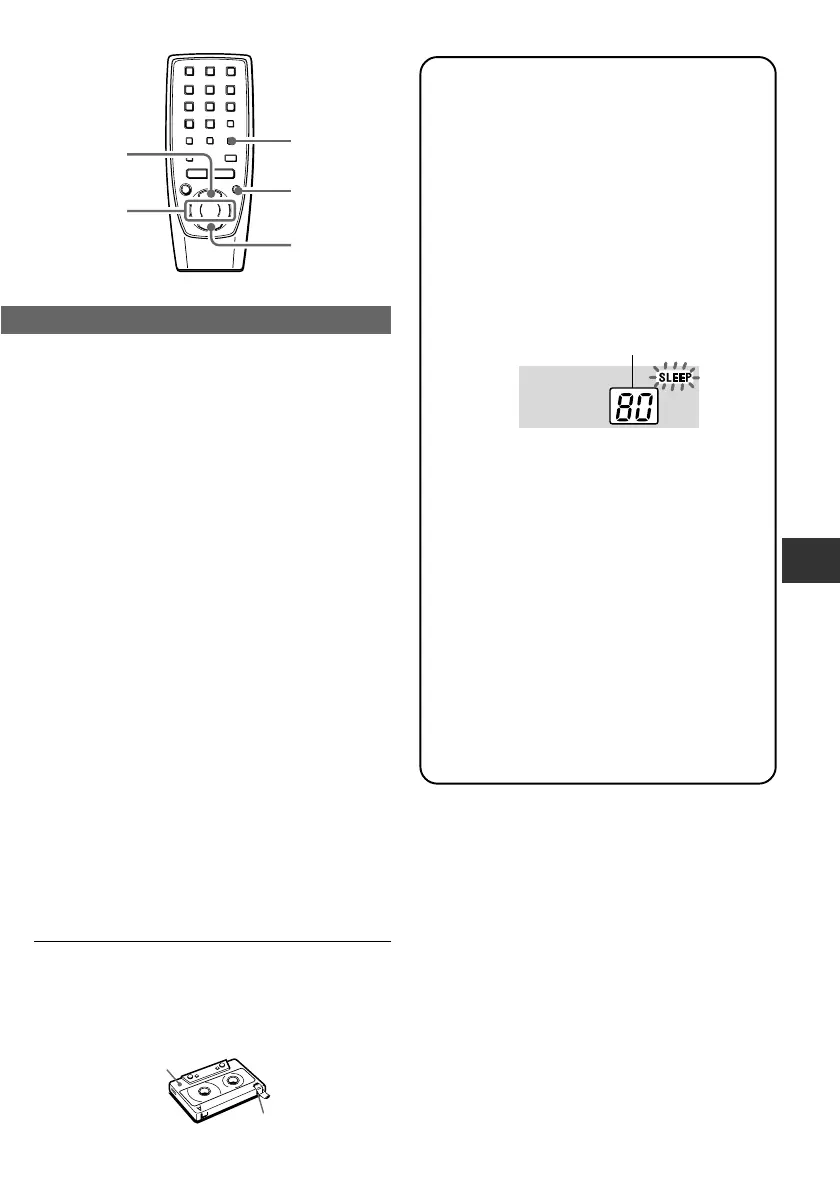
To prevent accidental erasure
Break off the plastic tabs on the cassette tape with a
screwdriver or other pointed tool after recording.
To record on the tape again
Cover the tab openings with adhesive tape, etc.
Tab for side A
Side A
SETTING THE SLEEP TIMER
The unit can be turned off automatically at a
specified time.
1
Hold down REPEAT/MODE/SLEEP*
until “SLEEP” flashes in the display.
* or MODE on the remote control (CSD-FD89/
79 only)
2
Within 4 seconds, press f or g to
specify the time until the power is
turned off.
Each time it is pressed, the time changes
between 10 and 180 minutes in 10-minute
steps.
While the sleep timer works, “SLEEP” is
displayed.
To check the time remaining until the power
is turned off
Repeat step 1 shown above. The remaining time is
displayed for 4 seconds.
To cancel the sleep timer
Repeat step 1 to display the remaining time and
hold down REPEAT/MODE/SLEEP again until
“OFF” is displayed.
Simple sleep timer setting
Press REPEAT/MODE/SLEEP while the power is
off. The unit is turned on with the last function, and
the sleep timer is automatically turned on with the
30-minute setting.
Select the function, if you need, and start playback.
Specified time
ENGLISH
11
En
w REC
s STOP
f, g
e PLAY/
PAUSE
MODE
(CSD-FD89/79 only)

 To Next Page
 Loading...