Charging
Charge preparation
Before leaving the vehicle, you can charge the vehicle. In order to keep the car in good use, please charge
your car in time when the battery is low.
CAUTION: The vehicle can only be charged when it is in parking state, and cannot be charged when it is
in driving state (when the gear is in forward or reverse position) and software upgrading state.
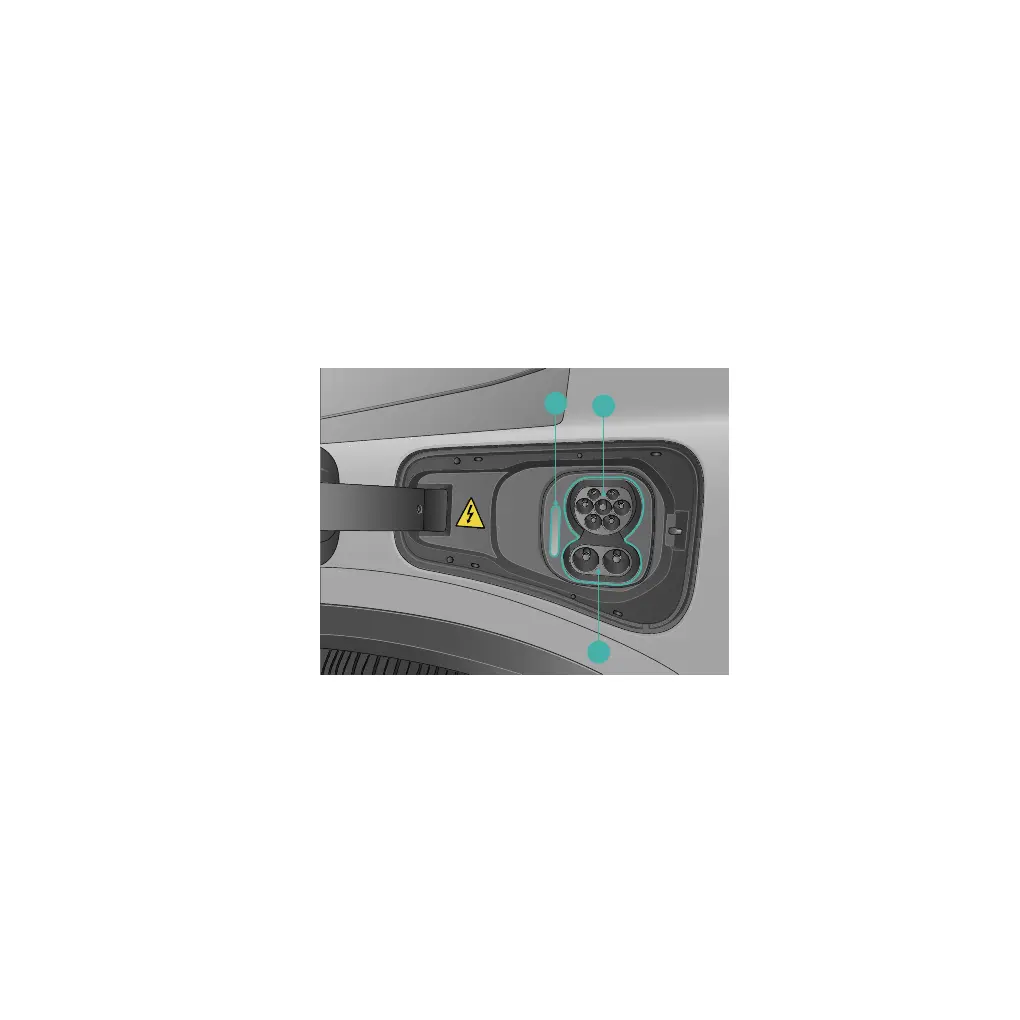
Your vehicle has a DC charging port and an AC one, as shown in the figure:
1. Charging indicator light: If the charging port cover is opened, the charging indicator light stays on for
2 minutes and then goes out. The charging indicator light flashes during charging.
2. AC charging (normal charging) socket, using AC for charging.
3. DC charging (quick charging) socket, using DC for charging.
CAUTION: The ambient temperature is 25℃, and the fastest charging time from 30% to 80% is 30
minutes; When the ambient temperature is too high or too low, the charging time will become longer due
to the need to cool or heat the power battery (the capacity of the power battery will be affected when the
vehicle is in a low temperature environment for a long time).
AIWAYS | 157



 To Next Page