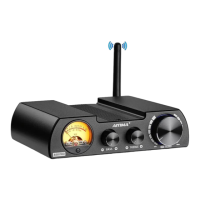
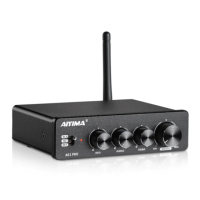
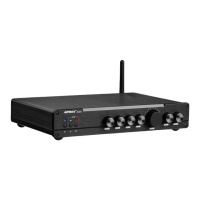
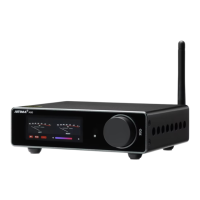
This document outlines the features, usage, and maintenance of the Aiyima A07 PRO Bluetooth 5.2 2.0/2.1 Channel Amplifier. It serves as a comprehensive guide for users to maximize their experience with the device.
Function Description
The Aiyima A07 PRO is a versatile 2.0/2.1 channel amplifier designed to enhance your audio experience. It supports both Bluetooth 5.2 and RCA inputs, allowing for flexible connectivity with various audio sources. The amplifier features dedicated controls for bass and treble, enabling users to fine-tune the sound to their preference. A master volume knob provides overall control of the output level. The device also includes a line output, which can be used to connect to other audio equipment, though it is explicitly stated that this output is not intended for earphones. Speaker output jacks are provided for connecting passive speakers, making it suitable for a range of home audio setups.
Usage Features
Front Panel Controls:
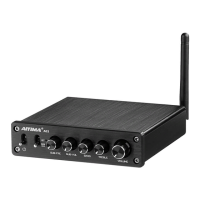
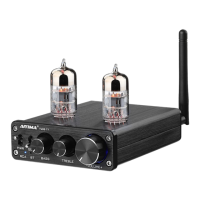
The front panel of the A07 PRO is intuitively designed for ease of use.
- Power Switch: A simple toggle switch to turn the amplifier on or off.
- Input Selector Switch: This switch allows users to select between Bluetooth and RCA input modes. Pushing it up selects Bluetooth, while pushing it down selects RCA.
- Bass Adjustment Knob: Provides control over the low-frequency response, allowing users to boost or cut bass levels.
- Treble Adjustment Knob: Offers control over the high-frequency response, enabling users to adjust the clarity and brightness of the sound.
- Volume Adjustment Knob: The primary control for the overall output volume of the amplifier.
Rear Panel Connections:
The rear panel houses all the necessary input and output connections.
- Bluetooth Antenna Jack: It is crucial to install the included Bluetooth antenna before using the Bluetooth function to ensure optimal signal reception.
- Right and Left Channel Input Jacks: These RCA jacks are used for connecting audio sources via RCA cables.
- Line Output Jack: This output can be used to send the audio signal to another amplifier or recording device. It is important to note that this jack is not designed for connecting earphones.
- Speaker Output Jacks: These terminals are for connecting passive speakers. Ensure correct polarity (positive to positive, negative to negative) for optimal sound and to prevent damage.
- Power Input Jack: This is where the DC power supply connects. The manual explicitly advises against using industrial power supplies.
Connectivity:
The amplifier supports Bluetooth 5.2, offering a stable and high-quality wireless audio connection. It is compatible with various Bluetooth audio codecs including SBC, AAC, APTX, and APTX-HD, ensuring broad compatibility and excellent sound fidelity with supported devices. For wired connections, standard RCA inputs are available.
Troubleshooting Common Issues (FQA):
The manual provides a comprehensive Frequently Asked Questions (FQA) section to address common user queries and issues.
- Volume Knob and Aux Output: The volume knob does not affect the 3.5mm Aux output, as it is a pass-through signal.
- Op Amp Chip Compatibility: The A07 PRO Mini Bluetooth amplifier uses 5 NE5532 Dual Op Amp Chips, with 4 of them being replaceable with various compatible chips like SRT3609SM, OPA2604, OPA2134, LM4562, JRC5532, OP275GSZ, OPA1612AIDR.
- Amplifier Stopping/Overheating: If the amplifier stops working and then works again after a cool-down period, it is likely due to overheat protection. This usually indicates that the output power exceeded the designed limits. Reducing the volume and ensuring the amplifier's output power matches the speakers can resolve this.
- One Channel Not Working: This issue can stem from several factors, including incorrect speaker wiring (positive and negative poles touching), issues with the input mode (Bluetooth or RCA), faulty cables, inverted audio input lines, or loose op amp chips. The manual suggests a systematic troubleshooting process, including swapping speaker cables, changing audio sources, and checking cable connections.
- No Sound Despite Connections: Users should first verify if the machine is powered on. If startup is normal, check input and output line connections. Ensure the playback device's sound source is not suspended, muted, or at minimum volume. Finally, confirm the correct input mode is selected.
- Distorted Sound: Distortion often occurs if the input signal amplitude is too high or if both the amplifier and the input source volumes are set to maximum. Reducing the volume of either the input source or the amplifier can fix this.
- Volume Differences Between Sound Sources: Different playback devices have varying output signal amplitudes (e.g., mobile phones typically 0.35V, CDs 1V), leading to natural differences in sound size even if the amplifier's volume remains constant.
- Loud Current Sound (Hum): This is often caused by using a non-standard power supply. Replacing it with the original or a high-quality standard power supply is recommended, as many market power sources have high disturbance coefficients.
- Buzzing Sound Without Input Source: If a signal line without shielding is used, interference signals can enter the power amplifier, causing a buzz. Replacing the signal line with a shielded one or unplugging it should resolve this.
- Phonograph/Record Player Connectivity: The A07 PRO does not directly support phonograph/record player signal input because their output level is very low. An additional phonograph amplifier (preamp) is required.
- Bluetooth Sound Stuttering: Within 10 meters and without obstructions, Bluetooth should work smoothly. Routers can interfere with Bluetooth signals, so it's best to keep them away from the amplifier.
Maintenance Features
General Care:
- Avoid Opening the Machine Shell: The manual explicitly warns against opening the machine shell to prevent electric shock hazards and potential damage.
- Use Recommended Power Supply: Always use the switching power supply provided by the regular manufacturer. Using an improper power supply carries the risk of damaging the machine.
- Environmental Conditions: Do not operate the machine in high temperature or humid environments to ensure its longevity and safe operation.
By following these guidelines, users can ensure the optimal performance and extended lifespan of their Aiyima A07 PRO amplifier.

 Need help?
 General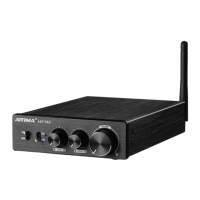

 To Next Page