C10DA Mini-Converter v1.0r1 www.aja.com
6
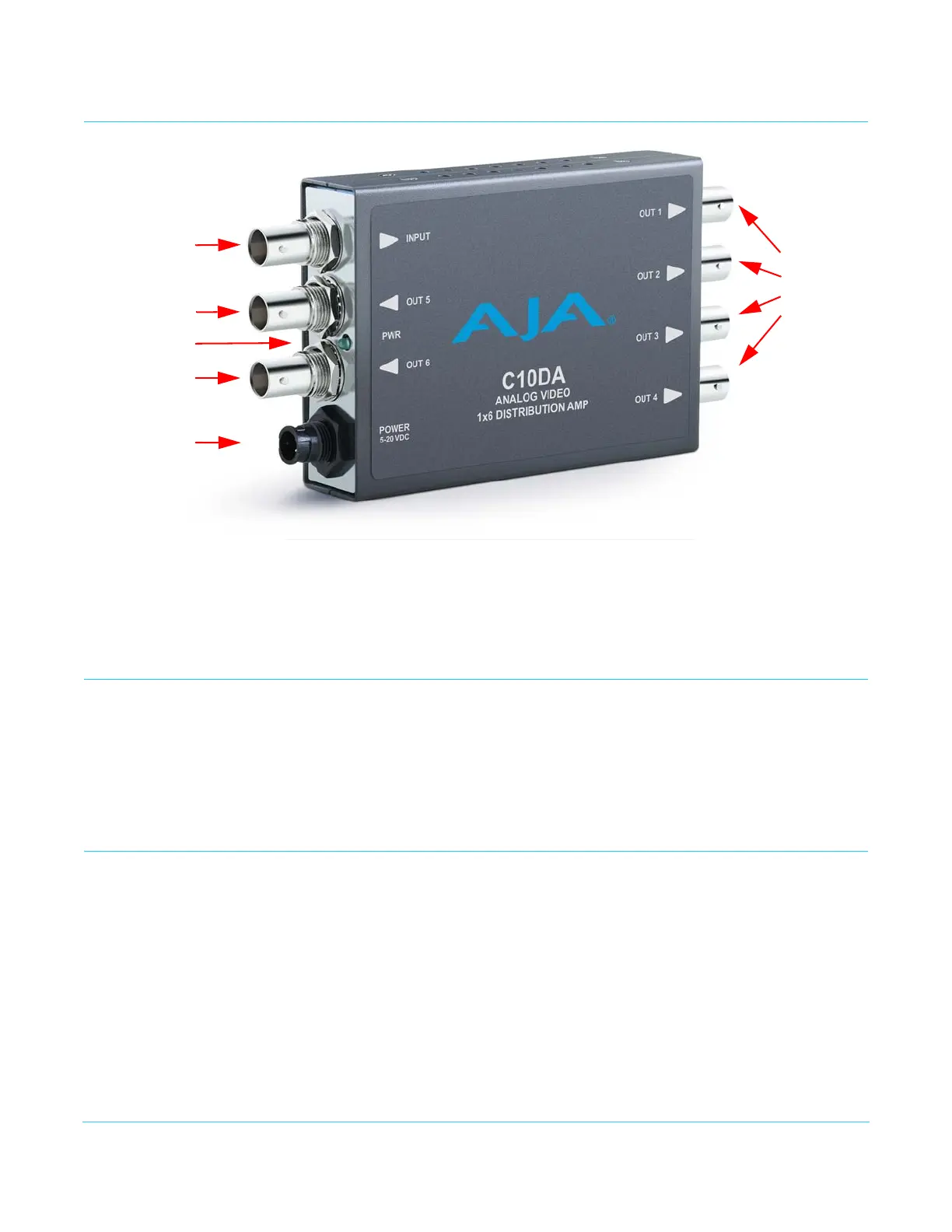
I/O Connections
Installation
Typically, C10DA installation consists of the following steps:
1. Disconnect power from the converter.
2. Connect video equipment to the BNCs.
3. Apply DC power to the converter.
Configuration
You can configure the C10DA by using the DIP Switches on the back of the unit.
NOTE: There is no Mini-Config support for this product.
Input Termination
Control
DIP Switch 4 determines whether the input is terminated (75 ohm) or open.
Put in the left position, the input is terminated. Put in the right position, the input is
open.
Analog Video
Input BNC
Analog
Video
Outputs
1 - 4
BNCs
+5-20 VDC
Power Input
Analog Video
Output 5 BNC
Analog Video
Output 6 BNC
Power LED


 To Next Page