18
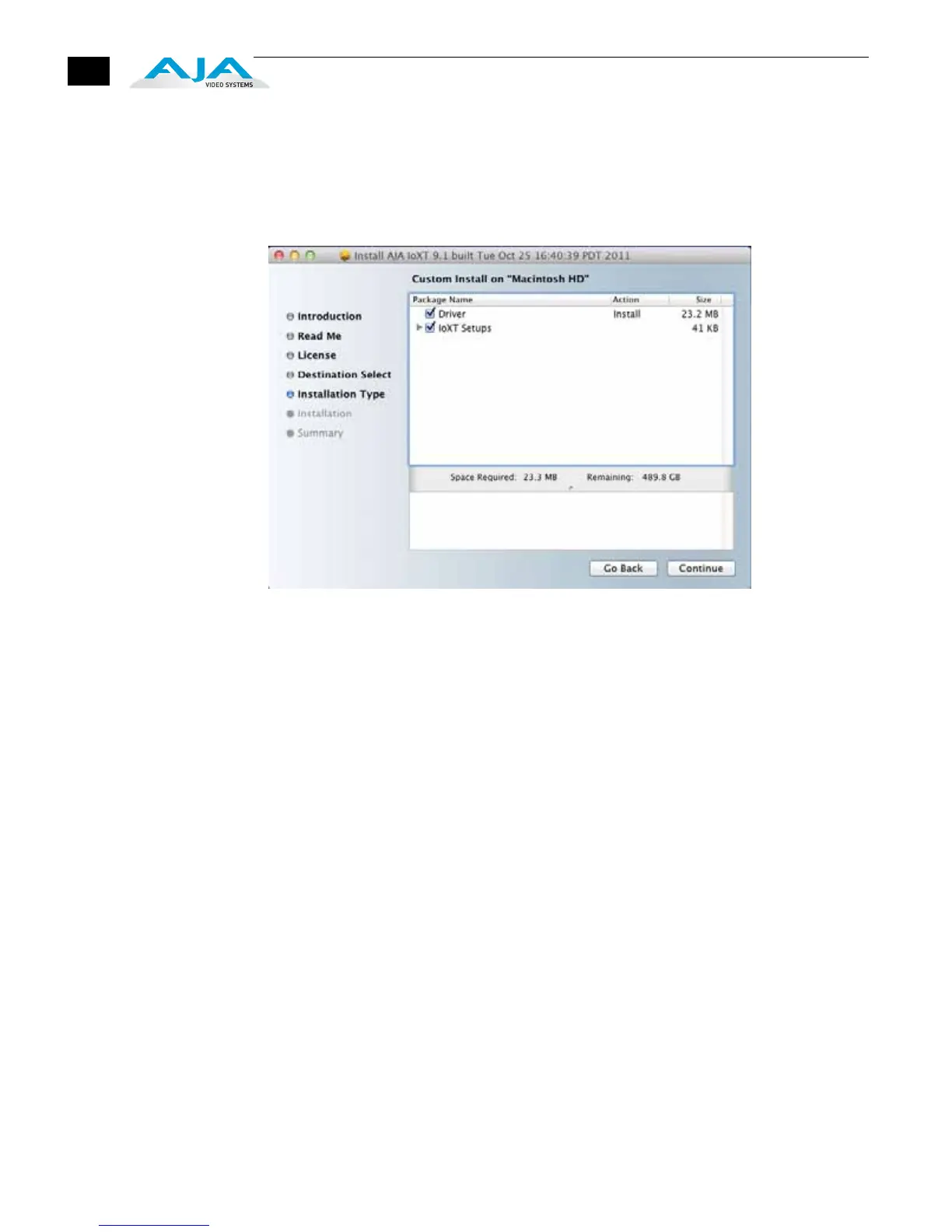
10.At the next screen, select the “Io XT Setups” checkbox if you’re using Final Cut
Pro versions prior to 10. Check any Easy Setups that you want to use (or all of
them) and then click the Continue button to place the software on the drive
you previously selected. If you’re using Final Cut Pro X or other 3rd-party
applications, you can uncheck the “Io XT Setups” checkbox before clicking
Continue.
Installer Screen, Select Easy Setups to be Installed
Note: We only provide the following Easy Setups for FCP 7:
1080i 25 Apple ProRes 422 (HQ)
1080i 29.97 Apple ProRes 422 (HQ)
1080PsF 23.98 Apple ProRes 422 (HQ)
720p 50 Apple ProRes 422 (HQ)
720p 59.94 Apple ProRes 422 (HQ)
Users can make their own Easy Setups for other formats and frame rates.
11.The installer tells you how much room the installation will take and prompts
you to click Install to begin (or go back). Click the Install button to proceed.


 To Next Page