1
A
B T
A
B T
1
A
B T
A
B T
1
A
B T
A
B T
1
A
B T
A
B T
1
A
B T
A
B T
1
A
B T
A
B T
RGB Version
2. Description of the switch indicator light
Switch function (Figure 1)
The three-speed toggle switch switches 2.4G/USB/Bluetooth mode, and the default USB mode.
:2.4G mode;
• Wired mode;
: Bluetooth mode.
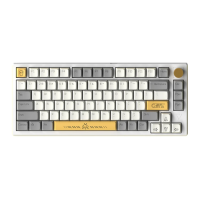
Indicator light: the light is white light (picture 2)
esc
Num
7 Home
(Figurel)
1!
9 pga
Indicator "1 " : Numswitch;
Indicator " A" : Capsswitch;
Indicator •e :2.4G mode;
4s Indicator "B T" : Bluetooth modeo
j •iäiäjig,_.
nter
5s FN key: (j) FN indicates the power, the charging red light FN is always red, and the system is fully charged
(connect the USB cable in any wireless mode to charge the device);
(Figure2)
@ When the keyboard power is low, the FN key backlight is red The light blinks continuously to indicate charging.
Scroll Wheel Function
OVolume adjustment function:
Turn the knob to the right: volume +
Turn the knob to the left: volume -
@Mute: Press to mute, then press to restore.
Note: By default, the volume adjustment will follow the computer, and the computer volume will jump 2 bars after turning one bar.
Sleep Mode
Power-Saving Sleep: The backlight turns off after 5 minutes of no key operation on the keyboard, press any button to wake up the
backlight of the keyboard and reconnect to Bluetooth/2.4G;
Deep Sleep: Deep standby after 30 minutes of no key operation on the keyboard, Bluetooth/2.4G is disconnected and sleeps,
press any button to wake up the kedyboard backlight and reconnect to Bluetooth/2.4G.
12


 To Next Page