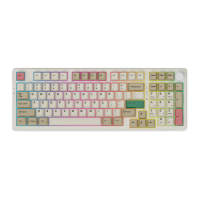
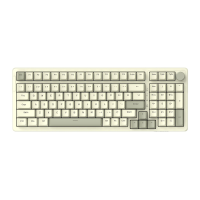
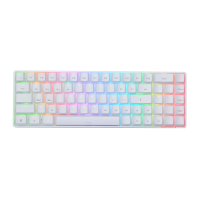
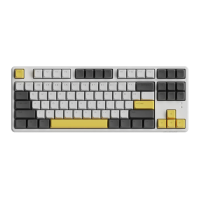
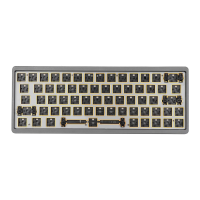
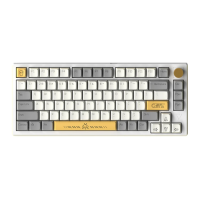
This document describes the AJAZZ K620T Bluetooth Dual-Mode Mechanical Keyboard, a versatile keyboard designed for various operating systems and user preferences.
Function Description:
The K620T keyboard offers both wired and Bluetooth connectivity, allowing users to switch between modes easily. A physical switch on the keyboard toggles between wired mode, Bluetooth mode (labeled "BT"), and power off ("OFF"). In wired mode, the keyboard connects directly to a computer via a Type-C data cable. For Bluetooth mode, the keyboard supports pairing with up to three different Bluetooth devices (FN+Q, FN+W, FN+E).
The keyboard features a 61-key layout and includes a knob for volume control. Turning the knob left decreases volume, turning it right increases volume, and pressing it mutes the audio.
Combination Key Functions:
The keyboard utilizes FN key combinations for various functions:
- F-Keys: FN+ESC (~) to FN+=+ (F12) provide access to standard F-key functions.
- Media Control: FN+Z (Previous song), FN+X (Play/pause), FN+C (Next song), FN+V (Lock screen WIN+L), FN+Right APP (Direction down), FN+Right ALT (Direction left), FN+Right ctrl (Direction right).
- Lighting Control:
- FN+[ : Circular adjustment of light brightness (six gears plus off). The indicator flashes 3 times at the highest and lowest settings.
- FN+] : Cyclic adjustment of light effect speed (six gears plus light effect pause). The indicator flashes 3 times at the fastest and slowest settings.
- FN+, | : Cyclic adjustment of lighting effects (19 sets of backlight effects, following a wave pattern by default).
- System and Device Functions:
- FN+B: Opens the main business in Windows, or returns to the desktop on mobile terminals.
- FN+Right: Shifts direction key/function key exchange.
- FN+Left ctrl: Interchanges the number area and the F function area. The default F key function area requires FN combination; after pressing this combination, it still requires FN for use.
- FN+space (long press 4s): Restores factory settings, clearing all configurations.
- FN+Q/W/E: Switches between paired Bluetooth devices (supports control and storage of 3 Bluetooth devices). The keyboard indicator flashes during switching, and flashes once upon successful switch.
Important Technical Specifications:
- Wire Length: 1.5M
- Product Model: K620T
- Interface Type: Type-C
- Product Weight: 810g ± 10g
- Key Layout: 61 keys (key line separation)
- Backlight: RGB backlight with 19 lighting effects
- Product Size: 298.7mm x 137.6mm x 45.7mm (thickness 1mm)
- Battery Capacity: 4400mA rechargeable lithium battery
- System Requirements: Win7/Win8/Win10/Android/iOS/Mac
- Transmission Method: USB wired and Broadcom Bluetooth 3.0
- Matrix: Full key without punch in both Bluetooth and wired modes.
- Keycaps: ABS keycaps with AJAZZ Mechanical Switches.
Usage Features:
- Dual-Mode Connectivity: Seamlessly switch between wired and Bluetooth connections.
- Multi-Device Bluetooth Pairing: Store and switch between up to three Bluetooth devices, making it ideal for users with multiple computers, tablets, or smartphones.
- RGB Backlighting: Enjoy 19 customizable RGB lighting effects, with adjustable brightness and speed.
- Volume Control Knob: Conveniently adjust volume and mute audio directly from the keyboard.
- Full Key Rollover: Ensures accurate input even when multiple keys are pressed simultaneously in both wired and Bluetooth modes.
- Long Battery Life: In Bluetooth mode, the battery lasts approximately 50 hours with the backlight on and an impressive 880 hours with the backlight off. Charging takes about 5 hours, and standby time is around 88,000 hours.
Maintenance Features:
- Automatic Backlight Shut-off: In Bluetooth mode, the keyboard backlight automatically turns off after 10 minutes of inactivity to conserve battery.
- Deep Rest Mode: After 30 minutes of no operation in Bluetooth mode, the keyboard enters a deep rest state.
- Wake-up Function: To wake the keyboard from sleep or when the Bluetooth device is disconnected, simply press any key.
- Low Battery Warning: Indicator light 4 flashes red quickly when the battery is low, and the backlight automatically turns off. The flashing stops once power is connected.
- Charging Indicator: Indicator light 3 is red during charging and turns green when fully charged.
- Factory Reset: A long press (4 seconds) of FN+space restores the keyboard to factory settings, clearing all user configurations.
Indicator Lights:
- Indicator 1 (A): Monochromatic white light, indicates upper and lower case.
- Indicator 2 (BT): RGB light, indicates code matching/device switching. Green light for FN+Q, blue light for FN+W, red light for FN+E.
- Indicator 3 (4): RGB light, charging indicator. Red during charging, green when full.
- Indicator 4 (Battery Icon): Low battery warning light. Flashes red quickly when battery is low, backlight turns off. Stops flashing when power is connected.

 Need help?

 To Next Page
 General