EasyManua.ls Logo

AJAZZ AC067 - User Manual

AJAZZ AC067
4 pages
Print Icon
To Next Page IconTo Next Page
Loading...
A.mzz
NACODEXX
AC067
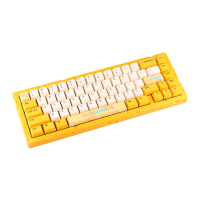
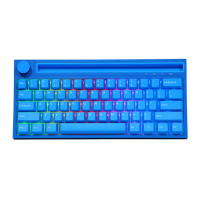
AC067 RGB mechanical keyboard
User Manual
Question and Answer IconNeed help?

Do you have a question about the AJAZZ AC067 and is the answer not in the manual?

Summary

Product Specifications

Light Mode Operation Instructions

Key Compound Function Operation Instructions

Hot Swap Operation Step

Overview

This document describes the AC067 RGB mechanical keyboard, a "Cheese version" model from AJAZZ and NACODEX. It's designed for users who appreciate customization in both aesthetics and functionality, offering a compact layout and a range of lighting and key-mapping options.

Function Description

The AC067 RGB mechanical keyboard is a wired peripheral designed for input on computers. Its primary function is to provide a tactile and responsive typing experience through mechanical switches. The keyboard features a compact 67-key layout, which optimizes desk space while retaining essential keys. A key feature is its RGB lighting system, offering 18 distinct lighting effects that can be cycled through, allowing users to personalize the keyboard's appearance.

Beyond basic input, the keyboard incorporates a multi-function FN key that, when combined with other keys, unlocks a variety of secondary functions. These include controlling lighting brightness and speed, switching dynamic light directions, and changing backlight colors. The keyboard also supports three customizable game lighting effects, pre-configured for FPS and LOL modes, and a 37-key office mode, which can be recorded and saved.

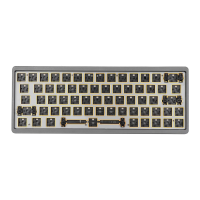
For advanced users, the AC067 offers hot-swappable switch sockets. This allows users to easily replace individual switches without soldering, enabling them to customize the tactile and auditory feedback of each key. This feature supports 5-pin switches and is compatible with most mechanical switches, providing a high degree of personalization for the typing experience.

Usage Features

The AC067 RGB mechanical keyboard is designed for ease of use and extensive customization.

Lighting Control:

  • FN + |: Cycles through 18 different lighting effects.
  • FN + ↓: Decreases light brightness (five gears).
  • FN + ↑: Increases light brightness (five gears).
  • FN + ←: Switches the dynamic light direction.
  • FN + →: Switches the backlight color.
  • FN + {: Decreases light speed (five gears).
  • FN + }: Increases light speed (five gears).

Customizable Game Lighting Effects:

  • FN + T/Y/U: Activates three groups of game lighting effects that can be customized.
  • FN + T: Default FPS mode (W/A/S/D/↑/↓/←/→ keys illuminated).
  • FN + Y: Default LOL mode (Q/W/E/R/D/G/F/B/V/L-Ctrl/L-Alt/Tab/Space/1-6/Esc keys illuminated).
  • FN + U: Default 37-key office mode (A-Z 26 English letters/[/]/;/'/./,///↑/↓/←/→ keys illuminated).
  • FN + I: Records or saves the lighting effects for the three game modes.

Key Compound Functions (FN Combinations):

The FN key also enables access to various F-keys and multimedia controls:

  • FN + 1 = F1
  • FN + 2 = F2
  • FN + 3 = F3
  • FN + 4 = F4
  • FN + 5 = F5
  • FN + 6 = F6
  • FN + 7 = F7
  • FN + 8 = F8
  • FN + 9 = F9
  • FN + 10 = F10
  • FN + -_ = F11
  • FN + =+ = F12
  • FN + ESC = ~
  • FN + X = Pause/play
  • FN + C = Next song
  • FN + Z = Last song
  • FN + B = Volume-
  • FN + V = Volume+
  • FN + N = Mute
  • FN + HOME = INS
  • FN + DEL = END
  • FN + PGUP = PRTSC
  • FN + PGDN = ScrLk

System Mode Switching:

  • FN + S: Switches to MAC system mode.
  • FN + A: Switches to WIN system usage mode (factory default).

Key Area Swapping:

  • FN + Left Ctrl: Swaps between the number area and F1 function key area.

WIN Key Lock:

  • FN + WIN key-L: Locks the WIN key. Pressing it again unlocks it. The WIN key will light up in white when locked, providing a visual indicator and preventing accidental presses during gaming or other critical tasks.

Maintenance Features

The AC067 RGB mechanical keyboard is designed with user-friendly maintenance and customization in mind, primarily through its hot-swappable switch feature.

Hot-Swap Operation:

The hot-swappable design allows users to easily change switches without the need for soldering, which simplifies maintenance and customization.

  1. Pull out the key cap: Use a key puller tool to carefully remove the key cap from the desired switch.
  2. Pull out the switch: Use a switch puller tool to gently extract the switch from its socket.
  3. Proofread pins and holes: Before inserting a new switch, ensure that the pins on the new switch are straight and align correctly with the holes in the PCB. This prevents damage to both the switch and the socket.
  4. Gently press the switch in vertically: Carefully align the new switch with the socket and press it down vertically until it clicks into place. Avoid applying excessive force or pressing at an angle, which could bend the pins.

This hot-swappable feature not only allows for easy replacement of faulty switches but also enables users to experiment with different switch types (linear, tactile, clicky) to find their preferred typing feel. This extends the lifespan of the keyboard by allowing component-level repair and customization.

Restoring Factory Settings:

  • FN + Spacebar (long press for 3-5 seconds): This action clears all custom light effects and restores the keyboard to its factory default settings. The keyboard lights will flash three times to confirm the reset. This is a useful feature for troubleshooting or when a user wishes to revert to the original configuration.

The combination of customizable lighting, versatile key functions, and hot-swappable switches makes the AC067 RGB mechanical keyboard a highly adaptable and user-maintainable device, catering to both casual users and enthusiasts who value personalization and longevity.

AJAZZ AC067 Specifications

General IconGeneral
TypeMechanical Keyboard
Layout65%
Keycap MaterialPBT
BacklightRGB
ConnectionWired
ConnectivityUSB Type-C
Mounting StyleGasket Mount
Case MaterialAluminum
Hot-swappableYes
Polling Rate1000 Hz
Switch TypeGateron Yellow
Anti-ghostingN-Key Rollover

Related product manuals