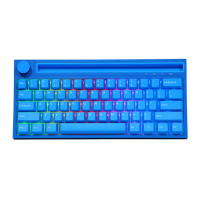
2. Light Mode Operation Instructions
"FN + "Switch 18 kinds of cycle lighting effects:
FN+Multi Function Key Description:
• FN+ = Light brightness-(five gears)
• N+ t = light brightness+ (five gears)
• FN+<— = dynamic light direction switch
FN++= switch backlight color
FN+{ = light speed-(five gears)
• FN+} = light speed + (five gears)
• FN+T/Y/U = Three groups of game lighting effects can be customized
• FN+T = Default FPS mode — W/A/S/D/ t /
FN+Y = Default LOL mode—Q/W/E/R/D/G/F/B/V/L-Ctrl/L-Alt/Tab/Space/
1-6/Esc
• FN+U = Default 37-key office mode: A-Z 26 English letters/[/]/;/' /./,///
FN+I = Recording/saving the lighting effects of the above three game modes
FN+Spacebar= long press for 3-5 seconds, the keyboard light flashes 3 times
to clear the light effect and restore the factory settings
5. Key Compound Function Operation Instructions
. FN+3=F3
. FN+5=F5
, F N +9=F9
—F 11
, FN+6=F6
. FN+8=F8
• FN+IO=FIO


 To Next Page