EasyManua.ls Logo

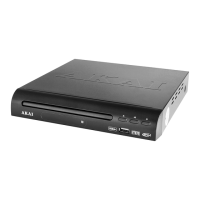
Akai A51005 - User Manual

Akai A51005
18 pages
Print Icon
To Next Page IconTo Next Page
Loading...
INSTRUCTION MANUAL
HDMI DVD PLAYER
MODEL: A51005
NEED HELP?
FOR ADVICE, SPARES AND RETURNS.
CALL:+44 (0)333 220 6042
8.30AM TO 6.00PM MONDAY-FRIDAY
VISIT: WWW.AKAIONLINE.CO

Questions and Answers

  • D
    Daniel HowardAug 6, 2025
    Why does my Akai A51005 DVD Player have no picture?
    • J
      Joseph PetersonAug 6, 2025
      If your Akai DVD Player shows no picture, the issue might be due to incorrectly inserted cables. Try re-inserting the cables, and ensure that both the SCART lead and AV cable are correctly connected.
  • J
    Joshua OneillAug 12, 2025
    How to fix sound issues with my Akai DVD Player?
    • G
      Gary MitchellAug 12, 2025
      If you're experiencing sound problems with your Akai DVD Player, it might be due to a loose or incorrectly connected AV cable. Reconnect the AV cable, making sure it's firmly in place, and also ensure that your TV is set to the correct channel.
  • T
    Terrence NicholsAug 18, 2025
    What to do if Akai DVD Player remote control does not work?
    • S
      Sarah BenjaminAug 18, 2025
      If the remote control for your Akai DVD Player isn't working, consider these possibilities: * The battery may be weak, so try changing it. * Ensure you're pointing the remote directly at the remote sensor on the DVD player. * The remote sensor might be dirty; clean it gently with a clean, dry cloth.
  • S
    Sharon Johnson MDAug 23, 2025
    Why does my Akai A51005 DVD Player picture freeze or skip?
    • C
      Christina LeonardAug 23, 2025
      If the picture on your Akai DVD Player freezes or skips, or if the sound is distorted, it could be due to: * A damaged, cracked, or dirty disc. Try cleaning or replacing the disc. * Interference from a nearby speaker. Move the speaker away from the player.
  • J
    Jonathan KnightAug 30, 2025
    What to do if Akai A51005 DVD Player shows no tracks?
    • A
      Adam WashingtonAug 30, 2025
      If your Akai DVD Player shows no tracks or play times after inserting a disc, the disc may not be inserted correctly, or it could be dirty or cracked. Try correctly inserting the disc. If the problem persists, clean or replace the disc.

Summary

Technical Data

Model Identification

Model number of the AKAI DVD player.

Power and Wattage Details

Specifies the power requirements and wattage for the DVD player.

Declaration of Conformity

Regulatory Compliance Directives

Lists directives the product conforms to, like EMC and Low Voltage.

Guarantee

Product Guarantee Terms and Conditions

Details the product guarantee period, conditions, and usage limitations.

Safety Information

General Operation Safety Warnings

Provides essential safety instructions for operating the DVD player.

Appliance Use Safety for Children

Outlines safety guidelines for children using the appliance.

Package Contents

Package Contents List

Lists the components included in the package.

Features and Controls

Front Panel Overview and Controls

Identifies and describes buttons and ports on the front of the DVD player.

Rear Panel Ports and Connectivity

Details the various output and input sockets on the rear of the unit.

Remote Control

Remote Control Button Functions

Lists and describes the function of each button on the remote control.

Using Your Appliance

Remote Control Battery Installation and Use

Instructions for inserting batteries and operating the remote control.

On-Device Controls and Functions

Explains the functions of the buttons on the DVD player itself.

Remote Control Key Functions (1;2)

Detailed explanations of various remote functions like STEP, REPEAT, A-B.

Using Your Appliance (Continued)

Remote Control Key Functions (2;2)

Continues explaining remote functions like OK, MENU, PAUSE.

DVD Player Installation Recommendations

Advice on selecting a stable surface and avoiding obstructions for installation.

Connecting via AV Cables

Step-by-step instructions for connecting the DVD player via AV cables.

Using Your Appliance (Continued)

Connecting via Coaxial Cable

How to connect the DVD player using a digital coaxial cable.

Connecting via SCART Lead

Instructions for connecting the DVD player using a SCART lead.

Connecting via HDMI Cable

Steps to connect the DVD player using an HDMI cable.

Connection Ports Diagram

A visual guide showing various connection ports.

Using Your Appliance (Continued)

Navigating On-Screen Setup Menus

Explains how to access and navigate the setup menu.

Speaker and Audio Output Configuration

Options for configuring speaker output settings.

Digital Audio Setup Options

Settings for digital audio formats like Dual Mono and Dynamic.

Video Output Settings

Options for setting video display characteristics like resolution.

Using Your Appliance (Continued)

User Preference Settings (Audio, Language)

Settings for audio, language, and parental controls.

Disc Loading and Playback Procedure

Step-by-step guide on how to insert and play a disc.

Using the USB Media Port

How to use the USB port for playing media files.

Parental Control and Rating Setup

How to enable and set up parental control features and passwords.

Troubleshooting the Appliance

Troubleshooting Common Issues

Lists common issues like no power or no picture and their solutions.

Electrical Safety

Mains Plug and Fuse Safety Information

Details about the non-rewireable mains plug and fuse replacement.

Electrical Wiring and Double Insulation Safety

Guidance on connecting the mains lead wires and the double insulated warning.

Cleaning and Care

Cleaning the DVD Player Exterior

Instructions for cleaning the exterior of the DVD player.

Cleaning Discs for Playback

Method for cleaning discs to ensure playback quality.

Disc Lens Cleaning Procedure

How to clean the laser lens to maintain performance.

Appliance Recycling and Disposal Guidelines

Information on how to dispose of the appliance responsibly.

Glossary

Glossary: Video Aspect Ratio Terms

Explains terms like 4:3 P/S, 4:3 L/S, and 16:9.

Glossary: Playback Function Terms

Defines features such as A-B Repeat, PBC, and AV Cable.

Glossary: Audio;Video Output Types

Explains different audio/video outputs like L/R, CVBS, RGB, and SCART.

Glossary (Continued)

Glossary: Audio Output Modes

Defines STEREO (DOWNMIX) and its output.

Glossary: USB and VCD Definitions

Explains USB and VCD technologies used by the player.

Glossary: Media Content Rating System

Describes the different age ratings for video content (U, PG, 12A, etc.).

Akai A51005 Specifications

General IconGeneral
BrandAkai
ModelA51005
CategoryDVD Player
LanguageEnglish

Related product manuals