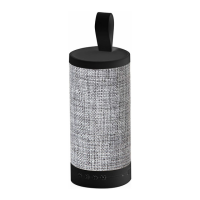
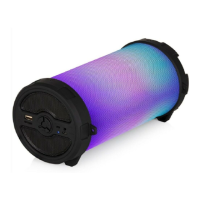
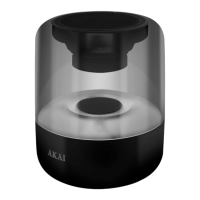
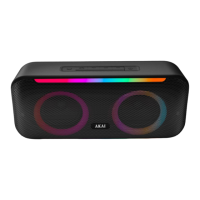
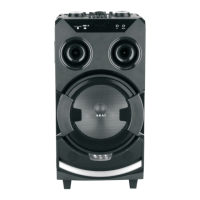
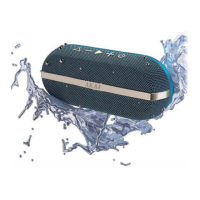
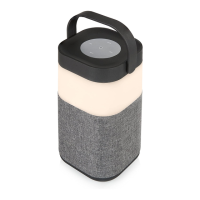
This document is an instruction manual for the Akai A58072 Bluetooth Lantern Speaker, a device that combines a speaker with a lantern function.
Function Description
The Akai A58072 is a versatile device designed to provide both audio playback and ambient lighting. It functions as a Bluetooth speaker, allowing wireless audio streaming from compatible devices such as smartphones, tablets, and laptops. Additionally, it features a lantern with multiple light modes and color options, making it suitable for various indoor and outdoor settings. The device also includes an SD/TF card input for playing MP3 audio files directly and an FM radio function. It supports hands-free calling when paired with a phone.
Important Technical Specifications
- Model No: A58072
- Bluetooth® Version: 4.2
- Bluetooth Range: 26 to 33 feet (up to 10 meters in open space)
- Built-in Battery: 1800mAh
- Frequency Response: 100Hz-20KHz
- Power Output: 5W
- Charging Interface: DC5V (Micro USB)
- Input: SD/TF card input for MP3 audio files.
- Compliance: Conforms to 2014/30/EU (Electromagnetic Compatibility Directive), 2014/35/EU (Low Voltage Directive), 2011/65/EU (Restriction of Hazardous Substances Directive), and 2014/53/EU (Radio Equipment Directive).
- Guarantee: 3-year guarantee (requires product registration online).
Usage Features
The Akai A58072 offers a range of features for audio playback, lighting, and communication:
Controls:
The device features a set of intuitive controls for managing its functions:
- Power/Play/Pause Button (6): Used to turn the speaker on/off and to play or pause music.
- Volume Up/Previous Track Button (5): Short press for previous track, long press to increase volume.
- Volume Down/Next Track Button (9): Short press for next track, long press to decrease volume.
- Mode Switching Button (7) (M/C): Used to switch between Bluetooth, SD/TF card, and FM radio modes. Also used for answering/rejecting calls.
- Light/Colour Switch Button (8): Controls the lantern's illumination and color.
Charging:
- Before first use, fully charge the unit for at least 4 hours.
- Connect the supplied micro USB cable to the USB charging port (12) on the speaker and the other end to a computer or USB charging device.
- The charging light (11) will illuminate red during charging and turn off automatically once fully charged.
- It is recommended to turn the speaker off when not in use to conserve battery power.
Bluetooth Pairing:
- Turn on the Bluetooth speaker by pressing the Power Button for 2-3 seconds.
- Enable Bluetooth on your device (phone, tablet, etc.).
- Search for "A58072" in your device's Bluetooth settings.
- If prompted, enter the password '0000' to confirm pairing.
- The speaker will automatically pair with previously connected devices.
Playing Music:
- Play/Pause: In music mode (Bluetooth, SD/TF card), touch the Play/Pause key momentarily. The LED in the lightbulb icon will flash slowly.
- Mode Switching: Touch the Mode Switching key momentarily to cycle through Bluetooth, SD/TF card, and FM radio modes.
- Volume Control: Use the Volume Up/Previous Track and Volume Down/Next Track buttons for volume adjustment.
- Track Navigation: Short press the Volume Up/Previous Track or Volume Down/Next Track buttons to skip tracks.
FM Radio Mode:
- In FM mode, press the Play/Pause key momentarily to automatically search for radio stations.
- Use the Volume Up/Previous Track or Volume Down/Next Track buttons to tune to previous or next radio stations.
Hands-Free Calling:
- When an incoming call is received in Bluetooth mode, press the Mode Switching key for 2-3 seconds to reject the call, or touch it momentarily to answer in hands-free mode.
- To switch to phone audio during a call, touch the Mode Switching key momentarily. Press for 2-3 seconds to hang up.
Lantern Function:
- Light On/Off: Touch the Light/Colour Switch key momentarily to turn the light on (white). Pressing it for 3-4 seconds will turn the light off.
- Color Switching: After the initial white light, subsequent momentary touches of the Light/Colour Switch key will cycle through red, blue, and green.
- Color Change Mode: While in green light mode, a further brief touch of the Light/Colour Switch key will activate a gradual color cycling mode.
Micro SD Card Playback:
- When a Micro SD card is inserted into the SD/TF input (10), MP3 audio files will play automatically.
Maintenance Features
Cleaning:
- Clean the appliance with a soft, damp cloth.
- Do not use chemicals or hard abrasives.
Storage:
- Keep the unit away from wet or damp surroundings.
- Store in a cool, dry place.
Troubleshooting:
The manual provides a troubleshooting guide for common issues:
- Low sound level: Adjust source volume or charge the battery if it's dead.
- Sound distorted: Charge the battery if it's nearly dead.
- No sound at all: Ensure the source device and speaker are turned on, volume is up, and media is playing.
Disposal:
- The crossed-out wheelie bin symbol indicates that the product should not be disposed of with domestic rubbish.
- It must be disposed of in an environmentally friendly way, in accordance with the WEEE directive.
- Contact local authorities or visit www.recycle-more.co.uk, www.recyclenow.co.uk (UK), or www.weeeireland.ie (Ireland) for information on recycling electrical items.
Safety Information:
- Always ensure the appliance is used on a stable, level, and heat-resistant surface.
- Do not immerse cords, plugs, or any part of the appliance in water or other liquids.
- Do not leave the appliance unattended while operating.
- Close supervision is necessary when used by or near children or pets.
- This product is not a toy and should not be played with by children.
- Do not throw the appliance, as its weight could cause damage or injury.
- Cleaning and user maintenance should not be performed by children without supervision.
- Switch off and unplug when not in use or before cleaning.
- If the supply cord or appliance is damaged, stop using it immediately and seek professional advice.
- Do not let the USB cord hang over table edges or come into contact with hot surfaces.
- Do not use accessory attachments not supplied with the product.
- Do not use an extension cord when charging.
- Do not pull the plug by the cord.
- Ensure adequate ventilation.
- The battery should not be exposed to excessive heat (sunshine, fire, etc.).
- Do not charge if the USB charging port is wet; allow it to dry first.
- Do not play music at excessive levels to prevent hearing damage or equipment damage.
- In case of a fault, stop using the appliance immediately and contact customer support.
- Keep the unit free of dust and lint.
- Do not install near heat sources.
- Unplug during lightning storms or when unused for long periods.


 To Next Page
 General