EasyManua.ls Logo

Akai A58075G - User Manual

Akai A58075G
8 pages
Print Icon
To Next Page IconTo Next Page
Loading...
INSTRUCTION MANUAL
BLUETOOTH
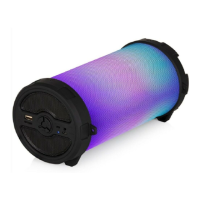
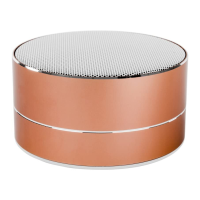
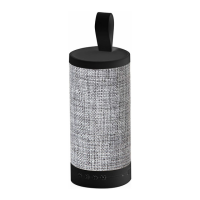
CYLINDER FABRIC SPEAKER
MODEL: A58075G
NEED HELP?
FOR ADVICE, SPARES AND RETURNS.
CALL:+44 (0)333 220 6042
8.30AM TO 6.00PM MONDAY-FRIDAY
VISIT: WWW.AKAIONLINE.CO

Questions and Answers

  • H
    harrisjeffreyAug 5, 2025
    What to do if my Akai A58075G have no sound?
    • M
      Matthew WrightAug 5, 2025
      If your Akai Speakers produce no sound, ensure that the source device (Tablet, Mobile Phone, Laptop) is turned on and the speaker is also powered on. Verify that the volume on your source device is not muted or set too low and that media is playing, not paused.
  • J
    Jason JamesAug 19, 2025
    How to fix low sound level on Akai A58075G Speakers?
    • A
      Ashley BallAug 19, 2025
      If the sound level from your Akai Speakers is too low, first check the volume level on your connected device (Tablet, Mobile Phone, Laptop, etc.) and adjust it to your desired level. Also, ensure that the speaker's battery isn't depleted; if it is, charge the battery.

Summary

Technical Specifications and Guarantee

Model Number

A58075G, the specific model identifier for the speaker.

Bluetooth Range

Up to 10 meters, the maximum wireless operating distance.

Battery Capacity

1200MAH, the capacity of the built-in rechargeable battery.

Power Output

3W, the audio output power of the speaker.

Conforming Directives

Lists product legislation conformance including EMC, Low Voltage, RoHS, RED.

Warranty Period

12 months from the date of original purchase.

Guarantee Conditions

Details return policy, proof of purchase, and usage requirements.

Important Safety and Usage Information

Safety Information

Essential safety instructions to read carefully before operating the appliance.

Critical Warnings

Lists critical warnings for safe operation, including voltage, surface, immersion, supervision.

Product Features and Controls

Package Contents

Lists the instruction manual, Bluetooth speaker, USB cable, and audio cable.

Control Identification

Details the numbered controls: Prev/V+, Play/Pause, Next/V-, Function Key, Mic, Power, Ports.

Using Your Appliance

Initial Setup and Charging

Steps for unpacking, checking contents, and charging the speaker before first use.

Bluetooth Pairing and Connectivity

Guide for pairing the speaker with a device and answering phone calls.

Music Playback and Controls

Explains playback controls, mode switching, volume adjustment, and radio tuning.

Troubleshooting and Maintenance

Common Sound Issues

Addresses low volume, distorted sound, and no sound, providing solutions.

Cleaning and Care

Guidelines for cleaning the appliance using a soft, damp cloth.

Recycling Information

Instructions for environmentally friendly disposal of the electronic appliance.

Customer Support and Registration

Contact and Support

Provides phone number and website for advice, spares, and returns.

Product Registration

Encourages online product registration for an extended warranty.

Akai A58075G Specifications

General IconGeneral
BrandAkai
ModelA58075G
CategorySpeakers
LanguageEnglish

Related product manuals