EasyManua.ls Logo

Akai A58095 - User Manual

Akai A58095
16 pages
Print Icon
To Next Page IconTo Next Page
Loading...
INSTRUCTION MANUAL
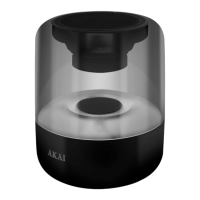
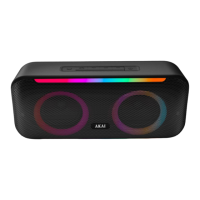
CANNON LED LIGHTS SPEAKER
WITH MULTICOLOURED LIGHTING EFFECTS
MODEL: A58095
NEED HELP?
FOR ADVICE, SPARES AND RETURNS.
CALL:+44 (0)333 220 6042
8.30AM TO 6.00PM MONDAY-FRIDAY
VISIT: WWW.AKAIONLINE.CO
90 YEARS OF JAPANESE TECHNOLOGY
4W RMS Output
Wireless
Connectivity
Rechargeable
Battery
Supports
USB & SD Inputs
FM RADIO

Questions and Answers

  • H
    hhinesAug 5, 2025
    What to do if my Akai Speakers have no sound?
    • M
      Melody RodriguezAug 6, 2025
      If your Akai Speakers aren't producing sound, there are several possible reasons. First, the volume might be set too low or muted; adjust it using the Previous/Vol- and Next/Vol+ buttons. Ensure the correct audio source is selected. Also, check if the source device is turned on. Make sure that the unit is turned on by pressing the On/Off button. Finally, the audio file might be paused; press the Play/Pause button to resume playback.
  • C
    calhounrobinAug 16, 2025
    Why is the sound distorted on my Akai Speakers?
    • J
      jamiehowardAug 16, 2025
      Sound distortion on your Akai Speakers can occur if the volume level is too high. Try adjusting the output volume using the media controls on your device or the Previous/Vol- and Next/Vol+ buttons on the speaker. Also, low battery can cause distortion. Connect the unit to a USB port or mains socket for charging.
  • L
    Larry BrownAug 26, 2025
    Why do Akai A58095 Speakers get warm when playing at high volume?
    • W
      Whitney AyalaAug 26, 2025
      It's normal for Akai Speakers to become warm after extended play at high volume. To resolve this, turn the unit off for a while or lower the volume.

Summary

Technical Data

Declaration of Conformity

Guarantee

Safety Information

General Safety Warnings

Important safety precautions and warnings to be observed during appliance use.

Package Contents

Features and Controls

Product Features Overview

Overview of the speaker's key features like FM Radio, Bluetooth, USB/SD, and output.

Controls Identification

Identification and description of the speaker's physical control buttons and indicators.

Using Your Appliance

Initial Setup and Preparation

Steps for unpacking, checking parts, and attaching the shoulder strap.

Powering On and Charging

Guidance on how to power on the unit and charge its rechargeable battery.

Playback and Volume Control

Using buttons to control music playback, volume, and track selection.

Mode Selection

How to switch between different audio input modes.

Bluetooth Mode Operation

Steps for connecting and playing audio via Bluetooth from another device.

USB and SD;TF Card Playback

How to play audio from USB drives and SD/TF memory cards.

AUX Mode Operation

Connecting and playing audio from external devices using the AUX input.

FM Radio Operation

Tuning and listening to FM radio stations.

Troubleshooting the Appliance

Electrical Safety

Cleaning and Care

Recycling

Disposal of the Unit

Guidelines for environmentally responsible disposal of the product.

Akai A58095 Specifications

General IconGeneral
BrandAkai
ModelA58095
CategorySpeakers
LanguageEnglish

Related product manuals