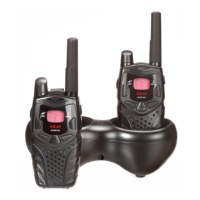
Press and hold PTT key and speak into the microphone. LED indicator light glows continuously when transmitting.
To receive messages, release PTT key.
Volume
Rotate while holding down mon/ key until you reach a comfortable listening level.
Rotate clockwise to increase the volume or counterclockwise to decrease the volume.
Channel
1. Press MODE/ button the channel number will begin to flash.
2. Use or button to change channel.
3. Press PTT button to set the new channel.
Select CTCSS Code
CTCSS help minimize interference by providing you with a choice of code combinations. The two radios must be of
same channel and CTCSS code in order to communicate.
1. Press MODE/ twice, the code number will begin to flash.
2. Press or to change the code.
3. Press PTT to set new code.
You can specify a different code for each channel.
Note: You must set the CTCSS to 0 on a radio that uses CTCSS to communicate with other radios that do not have
CTCSS.
Time-out Timer
The time-out timer feature helps extend battery life by preventing accidental transmission. The radio will emit a
continuous warning tone after PTT is pressed for 60 continuous seconds and will stop transmitting.
Keypad Lock
To avoid accidentally changing your radio settings, press and hold MODE / for 3 seconds until key lock icon is
displayed. You can turn the radio on and off, adjust the volume, receive, transmit, send a call tone and monitor channels.
All other functions are locked.
To unlock the radio, press and hold MODE / for 3 seconds and until key lock icon is no longer displayed.
Channel Busy Indicator
When a channel is busy, the LED flashes twice per second.
Setting and Transmitting Call Tone
Your radio can transmit different call tones to other radios in your group so you can alert them that you want to talk.
To set a call tone:
1. With the radio on, press MODE / 3 times. The current call tone setting flashes and CA is displayed.
2. Press or to change and hear the call tone.
3. Press MODE / or PTT to set the new call tone.
To transmit your call tone to other radios set to the same channel and Interference Eliminator Code as your radio, press
button.
Note: This radio has 10 call tones. Setting the call tone to 0 disables the call tone feature.
Transmitting a Talk Confirmation Tone
When you turn on this feature, your two-way radio transmits a unique tone when you finish transmitting. It’s like saying
'Roger' or 'Over', and lets others know you’ve finished talking. And at the same time, the icon will display.
1. To turn talk confirmation tone on, press and hold button while you turn the radio on. When you release PTT
button after transmitting, your talk confirmation tone transmits.
2. To turn talk confirmation tone off, turn your radio off and then back on while pressing and holding button.
Scan
Use scanning to monitor channels and codes for transmissions or to find someone in your group who has accidentally
changed channels.
To start scanning, briefly press mon/
key. The scan indicator is shown.


 To Next Page
 Loading...