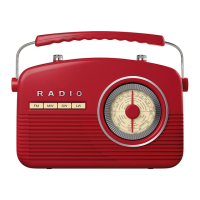
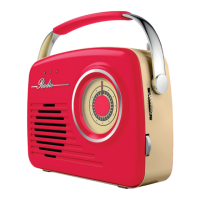
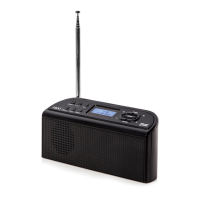
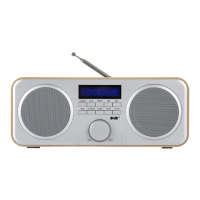
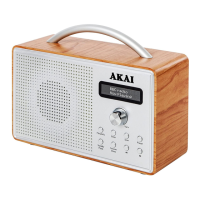
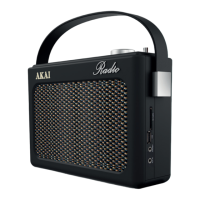
The AKAI Retro Portable FM Radio, model A60015N, is a stylish and functional audio device designed for household use, offering both FM radio reception and playback from USB and SD card sources, along with an AUX-in option. It combines a vintage aesthetic with modern connectivity, making it a versatile addition to any home.
Function Description:
The primary function of this device is to serve as a portable FM radio. It allows users to tune into FM frequencies, automatically scan and store radio channels, and manually fine-tune signals. Beyond radio, it supports playback of audio files from USB drives and SD cards, expanding its utility as a personal media player. An AUX-in jack enables connection to external audio devices, allowing their sound to be played through the radio's speakers. The radio also features a clock with an alarm function and a sleep timer, adding convenience for daily use. Its portability is enhanced by the option to operate on batteries, making it suitable for use in various locations.
Important Technical Specifications:
- Model: A60015N
- Power Adaptor Input: 220-240V~50HZ
- Power Adaptor Output: DC 6V 6VA
- Battery: 1000MA
- Battery Back Up: 4 x 1.5V Size 'C' Batteries (NOT INCLUDED)
- Guarantee: 3 Year Guarantee (with online registration, otherwise 12 months from purchase)
- Compliance: Conforms to 2014/30/EU (Electromagnetic Compatibility), 2014/35/EU (Low Voltage), 2011/65/EU (Restriction of Hazardous Substances), and 2014/53/EU (Radio Equipment) Directives.
- Customer Support: +44 (0)333 220 6042 (8:30 am to 6:00 pm Monday-Friday)
- Website: www.akaionline.co
Usage Features:
Powering On:
The radio can be powered either by the supplied power adaptor or by inserting 4 x 1.5V 'C' batteries into the battery compartment, ensuring correct polarity. To turn on, press the POWER button. To completely switch off when using the adaptor, unplug the power cord from the wall outlet.
Controls:
The device features a control panel with several buttons and a dial:
- POWER/ALARM OFF: Turns the radio on/off and silences the alarm.
- FUNCTION: Selects between FM, AUX, USB, and SD modes.
- TUNING - / TUNING +: Selects stored radio channels or fine-tunes the signal.
- LCD DISPLAY: Shows current mode, time, frequency, and other information.
- VOLUME DIAL: Adjusts the audio volume.
- SNOOZE/REPEAT/MEMORY: Snoozes the alarm, repeats functions, or stores/selects preset radio channels.
- PLAY/PAUSE/TIME: Plays/pauses playback, or enters clock/alarm setting modes.
- STOP/SLEEP: Stops playback or enters sleep mode (press and hold).
- CLK+/NEXT: Advances time setting, skips forward in USB/SD modes, or scans forward in radio mode.
- CLK-/BACK: Moves back in time setting, skips backward in USB/SD modes, or scans backward in radio mode.
Tuning FM Radio:
- Connect the power adaptor or insert batteries.
- Turn the unit on.
- Extend the antenna fully.
- Select FM mode using the function button.
- Press PLAY/PAUSE/TIMER to auto-tune and find the next station.
- Use CLK -/CLK + for finer tuning.
- Press MEMORY to store the channel in one of the 20 presets.
- Use CLK- CLK+ to select stored channels (displayed in the lower left corner of the LCD).
- Press MEMORY to select a desired preset.
- Repeat for other stations. Storing a new channel over an existing preset will replace the original.
AUX-IN:
- Connect an aux cable (not included) from an external device to the Aux-in jack on the radio.
- Press the FUNCTION button to select AUX mode.
- Play music from your external device; sound will be routed through the radio's speakers.
- Adjust volume using the VOL +/- button.
USB/SD Playback:
- Insert a USB drive or SD card into the corresponding port/slot.
- Press the FUNCTION button to select USB/SD mode.
- Use the radio's buttons to control playback (e.g., PLAY/PAUSE, CLK+/NEXT, CLK-/BACK).
Clock Setting:
- Ensure the radio is in standby mode.
- Short press the TIME button; the time will flash.
- Use CLK- and CLK+ to set the hour, then press TIME to confirm.
- Repeat for minutes.
- Press TIME again to confirm.
Alarm Setting:
- Plug in and turn on the radio.
- Press and hold the TIME button to enter alarm setup; the time will flash.
- Use CLK- and CLK+ to set the hour, then press TIME to confirm.
- Repeat for minutes.
- Press TIME again to confirm.
- The alarm rings for 2 minutes when activated.
- Press ALARM OFF to turn off the alarm.
- Press SNOOZE to snooze for 9 minutes (up to five times).
- Long press ALARM OFF to cancel the alarm completely.
Sleep Timer:
- Press and hold the SLEEP button.
- The display cycles through options: 90-80-70-60-40-30-20-10-OFF minutes.
- Release the button when the desired time is shown.
- A SLEEP indicator will appear on the screen.
- The radio will play for the set duration and then automatically turn off.
Standby:
The radio enters standby mode if left idle on AUX or USB/SD modes for over 10 minutes.
Troubleshooting:
- No sound/Power:
- Volume turned down: Adjust the volume dial.
- Power cord not securely connected: Reconnect the power cord.
- Batteries dead/incorrectly inserted: Remove and re-insert batteries; if still not working, insert fresh ones.
- No radio signal:
- Antenna not adjusted/no frequency: Fully adjust the antenna and use the tuning dial to adjust the radio frequency.
Maintenance Features:
Cleaning & Care:
- Always disconnect the radio from the power supply and/or remove batteries before cleaning.
- Clean the radio with a soft, damp, lint-free cloth.
- Do not use abrasives or harsh cleaners.
- WARNING: Do not immerse any part of the appliance in water.
- Read the instruction manual carefully before use and retain it for future reference.
- Ensure the main circuit voltage matches the appliance rating.
- Use the appliance on a stable, level, and heat-resistant surface.
- Do not immerse cords, plugs, or any part of the appliance in water or other liquids.
- Do not leave unattended while operating.
- Supervise children and pets when the appliance is in use.
- Suitable for children aged 8+ and persons with reduced capabilities if supervised and instructed.
- Children should not play with the appliance or perform cleaning/maintenance without supervision.
- Switch off and unplug when not in use or before cleaning.
- If the supply cord or appliance is damaged, stop use immediately and seek professional advice.
- Do not let the cord hang over edges or contact hot surfaces.
- Use only manufacturer-supplied accessory attachments.
- Do not pull the plug by the cord.
- Use only for its intended household purpose.
- Do not carry by the power cord.
- Do not use outdoors.
- Do not block ventilation openings.
- Do not install near strong magnets or heat sources (radiators, stoves, amplifiers).
- Unplug during lightning storms or long periods of disuse.
- Disconnect from mains power if unused for a long time.
- CAUTION: Battery usage: Install batteries correctly (+ and - alignment). Remove batteries if unused for a long time.
- If brought from a cold to warm place, allow moisture to evaporate for a few hours before use.
- Do not place heavy objects on the appliance.
- Never attempt to disassemble the appliance to avoid electric shock or harm.
- In case of a fault, stop using immediately and contact customer support.
Disposal Instructions (WEEE Directive):
- Appliances bearing the crossed-out wheelie bin symbol must not be disposed of with domestic rubbish.
- Dispose of old electrical and electronic appliances separately.
- Visit www.recycle-more.co.uk or www.recyclenow.co.uk for recycling information.
- All electrical items must be recycled rather than taken to landfill.
- Arrange to take the appliance to your local refuse centre.


 To Next Page
 General