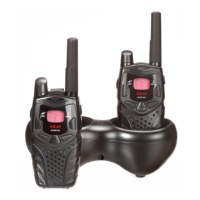
YOUR NEW RADIO
The two-way radio operates on PMR446 frequencies, and can be used in Europe where the frequencies are authorized,
subject to applicable regulations.
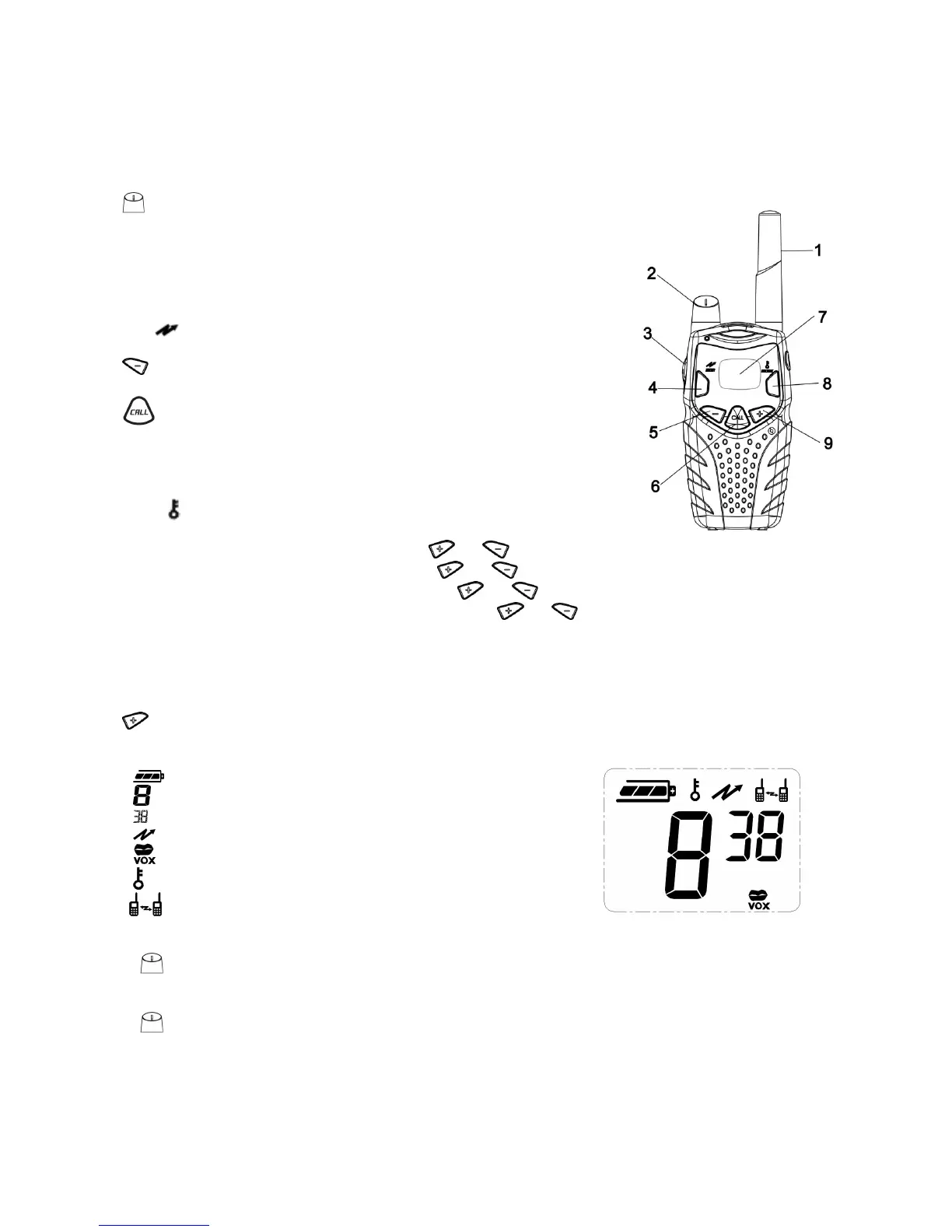
1. Antenna
2.
• Power on/off.
• Increase/Decrease volume.
3. PTT
• Push to transmit, release to listen.
• Pressing PTT has 60 seconds limit.
• In menu mode, push to confirm selection.
4. mon/
• Push to monitor/scan channels.
5.
• Push to decreases the channel / CTCSS Code / select VOX level and call tone.
6.
• Short press to send a single call tone.
• Long press to send the call tone maximum 10 times, and then returns to
standby mode automatically.
7. LCD
8. MODE/
• Short press to enter menu mode
-- Press one time to enter MENU mode, press or to select RF channel.
-- Press two times to enter CTCSS mode, press or to set CTCSS code.
-- Press three times to enter Call Tone mode, press or to set a new call tone.
-- Press four times to enter Sensitivity Level mode, press or to set sensitivity level.
-- Press five times to exit MENU mode.
• Long press to lock/unlock keypad.
It will be automatically exited the menu mode if you have not pressed any key for several seconds when you in any
mode.
9.
• Push to increases the channel / CTCSS Code / select VOX level and call tone.
: displays the battery level
: displays the channel number
: displays the CTCSS Code
: Scanning
: Display when VOX function turns on
: Keypad locked
: talk confirmation tone
TURNING YOUR RADIO ON AND OFF
Turn clockwise to turn your radio on. The radio chirps and the display will show all feature icons that your radio
has available for a brief period. The display will show the channel 1 - 8 and interference eliminator code 0 - 38.
Turn counterclockwise to turn your radio off.
TALKING AND LISTENING
Please read this manual carefully before using your new radio to ensure that you operate it both correctly and safely.
Your radio has 8 channels. If you are in a group and you wish to talk to each other, all radios must be set to the same
channel and interference eliminator code (CTCSS). If you experience interference and need to change channel, ensure
that you change the channel and code of all radios in your group.
For maximum clarity, hold radio 5 to 7 centimeters from mouth.


 To Next Page