11
NAVIGATING GLOBAL MODE
1. Press the [GLOBAL] button.
2. Use the [<] and [>] buttons to navigate through the available pages of
options (shown below).
3. Use the [VALUE] dial to change settings, values or select a message
on the selected page.
4. Press [ENTER] to accept the change or send a message or press [<]
NAVIGATING PROGRAM CHANGE MODE
1. Press the [PROGRAM CHANGE] button.
2. On Page 1, use the [VALUE] dial to select a Prog Change or
Prog+Bank message on and press [ENTER].
3. On Page 2, use the [<] and [>] buttons to move through the
different options and use the {VALUE] dial to change them.
4. Press [ENTER] to send the message.
GLOBAL MODE
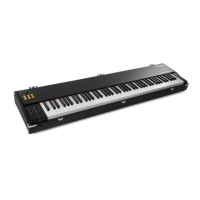
In Global Mode, you can send
global messages and make general
changes to the way that your
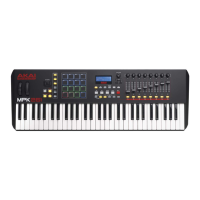
MPK61/MPK88 functions. Global
Mode options are organized under
different pages and include the list
of options shown below.
KILL MIDI
Send an All Notes Off or Reset Controllers message Page 1
MIDI COMMON CHANNEL
Select which MIDI channel will be used as the
Common Channel.
Page 2
LCD CONTRAST
Adjust the contrast of the display. Page 3
KEYBOARD VELOCITY CURVE
Adjust how the keyboard will output MIDI velocity,
based on the force applied to the keys.
Page 4
PAD SENSITIVITY
Adjust how sensitive the pads are to the touch. Page 5
PAD VELOCITY CURVE
Adjust how the pads will output MIDI velocity, based
on the force applied to them.
Page 6
PAD THRESHOLD
Adjust the threshold of minimum force required to
activate a pad.
Page 7
KEYBOARD TRANSPOSITION
Transpose the keyboard up or down in semitones. Page 8
MIDI CLOCK
Select Internal or External MIDI Clock source. Page 9
TAP TEMPO AVERAGE
Select the number of taps to be averaged in
determining tempo.
Page 10
SAVE SETUP
Save the current global settings. Page 11
SYSEX TX
Transfer a Preset via SysEx. Page 12
VERSION
Check the current firmware version. Page 13
PROGRAM CHANGE MODE
A Program Change, often referred to as a
Patch Change, is a MIDI message used for
sending data to devices to cause them to
change to a new program. This allows you
to tell a hardware or software device which
sound to play. For example, if your
MPK61/MPK88 is controlling a piano patch
on your DAW or an external device, using a
Program Change command allows you to
easily switch to a synth patch.
There are two different types of Program Change messages on the MPK61/MPK88:
PROG CHANGE – This event will transmit a regular Program Change message (0-127) to your DAW or an
external device, allowing you to switch between 128 different program banks.
PROG+BANK – This event transmits a Program Change message (0-127), along with a Bank L (Least
Significant Bit) Change message (0-127) and a Bank M (Most Significant Bit) Change message (0-126),
which allows access of up to 16384 different program banks. You can use PROG+BANK if your DAW or
external device supports LSB and MSB.


 To Next Page