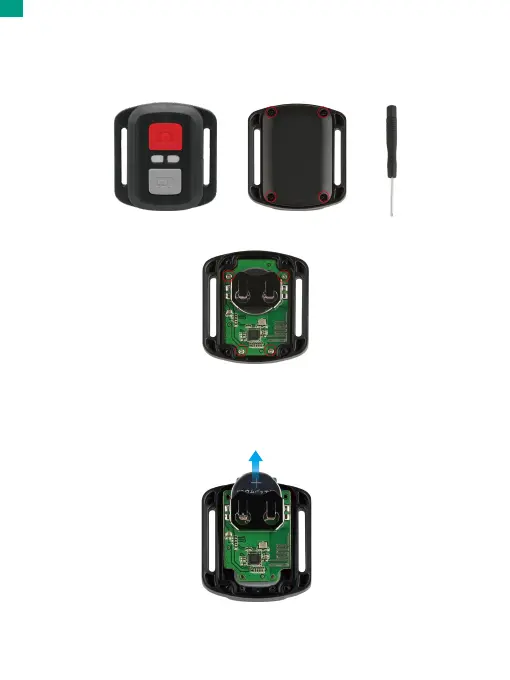
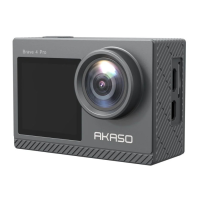
CR032 Battery Replacement for V50 Pro Remote
1. Remove the 4 screws on the back cover of the remote with a 1.8mm Phillips
tip screwdriver.
2. Remove another 4 screws on PCB board.
3. Lift the PCB board and slide out the battery, as shown in the picture.
Note: Do NOT rotate the PCB board to avoid reversing the camera and video button
functions.
To connect your camera to the AKASO GO app, please download this app from the
App Store or Google Play to your smartphone first. When your camera is connected
to the AKASO GO app, you can control it to capture, or change the its settings using
your phone. You can also live preview, playback, download, edit, and share videos
via this app. Please follow the instructions below to connect your camera to the
AKASO GO app.
1. Turn on the camera, then tap on the Wifi icon in the mode menu or press the
Wifi button to turn on Wifi. The camera will enter Wifi mode and display the Wifi
information.
2. Turn on your phone’s Wifi to enter the Wifi settings page, find the Wifi SSID in
the list and tap on it, then enter the password 1234567890 for connection.
Warm tip: Once the camera Wifi is connected, it will give you a "No Internet
Connection" or “Weak Security” notice since your phone's 4G signal is blocked.
You can ignore it and continue the app connection.
3. Open the AKASO GO app, tap “Device”→“Add Device”, then pick "V50 Pro" from
the list for connection.
4. Tick "The above operation has been confirmed", and tap "Live Preview". Your
camera will be connected to the AKASO GO app.
01 02 03 04
05 06 07 08 09 10 11
12 13 14 15 16
17 18 19 20 21
22
23 24 25 26
EN


 To Next Page