Last update: 2015/03/25 14:02 mycloud_pro http://wiki.myakitio.com/mycloud_pro
http://wiki.myakitio.com/ Printed on 2020/03/09 19:16
HDD LED
Blue Power ON
Flashing orange Data access
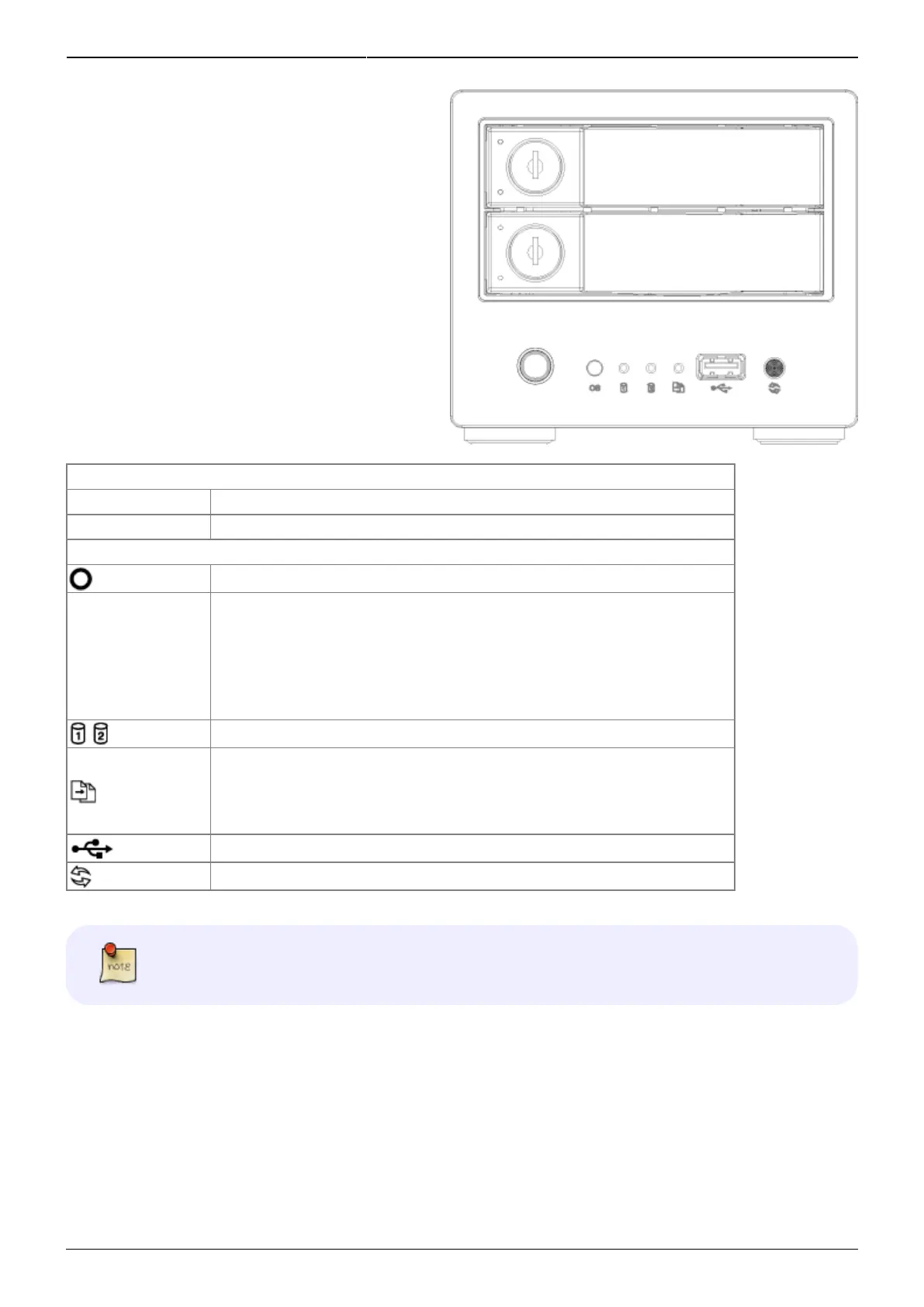
Front Panel
Power switch (blue when turned on)
OS
•
Green = System ready
•
Flashing green = System is starting up
•
Flashing orange = System is shutting down
Flashing orange = Data access
•
Orange = USB drive connected (front port only)
•
Flashing orange = File copy from USB drive to NAS (front port only)
USB 2.0 host port
USB copy button
Press and hold the copy button for one second to copy the files from the USB
drive on the front port to the PUBLIC folder on the network drive.
Rear View



 To Next Page