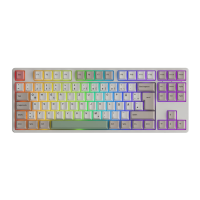
1 2 3 4 7 8 9 0 - =
0110
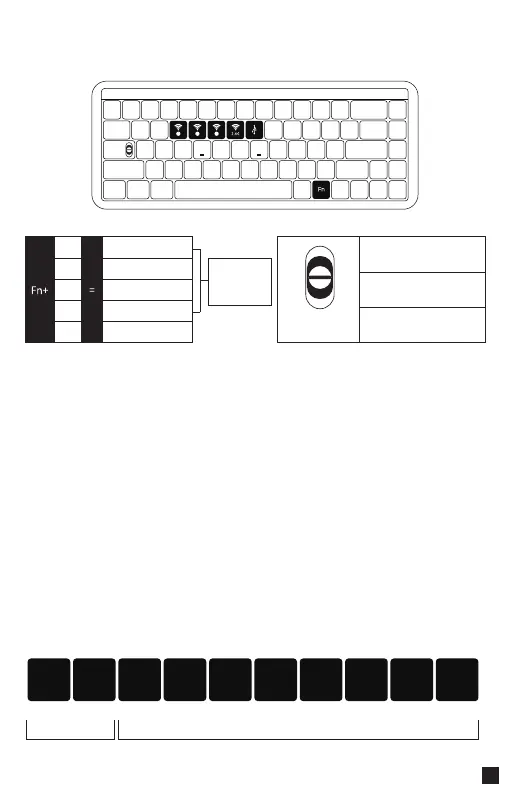
MU01 Connection Guide
Bluetooth Pairing
2.4G Pairing
Battery Level Check
1 2 3 4 5 6 7 8 9 0
Red light Green light
Less than
30%
Less than
40%
Less than
50%
Less than
60%
Less than
70%
Less than
80%
Less than
90%
Less than
100%
Full
charged
After turning on the keyboard, press FN+E/R/T to enter Bluetooth mode. Press and hold the FN+E/R/T Key combination
for 3 seconds to enter pairing mode, with the blue indicator light flashing quickly. Once the connection is established, the
indicator light will stay on for 2 seconds. If the device fails to connect, the indicator light will turn off and the keyboard
will enter sleep mode.
After turning on the keyboard, press FN+Y to enter 2.4G mode.Then press and hold the FN+Y Key combination for 3
seconds to enter pairing mode.Then insert in the receiver, and the green indicator light will flash quickly. Once the pairing
is successful, the LED indicator will stay on for 2 seconds.If no available device is found within 30 seconds, the LED
indiactor will turn off and the keyboard will enter sleep mode.
Press the Fn + Space Key combination to check the battery level while in wireless mode. If the battery level is below 30%,
the LED for number keys 1-2 will turn red. If it's between 30-100%, the LED for number keys 1-9 will show a green light.
And when the battery is fully charged, the LED for number keys 1-0 will show a green light.
E
R
T
Y
U
Bluetooth Device 1
Bluetooth Device 2
Bluetooth Device 3
2.4G Wireless Device
Wired Mode
Short press to link back
Long press to pair
Top: Mac
(built-in power supply on)
The switch is located
under the CAPS key
Middle: Default Windows
(built-in power supply off)
Bottom: Windows
(built-in power supply on)


 To Next Page