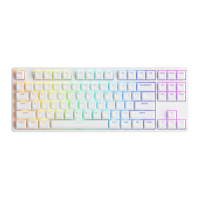
15
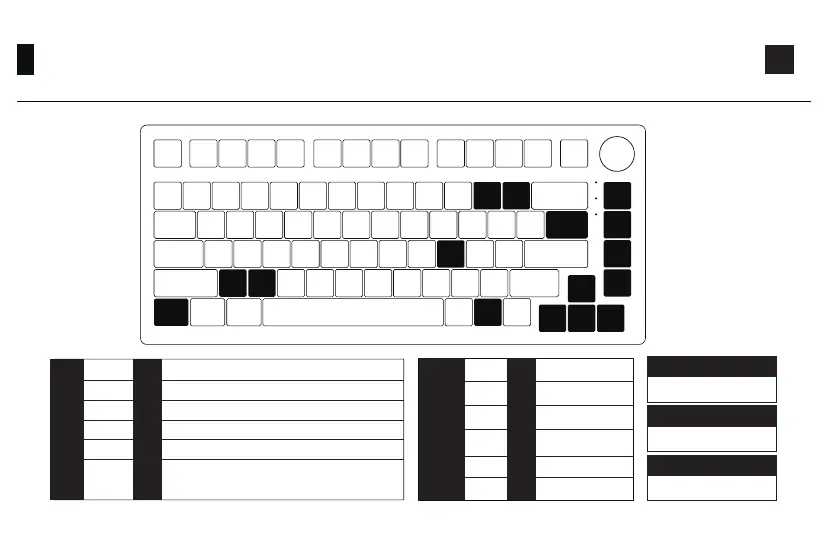
Backlight Settings
Fn+
Caps Lock
Battery Level Indicator
Lock Win
Fn
L
Home
PgUp
End
PgDn
↑
↑
↑
↑
_
+
\
Z
X
Ctrl Fn
Effect 1、Effect 2、Effect 3、Effect 4、Effect 5
Effect 6、Effect 7、Effect 8、Effect 9、Effect 10
Effect 11、Effect 12、Effect 13、Effect 14、Effect 15
Effect 16、Effect 17、Effect 18、Effect 19、Effect 20
Light On / Off
Home
PgUp
PgDn
End
L
Fn+ =
Bright
Dim
Slower Animation
Faster Animation
“↑”
“↓”
“←”
“→”
“-”
“+”
Fn+ =
In all lighting effects with RGB color mode, this
shortcut allows you to set the backlight color to
7 single color with RGB loop effect.
\
Set animation
direction to left
Set animation
direction to Right
PC Case Light
Brightness Change
Fn+Z
PC Case Light
Animation Speed Change
Fn+X
PC Case Light Effect Change
Fn+ Left Ctrl


 To Next Page