16
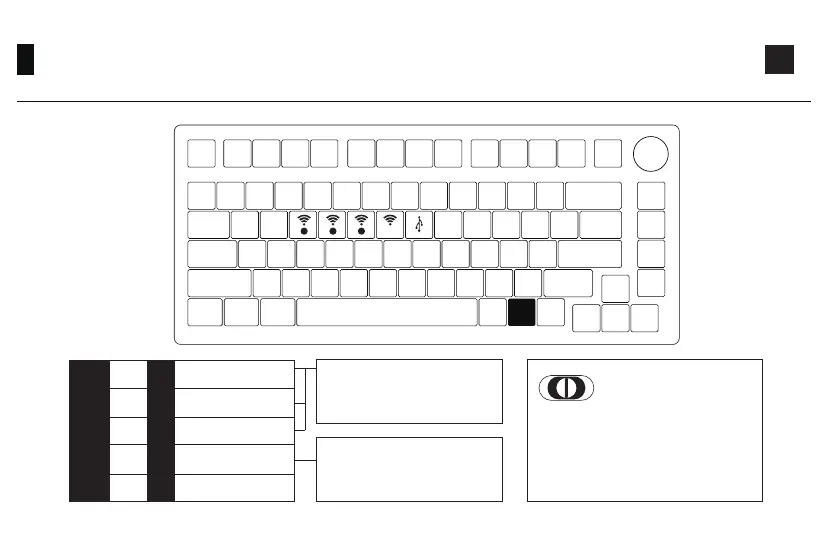
Bluetooth Feature Overview
Bluetooth device 1
Bluetooth device 2
Bluetooth device 3
2.4G wireless device
Wired mode
Fn+
E
R
T
Y
U
=
Left : Windows
Middle: Switch to USB mode and
stop charging. (Windows)
Right: Mac
Short press to connect with slow
flashing green LED;
The lighting effect will be restored
when pairing succeeds.
Short press to connect with slow
flashing blue LED;
Press and hold to pair device with
fast flashing blue LED.
Back Switch Indicator
2.4G321
Fn


 To Next Page