Explanation:
After powering up, the SR6 will automatically loop Bird.mp3.
If input 1 is triggered, Dog.mp3 will play because of this statement:
010000=Dog.mp3.
After playing Dog.mp3, it will return to root to play Bird.mp3.
If input 2 is triggered, Cat.mp3 will play because of this statement:
020000=Cat.mp3.
After playing Cat.mp3, it will return to root to play Bird.mp3.
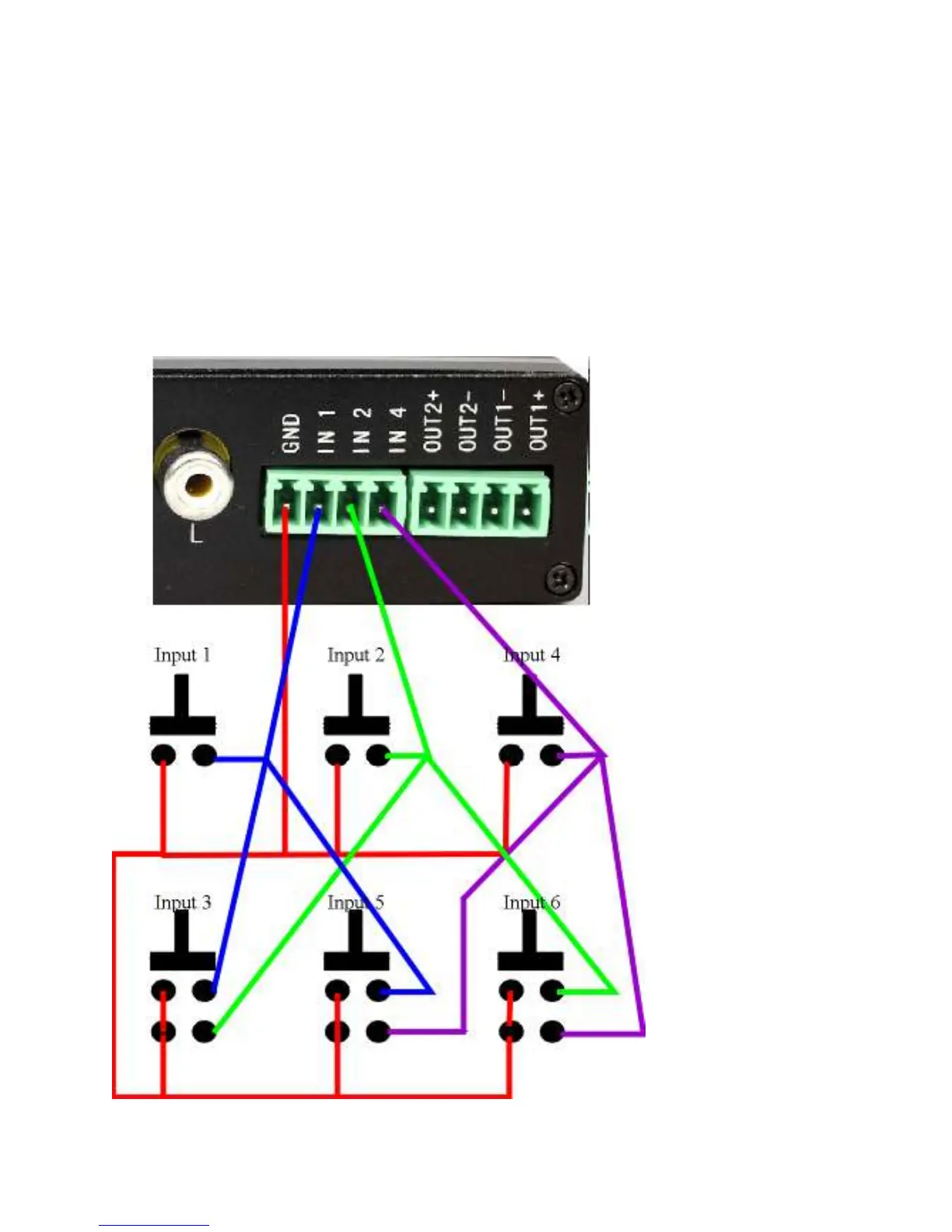
SR6 INPUT using single and double pole push button:
The SR6 has 3 inputs that can be used to play audio/video file. These inputs are
configured as binary. The 3 inputs are IN1, IN2 and IN4.



 To Next Page