10.
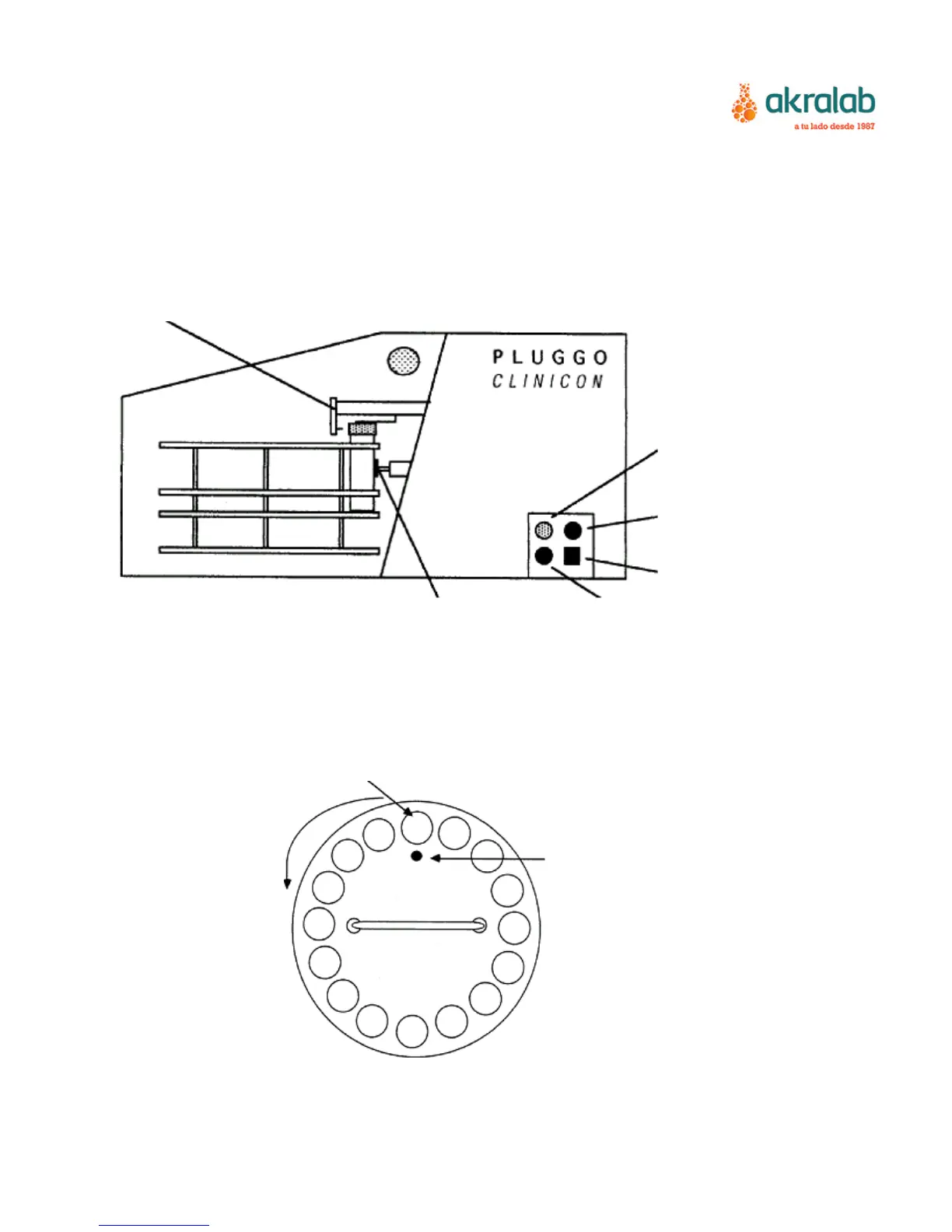
Locate the black “home position pin” on the drive disk. It should always be pointing
directly towards the black pad and in line with the de-capper head.
11. Pluggo is now ready for operation. Please proceed to “operation instructions” for
further information before operation starts.
De-capper head
Emergency Stop
(Red)
Fuse:T1A/250V
Power On/Off
Tube Support Start (Black)
Figure 2: Right side view with control panel
Start to load here
Colour tube size mark
Carousel moves and home position
counter clockwise indicator
Figure 3: Carousel with coloured tube size mark


 To Next Page