24
5. ADDITIONAL FUNCTIONS EN
INTERNAL MEMORY
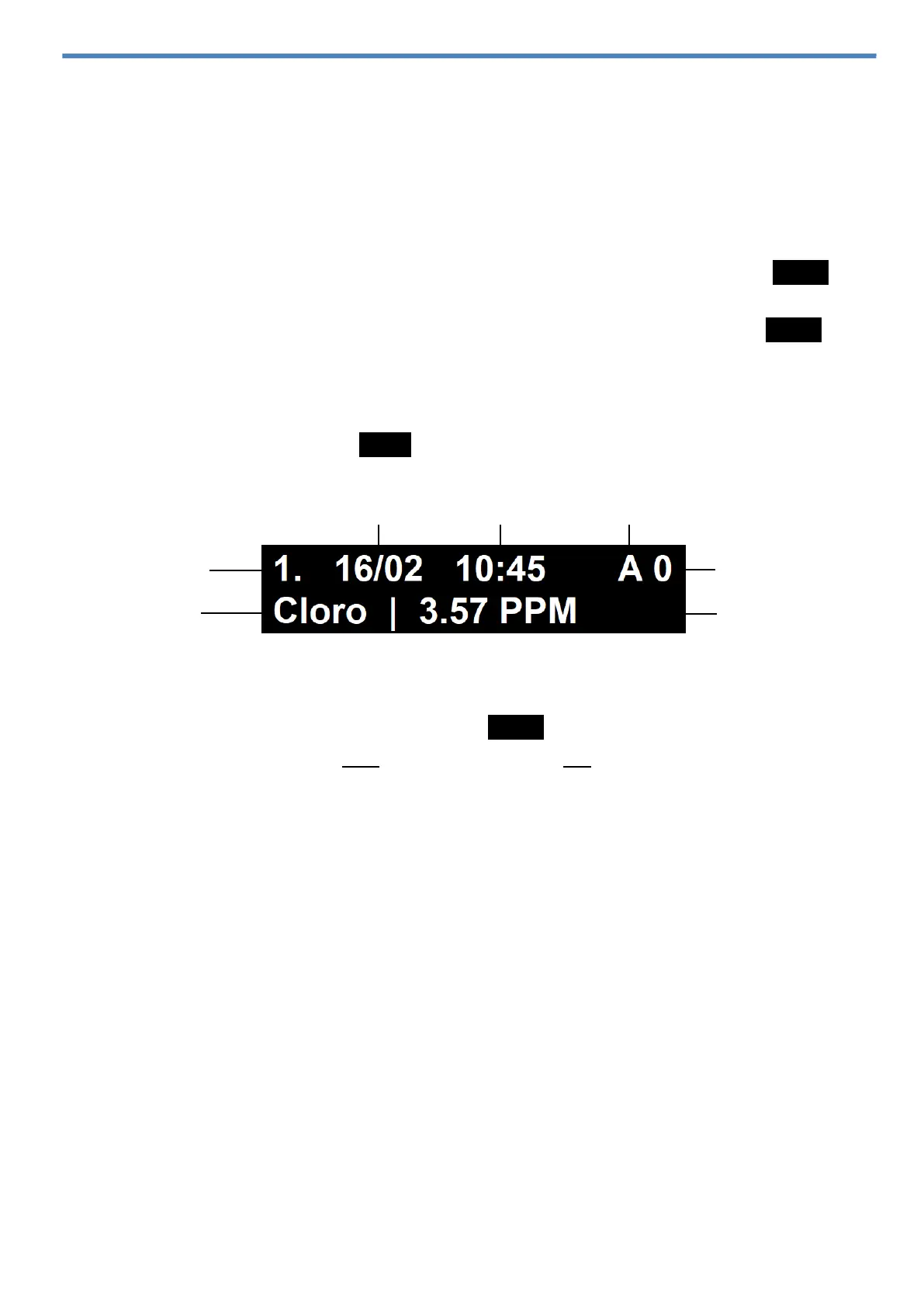
Cloro-pH Max stores up to 1000 records in the internal memory, it is possible to view
the last 50 records stored directly in the instrument. To view the others records in
the internal memory, it is necessary to download the data to a computer.
Records view in the meter
1) Turn on the instrument and press briefly the On-Off button;
2) Using ▲ / ▼ buttons, browse to the Logs option and press briefly the Enter
button;
3) Using ▲ / ▼ buttons, browse to the Show logs option and press the Enter
button;
4) Use the ▲ / ▼ buttons to browse in the last 50 records stored in the internal
memory;
5) To return, press briefly the Back button.
NOTE: To delete all of the records stored in the internal memory, browse to the
Delete logs option and press briefly the Enter button. Will appear on the screen
“Delete logs?”, press the Yes button to agree or No to cancel and to return to
previous menu.
Downloading records to PC
1) Connect the USB cable to the instrument's USB-C connection and to the
computer;
2) On the computer, run the AKSO_Max_Logger program;
3) Select the COM Port corresponding to the instrument;
4) Click Connect. Records will be downloaded automatically;
To save the records on your computer, click Salvar como .CSV.



 To Next Page