20
4. OPERATING INSTRUCTIONS EN
ON / OFF
NOTE: Never use the battery and the AC/DC adapter at the same time on the
instrument. May cause irreversible damage to the device.
To turn on Cloro-pH Max, press briefly the On-Off button and wait for initialization.
To turn off, on the home menu, hold on the On-Off button. Will appear Turn off
device?, press the Yes button to confirm.
MEASUREMENT
Preparation and zeroing
1) Turn on the instrument and press briefly the On-Off button;
2) Select the measuring mode according to your preference:
Chlorine: Free chlorine and/or total measurement by using DPD reagents
pH: pH measurement by using red phenol reagent
3) Collect the water sample to be analyzed;
4) Make sure that the sample temperature which will be analyzed stays between 15
to 35ºC to ensure a better accuracy on the chlorine measurement;
5) Wash the cuvette 3 to 4 times using the sample which will be analyzed to set the
cuvette, avoiding reading deviations;
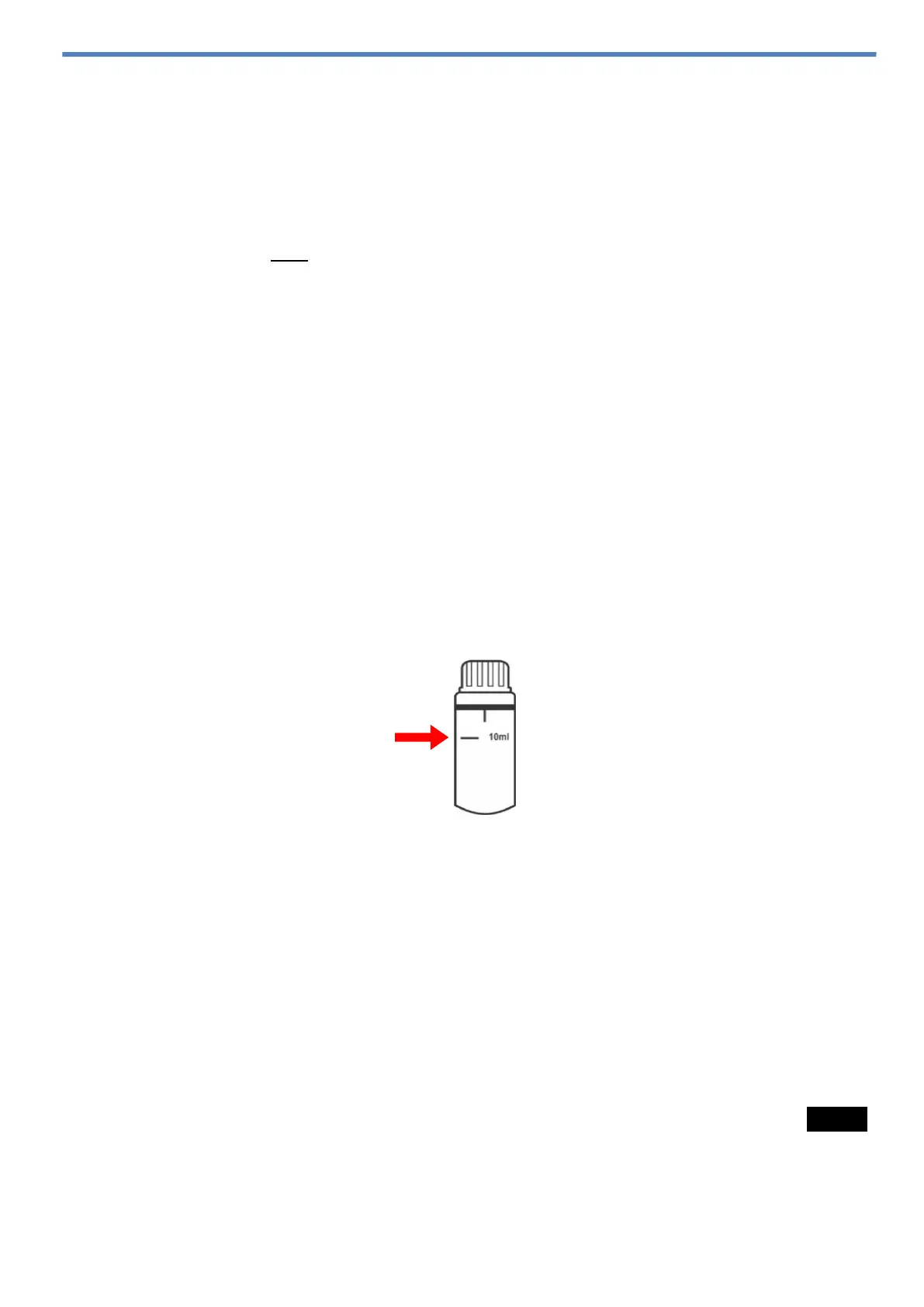
6) Fill the measuring cuvette with 10mL of the sample for analysis, observing the
indicative line on the cuvette body, as shown in the figure below;
7) Close the cuvette with its lid, observing the correct fitting to avoid leaks in the
instrument;
8) Clean and dry the outer wall of the cuvette using a cleaning wipe or soft paper
towel;
9) Insert the cuvette without reagents into Cloro-pH Max measurement
compartment, aligning the arrow on the cuvette with the alignment mark located
in the instrument’s measurement compartment;
10) Close the instrument measurement lid to avoid reading offset;
11) With the instrument on a table or in a horizontal position, press briefly the Meas.
button. Will appear Analyzing… in the display;
12) Wait the display to show the message Insert Sample;



 To Next Page