EasyManua.ls Logo

Akura APTK1103 - User Manual

Akura APTK1103
10 pages
Print Icon
To Next Page IconTo Next Page
Loading...
Model : APTK1103
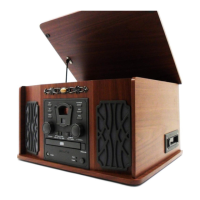
Retro Music Centre
Radio, CD, Tape, Record player.
Customer Help Line : 0845 293 7698
Website : www.ekey.co.uk

Questions and Answers

  • D
    David MendozaAug 15, 2025
    How to fix an Akura APTK1103 Stereo System that is dead with no LED lit?
    • A
      Alexis CarrollAug 15, 2025
      If your Akura Stereo System is not powering on and the LED is not lit, the issue might be with the power connection. Check the power lead connections to ensure they are secure, and verify that the mains switch is turned on.
  • L
    laurielangAug 18, 2025
    What to do if my Akura APTK1103 CD player is not reading discs?
    • R
      Roger ShawAug 18, 2025
      If the CD player on your Akura Stereo System is not reading discs, the disc might be dirty or damaged. Clean the disc as instructed on page 8. If the disc is damaged, discard it. Alternatively, the laser optic might be dirty. In that case, use a special laser cleaning disc.
  • C
    Cynthia NavarroAug 21, 2025
    What to do if my Akura APTK1103 is not operating but the LED is lit red?
    • D
      David HermanAug 21, 2025
      If your Akura Stereo System is not working and the LED is red, the system is likely in standby mode. Press the power button on the player to turn it on.
  • P
    patrickgarzaAug 25, 2025
    Why is the FM radio signal distorted on my Akura APTK1103 Stereo System?
    • S
      shoAug 26, 2025
      Distorted FM radio signal on your Akura Stereo System can be due to several reasons: a poor signal, incorrect tuning, or other issues. Try these solutions: * Extend the aerial wire or reposition it to improve the signal. * Tune to light the Stereo LED for correct tuning. * Switch to Mono.
  • R
    Randall JacksonAug 27, 2025
    How to improve poor AM radio reception on my Akura APTK1103 Stereo System?
    • W
      westkathleenAug 27, 2025
      To improve poor AM radio reception on your Akura Stereo System, rotate the body of the player to maximize the internal aerial's effectiveness.
  • E
    Ellen Smith MDAug 30, 2025
    What to do if the Akura APTK1103 tape player is not playing tapes?
    • J
      Jon HansenAug 30, 2025
      If the tape player on your Akura Stereo System is not playing tapes, make sure that 'TAPE' is selected using the function switch.
  • T
    Tara PerezSep 2, 2025
    What to do if my Akura APTK1103 Stereo System record player is not playing discs?
    • D
      Desiree DiazSep 2, 2025
      If the record player on your Akura Stereo System isn't playing discs, ensure that 'PHONO' is selected with the function switch.
  • S
    Scott ScottSep 5, 2025
    Why does my Akura APTK1103 Stereo System have poor frequency response with muffled speech and no high notes?
    • A
      Andrea WolfeSep 5, 2025
      Poor frequency response, lack of high notes, and muffled speech on your Akura Stereo System can be caused by a dirty or magnetized tape head. Clean the tape head with a special tape head cleaning cassette. Demagnetizing the tape head should only be performed by a service engineer.
  • J
    Jennifer GriffinSep 8, 2025
    Why does the tone arm skid over the record on my Akura APTK1103 Stereo System?
    • A
      acooperSep 8, 2025
      If the tone arm on your Akura Stereo System is skidding over the record, the stylus may be damaged or covered. Uncover the stylus, and if it is damaged, replace it.
  • R
    Ryan BurkeSep 12, 2025
    Why are tapes 'wowing' on my Akura APTK1103 Stereo System?
    • A
      Angela GarciaSep 12, 2025
      If tapes are 'wowing' on your Akura Stereo System, the tape might be too tight in the cassette. Remove the tape or fast forward the entire tape and replace it in the player.

Summary

Safety Information

Electrical Safety and Servicing

Avoid electric shock by not opening the unit; refer all servicing to qualified personnel.

Product Disposal (WEEE)

Instructions for responsible disposal of the appliance to protect the environment.

Laser Safety

Details Class 1 laser product safety, warning against opening or tampering with emissions.

Safety Instructions

Troubleshooting Guide

Power and Indicator Issues

Resolving issues where the unit is dead, has no LED, or the red LED is lit.

Radio Reception Problems

Troubleshooting distorted FM signals and poor AM reception.

Disc Playback Issues

Solutions for CDs not reading, not playing correctly, or record player not playing.

Tape Playback Issues

Addressing tape player not playing, muffled speech, or wowing effects.

Mains Plug Wiring Diagram

Mains Plug Wiring Instructions

Guidance on wiring the mains plug, connecting Live, Neutral, and earthing requirements.

Akura APTK1103 Specifications

General IconGeneral
BrandAkura
ModelAPTK1103
CategoryStereo System
LanguageEnglish