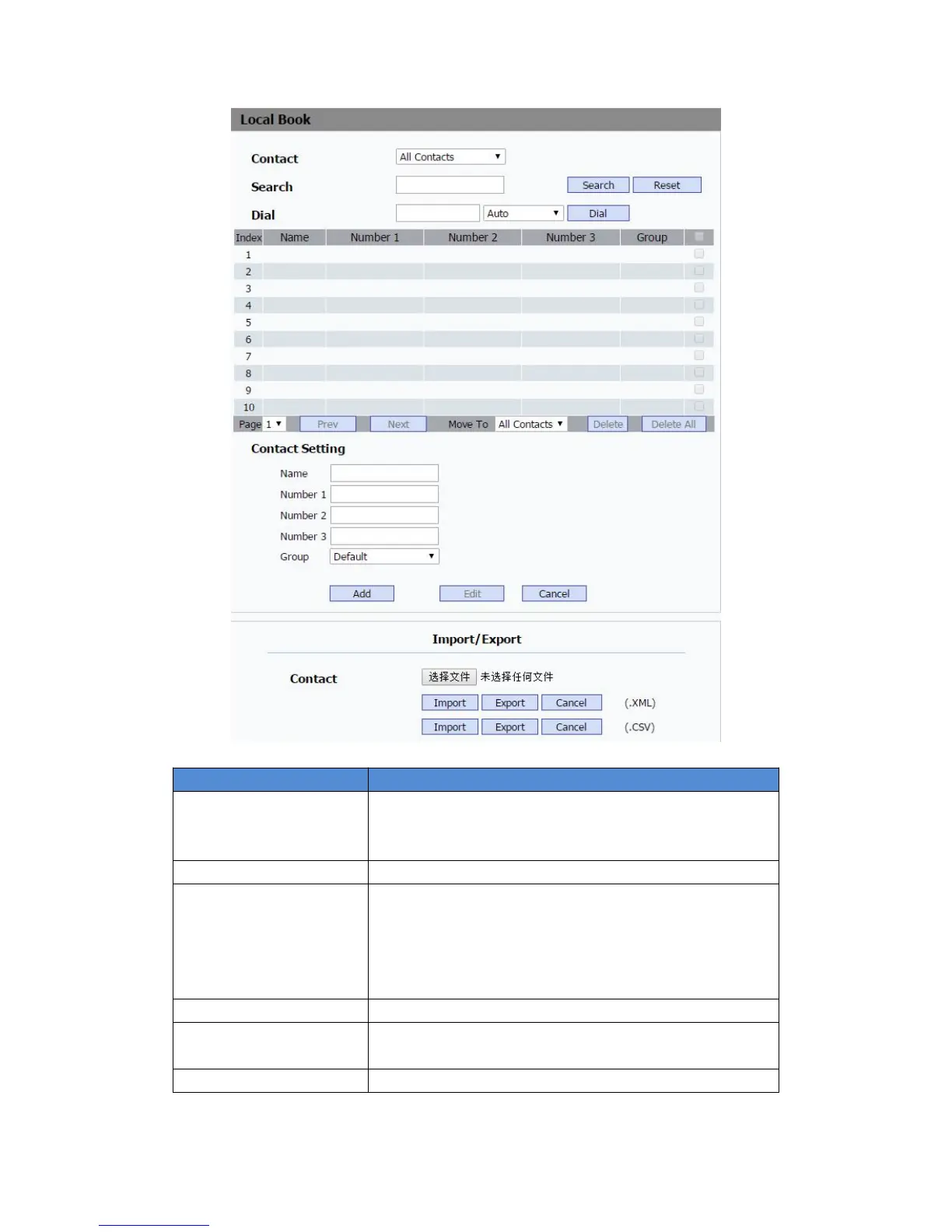
To display and select local contact type.
All Contacts: To display or edit all local contacts.
Black List: To display black list contacts.
To search designated contacts from local phonebook.
To dial out a call or hangup an ongoing call from Web UI.
Note: For this feature, you need to have the remote control
privilege to control IP phone via Web UI. Please refer to
section “Remote Control” in the Web UI->Phone->Call
Feature page.
To display or edit Group contacts.
To display or change Group name, related ringtone or
description.
To import or export the contact or blacklist file.


 To Next Page