EasyManua.ls Logo

Akuvox S562 - User Manual

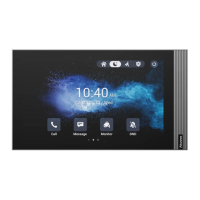
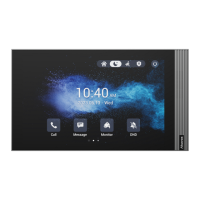
Akuvox S562
6 pages
Print Icon
To Next Page IconTo Next Page
Loading...
Quick Guide
S562
Unpacking


󾙗󾙘󾙔󾙓
󾙓
󾙔
󾙖󾙕󾙒󾙔
󾙖󾙕󾙒󾙔
󾙓
󾙚󾙓
󾙓󾙒󾙓
󾙔󾙗󾙔
Product Overview



Quick Guide
S562
󾙓
Question and Answer IconNeed help?

Do you have a question about the Akuvox S562 and is the answer not in the manual?

Summary

Unpacking Akuvox S562

Akuvox S562 Product Overview

Akuvox S562 Installation Guide

Step 1: Bracket Installation

Details the process of mounting the wall bracket, including options for different junction boxes.

Step 2: Device Mounting

Explains how to mount the device onto the installed bracket and secure it with screws.

Akuvox S562 Device Removal

Akuvox S562 Device Wiring

Akuvox S562 Application Network Topology

Akuvox S562 Configuration Steps

Akuvox S562 Operation Guide

Make a call

How to initiate audio or video calls to other devices using the dial function.

Receive a call

Instructions on how to answer incoming audio or video calls.

Unlock door

Procedure to unlock doors remotely during an active call.

Monitor video feed

Guidance on viewing video feeds from the door phone or third-party devices.

Akuvox S562 Notice Information

Summary

Unpacking Akuvox S562

Akuvox S562 Product Overview

Akuvox S562 Installation Guide

Step 1: Bracket Installation

Details the process of mounting the wall bracket, including options for different junction boxes.

Step 2: Device Mounting

Explains how to mount the device onto the installed bracket and secure it with screws.

Akuvox S562 Device Removal

Akuvox S562 Device Wiring

Akuvox S562 Application Network Topology

Akuvox S562 Configuration Steps

Akuvox S562 Operation Guide

Make a call

How to initiate audio or video calls to other devices using the dial function.

Receive a call

Instructions on how to answer incoming audio or video calls.

Unlock door

Procedure to unlock doors remotely during an active call.

Monitor video feed

Guidance on viewing video feeds from the door phone or third-party devices.

Akuvox S562 Notice Information

Akuvox S562 Specifications

General IconGeneral
Operating SystemAndroid
RAM1GB
Storage8GB
Video CodecH.264
Display7-inch capacitive touchscreen
Camera2MP with privacy cover
AudioBuilt-in microphone and speaker
ConnectivityWi-Fi, Ethernet
Power Supply12V DC or PoE
ProcessorQuad-core
RS485Yes
Supported ProtocolsSIP, ONVIF
Audio CodecG.711, G.729

Related product manuals