EasyManua.ls Logo

Alan 28 - Page 8

Default Icon
8 pages
Print Icon
To Previous Page IconTo Previous Page

Loading...
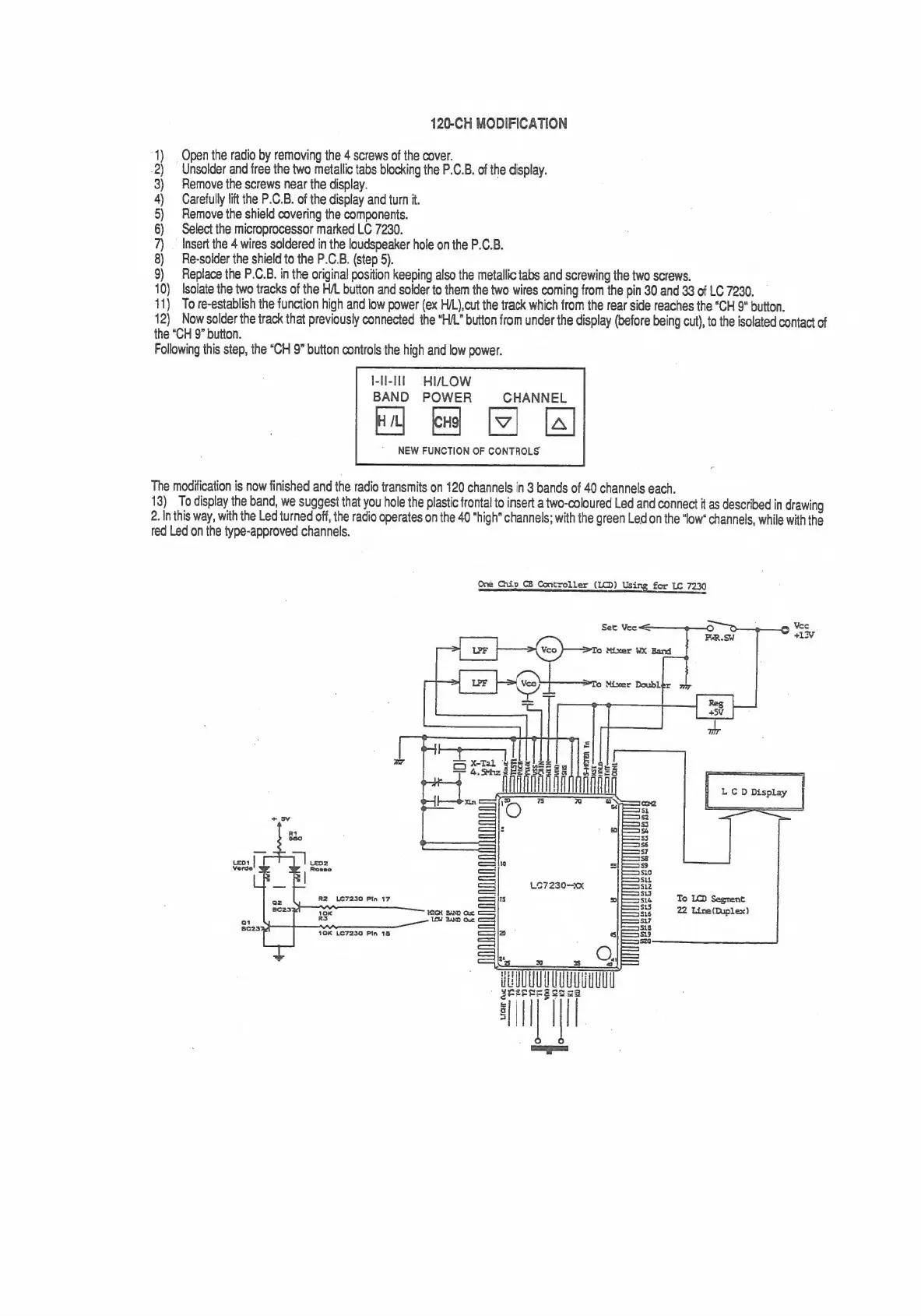
120-CH
MODIFICATION
1)
|
Open
the
radio
by
removing
the
4
screws
of
the
cover.
.2)
Unsolder
and
free
the
two
metallic
tabs
blocking
the
P.C.B.
of
the
display.
3)
Remove
the
screws
near
the
display.
4)
Carefully
lift
the
P.C.B.
of
the
display
and
turn
it.
5)
Remove
the
shield
covering
the
components.
6)
Select
the
microprocessor
marked
LC
7230.
7)
_
Insert
the
4
wires
soldered
in
the
loudspeaker
hole
on
the
P.C.B.
8)
Re-solder
the
shield
to
the
P.C.B.
(step
5).
9)
Replace
the
P.C.B.
in
the
original
position
keeping
also
the
metallic
tabs
and
screwing
the
two
screws.
10)
Isolate
the
two
tracks
of
the
H/L
button
and
solder
to
them
the
two
wires
coming
from
the
pin
30
and
33
of
LC
7230.
11)
To
re-establish
the
function
high
and
low
power
(ex
H/L),cut
the
track
which
from
the
rear
side
reaches
the
“CH
9"
button.
12)
Now
solder
the
track
that
previously
connected
the
“H/L”
button
from
under
the
display
(before
being
cut),
to
the
isolated
contact
of
the
“CH
9”
button.
Following
this
step,
the
“CH
9”
button
controls
the
high
and
low
power.
I-II-IIT
=
HIVLOW
BAND
POWER
CHANNEL
Ral
ke]
[ev]
[4]
NEW
FUNCTION
OF
CONTROLS
The
modification
is
now
finished
and
the
radio
transmits
on
120
channels
in
3
bands
of
40
channels
each.
13)
To
display
the
band,
we
suggest
that
you
hole
the
plastic
frontal
to
insert
a
two-coloured
Led
and
connect
it
as
described
in
drawing
2.
In
this
way,
with
the
Led
turned
off,
the
radio
operates
on
the
40
"high"
channels;
with
the
green
Led
on
the
“low
channels,
while
with
the
red
Led
on
the
type-approved
channels.
One
Chip
CB
Controller
(LCD)
Using
for
LC
7230
f
i
#
LCD
Display
—E—E
LO7230—KX
Qi
Be23)
pe
10K
LC7230
Pin
18
xs
HEU
gteeere
i

Related product manuals