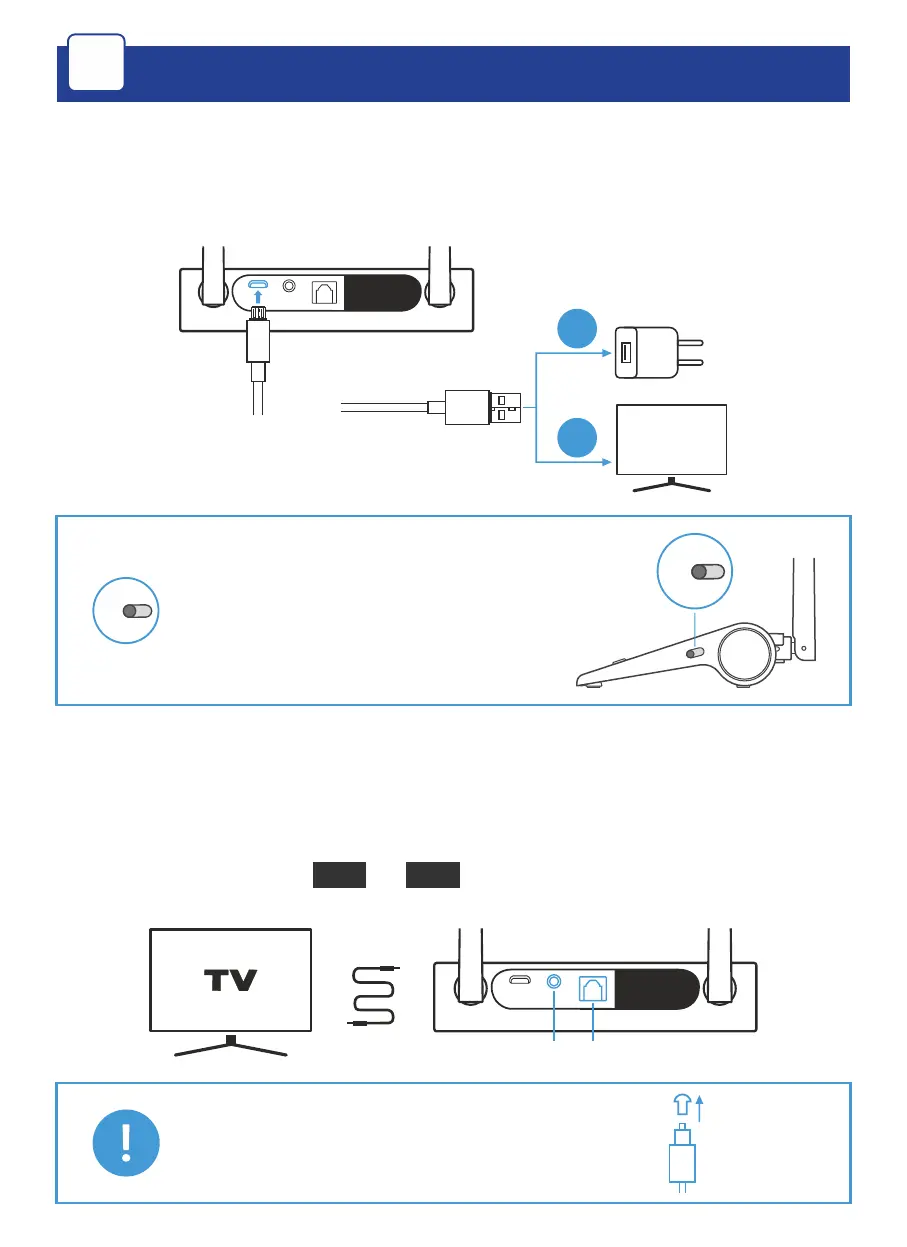
1. Connect HearLink PLUS to a power outlet (a) or the TV set’s
USB port (b) using the supplied USB power cable. HearLink
PLUS will turn ON automatically.
TV
a
b
Remove for
Bypass use
TX
TX
Verify that the mode switch
is set to TX position
2. Connect the HearLink PLUS TX port to the TV (or other
media device) via the supplied optical or 3.5mm audio
cable. The active connection type is indicated by the
illuminated text ( or ).
OPT
AUX
Remove for
Bypass use
AUX
OPT
Make sure to remove the plastic
protectors from the optical cable
terminals prior to insertion.
Getting Started
A
2



 To Next Page