Need help?
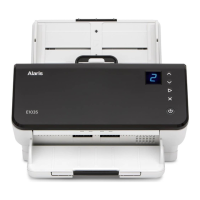
Do you have a question about the Alaris E1025 and is the answer not in the manual?
Details on E1025/E1035 models, scanning speeds, and supported accessories.
Information on additional guides, software downloads, and support resources.
Identification of front, back, and internal scanner components for operation and maintenance.
Steps for unpacking, connecting power, and preparing the scanner for first use.
Guide to installing necessary scanner drivers and firmware for optimal performance.
Information on Smart Touch and Capture Pro LE for enhanced scanning tasks.
Explanation of scanner buttons, function window, and initial scanning steps.
How to use Alaris scanning applications and other software for scanning tasks.
Guidance on preparing various paper types and ensuring smooth feeding.
Step-by-step instructions for cleaning rollers, imaging area, and other parts.
Guidance on replacing worn consumables like rollers and pads for continued performance.
Information on ordering cleaning supplies, accessories, and replacement parts.
Explanation of error codes and basic troubleshooting steps for common issues.
A chart for resolving common problems without contacting support.
Information on scanner calibration and how to contact technical support.


 To Next Page
 General