Need help?
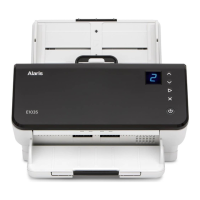
Do you have a question about the Alaris E1035 and is the answer not in the manual?
Guidelines for safe placement, operation, and handling of the scanner to prevent hazards and damage.
Instructions for installing the necessary software drivers for scanner operation.
Overview of the scanner's buttons and function window for basic operation.
List and explanation of error codes displayed on the scanner's function window.
Steps to identify and clear multifeed errors, including adjusting sensitivity.
Steps to identify and clear paper jams in the scanner's paper path.
Additional suggestions for resolving paper feeding problems and improving performance.
Routine cleaning steps to maintain scanner performance and image quality.
Detailed steps for cleaning the separation roller.
Detailed steps for cleaning the feed rollers.
Detailed steps for cleaning the transport rollers.
Detailed steps for cleaning the scanner's imaging glass.
Instructions for replacing worn scanner parts.
Procedure for replacing the separation roller assembly.
Procedure for replacing the pre-separation pad.
Procedure for replacing the urging roller tire.
Procedure for replacing the feed roller tires.
List and explanation of error codes displayed on the scanner's function window.
General advice and common solutions for scanner operational issues.
User-correctable error conditions reported by the scanner.
How to get assistance from Alaris Technical Support for issues.


 To Next Page
 General