38 A-61904 September 2018
4 Maintenance
Replacing the urging roller tire
An animation of this process is available at our on-line support for your
scanner model:
E1025:
www.AlarisWorld.com/go/E1025support
E1035: www.AlarisWorld.com/go/E1035support
1. Open the scanner cover.
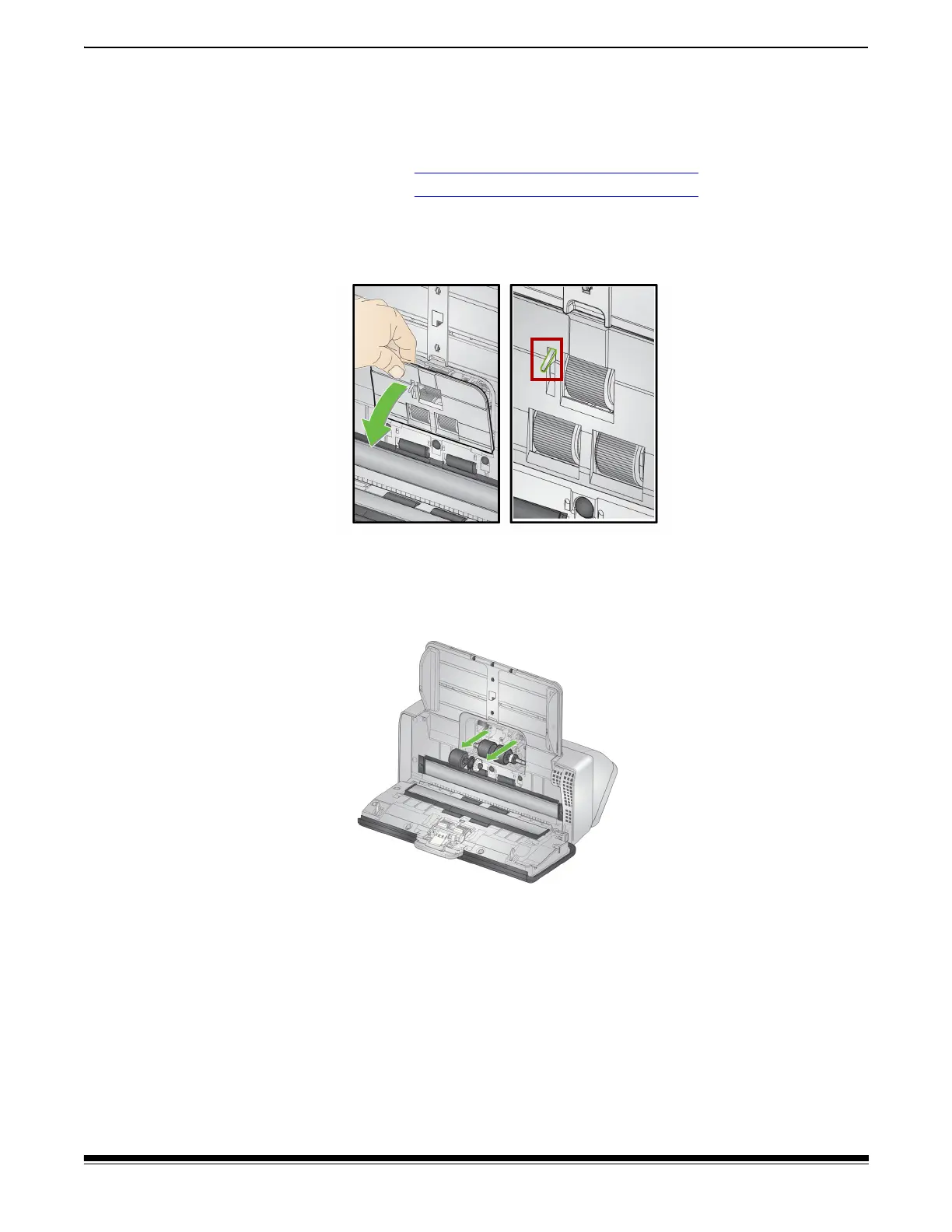
2. Pull on the edge of the feed roller cover and lift it out of position.
NOTE: Be careful not to damage the paper present sensor when
removing or cleaning around the feed roller.
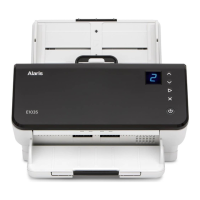
3. Remove the urging roller and replace the tire.
4. Reinstall the urging roller, aligning it correctly.



 To Next Page