A-61904 September 2018 i
Contents
Safety . . . . . . . . . . . . . . . . . . . . . . . . . . . . . . . . . . . . . . . . . . . . . . . . . . . . . . . . . . . . . . . . . . . . . . iii
User Precautions ....................................................................................................................... iii
Acoustic emission ..................................................................................................................... iii
1 Overview . . . . . . . . . . . . . . . . . . . . . . . . . . . . . . . . . . . . . . . . . . . . . . . . . . . . . . . . . . . . . . . . . .1
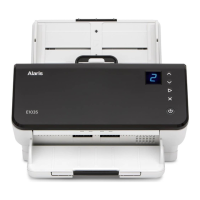
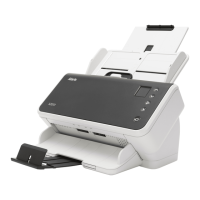
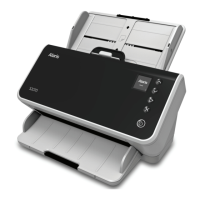
Scanner models .........................................................................................................................1
Scanner Specifications ..........................................................................................................2
Illustrations in this guide ........................................................................................................2
Supporting documentation .........................................................................................................3
Accessories ................................................................................................................................3
Scanner components .................................................................................................................4
Front view ..............................................................................................................................4
Back view ..............................................................................................................................6
Inside view .............................................................................................................................7
2 Installation . . . . . . . . . . . . . . . . . . . . . . . . . . . . . . . . . . . . . . . . . . . . . . . . . . . . . . . . . . . . . . . . .9
Unboxing the scanner ................................................................................................................9
Setting up your scanner .............................................................................................................9
Install driver software ...............................................................................................................10
Verify scanner’s firmware ......................................................................................................... 11
Update scanner’s firmware ...................................................................................................... 11
Computer with driver software installed .............................................................................. 11
Available Alaris Scanning Software ..........................................................................................13
Smart Touch ....................................................................................................................13
Capture Pro LE ...............................................................................................................13
3 Scanning . . . . . . . . . . . . . . . . . . . . . . . . . . . . . . . . . . . . . . . . . . . . . . . . . . . . . . . . . . . . . . . . .15
Basic scanning .........................................................................................................................15
Scanner controls .................................................................................................................15
Getting your scanner ready to scan ....................................................................................16
Getting your pages ready to scan .......................................................................................16
Scanning Applications .........................................................................................................17
Initial scan with an Alaris scanning application ...............................................................17
Other scanning applications ...........................................................................................17
Function window ......................................................................................................................18
Scanning functions ..............................................................................................................18
Error codes ..........................................................................................................................18
Energy Star .........................................................................................................................18
Paper handling challenges and solutions .................................................................................19
Input tray capacity ...............................................................................................................19
Preparing documents for scanning ......................................................................................19
Mixed paper .........................................................................................................................21
Lightweight paper ................................................................................................................21
NCR paper ..........................................................................................................................21
Scanning small items ..........................................................................................................21
Long paper ..........................................................................................................................22
Fragile or oversize paper .....................................................................................................23



 To Next Page