
 Need help?
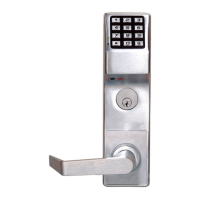
Do you have a question about the Alarm Lock ETPDLN and is the answer not in the manual?
Explains how to set up locks and gateways, including virtual system design and linking.
Details on the maximum number of locks, gateways, and users supported by the system.
Specifies the necessary hardware and software prerequisites for installing DL-Windows.
Highlights important warnings and notes for initial setup and system operation.
Technical specifications for the AL-IME2 Gateway model.
Technical specifications for the AL-IM2-80211 Gateway model.
Technical specifications for the AL-IME2-POE Gateway model.
Technical specifications for the AL-IME2-EXP Expander model.
Technical specifications for the AL-IME2-PIE Plug-In Expander model.
Covers installing DL-Windows and creating a new account.
Steps for connecting, powering up, and configuring the gateway's network settings.
Guides through discovering, assigning, and linking physical locks to profiles.
Procedure for establishing a secure connection via a password.
Defines the fields and buttons within the main Gateway Configuration screen.
Explains automatic, semi-automatic, and manual gateway discovery processes.
Defines the meaning of IP address colors indicating gateway status.
Details on how to initiate and perform the lock discovery search.
Steps for assigning discovered locks to a selected gateway or expander.
Procedure for manually adding locks by serial number and lock type.
Step-by-step guide for associating lock profiles with physical locks.
Process for finding and identifying new gateways on the network.
Steps to add discovered gateways to the DL-Windows account.
Procedure for deleting a gateway from the DL-Windows account.
Procedure for replacing an existing gateway with a new one.
Specific considerations when replacing version 2 gateways.
Explanation of the various status indicators for gateways and expanders.
Process for updating the firmware on gateway devices.
Applying configuration data, including lock assignments, to gateways.
Configuring static IP addresses and DHCP settings for gateways.
Setting up security parameters for wireless gateway connections.
Options for selecting wireless security protocols like WEP, WPA, and WPA2.
Details on encryption algorithms and authentication protocols for wireless security.
Testing network connectivity to gateways using the ping command.
Choosing the appropriate network interface card for communication.
Organizing gateways into groups for emergency command distribution.
Rebuilding the DL-Windows database from gateway data.
Procedure for manually adding a gateway using its MAC address.
Steps to resolve issues with gateways that are marked as unreachable.
Using signal test mode to determine optimal gateway and lock locations.
Initiating the discovery process for wireless locks connected to a gateway.
Inspecting the list of locks assigned to a gateway and their status.
Managing the association between lock profiles and physical locks.
Instructions for removing locks from the gateway and DL-Windows database.
Procedure for manually assigning locks using their serial numbers and types.
Updating the DL-Windows database with locks assigned to a gateway.
Moving lock assignments from one gateway to another.
Activating locks to beep and flash LEDs for physical location.
Process for finding and adding expander devices to the system.
Displaying the network pathways and status of discovered expanders.
Procedure for updating the firmware on expander devices.
Updating expander configuration tables from the DL-Windows database.
Communicating with single wireless locks via the Communication screen.
Communicating with multiple wireless locks using the Wireless screen.
Setting up automatic communication with locks via schedules.
Programming scheduled communication tasks for wireless locks.
Defines the fields and functions available on the Wireless screen.
Defines the fields and functions available on the Wireless Schedule screen.
Lists available actions such as setting clocks, emergency commands, and status updates.
Details the functions for emergency lock down, passage, and return to normal.
How to activate emergency lock down or passage commands.
Ensuring locks are programmed to accept emergency commands.
Assigning users who can initiate emergency commands.
Steps to immediately lock all assigned wireless locks.
Steps to immediately unlock all assigned wireless locks for passage.
Restoring locks to their state before the emergency command.
Organizing gateways into groups for selective emergency command distribution.
Modifying the default names of emergency groups for clarity.
Accessing specific lock management functions via right-click menu.
Understanding the meaning of various lock status and communication indicators.
Steps for linking or unlinking lock profiles from physical locks.
Using the locate function to find specific physical locks.
Synchronizing the lock's internal clock with the system's time.
Changing the lock state to allow passage (unlocked).
Procedure for updating the firmware on lock devices.
Addresses issues with lock assignment, discovery, and expander discovery.
Troubleshooting steps for locks that have lost communication.
Steps to take when a gateway is reported as unreachable.
Troubleshooting gateways that appear online but fail to communicate.
Procedure for recovering system data after a computer crash.
Definitions of terms starting with A through D.
Definitions of terms starting with E through L.
Definitions of terms starting with P through V.
Details the warranty period, coverage, and limitations for Alarm Lock products.
 General
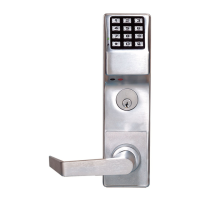
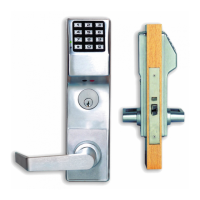
| Model | ETPDLN |
|---|---|
| Power Supply | Battery |
| Key Override | Yes |
| Backset | 2-3/4" |
| Door Thickness | 1-3/8" |


 To Next Page

