12
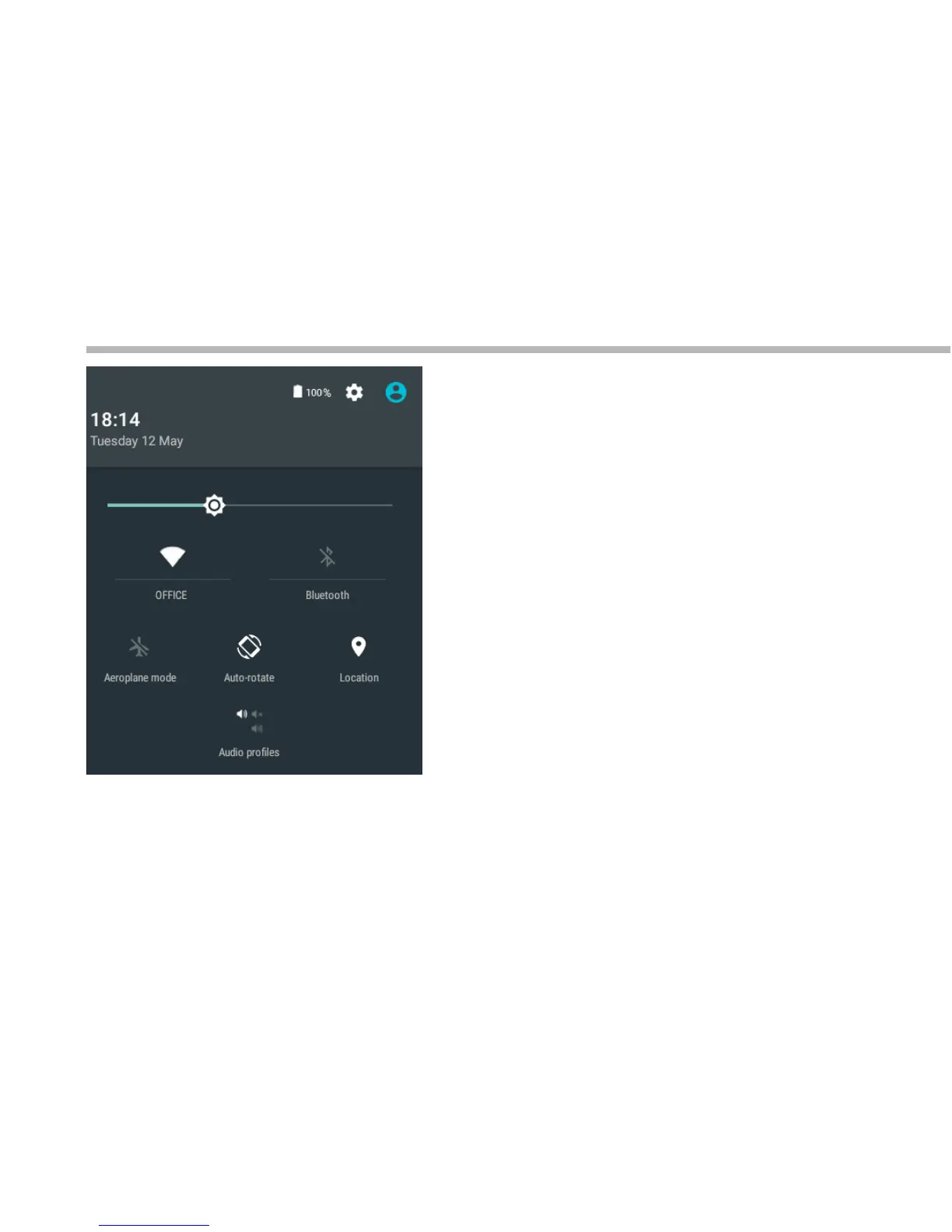
The quick settings
Touch the top of the screen and pull down to
open the notifications. Pull down one more time
to open the quick settings menu
1. To access all your settings.
2. Current user
(1)
3. Brightness: To adjust the screen brightness.
4. Tap on the icon to turn on/o your WiFi connection.
5. Tap on the icon to turn on/o your Bluetooth
connection.
6. To turn on/o all wireless connections
7. Auto-rotate screen: To activate/deactivate automatic
screen orientation as you turn your tablet.
8. To activate/deactivate your GPS location
system.
9. To set an audio profile.
The Android
TM
interface
(1)
(1)New multi-user support for tablets lets dierent
users have their own separate, customizable
spaces on a single device.
(2)
(3)
(4) (5)
(6) (7) (8)
(9)



 To Next Page