Page 5
CD operation (cont)
5: Press the CD-PLAY/PAUSE button once more to pause playback.
The dot on the display will flash to indicate pause mode is active. Press the CD-
PLAY/PAUSE button again to resume playback.
6: Press the CD-STOP button to stop playback. The LED DISPLAY shows the total
number of tracks again.
Skip tracks and search for a specific point to play
1: Press the CD-SKIP+ button once during playback to skip to the next track. To
skip to a specific track ahead, press this button several times until you reach
the track number required.
2: Press the CD-SKIP- button once during playback to return to the beginning of
the current track. Press the CD-SKIP- button twice repeatedly to skip to the
previous track. To skip back to a specific track, press this button several times.
3: Press and hold the CD-SKIP+ button during playback to fast forward the
current track.
4: Press and hold the CD-SKIP- button during playback to fast rewind the current
track.
Programmed playback
Program an alternative play order of up to 100 tracks follow the below steps.
1: Make sure the unit is in STOP mode and not playing a disc.
2: Press the CD-PROGRAM button, the display will show ‘01’ flashing.
3: Select a track using the CD-SKIP- / CD-SKIP+ buttons. When you have located
the track you wish to assign to slot ‘01’ press the CD-PROGRAM button to store
and advance to the next slot.
4: Continue programming tracks until you reach the maximum allowed or as
many as you require.
5: When programming is complete, press the CD-PLAY/PAUSE button to begin
the programmed playback order. Pressing the CD-PLAY/PAUSE button during
playback will PAUSE the audio.
6: Press the CD-STOP button twice to cancel a programmed sequence and return
to the default play mode.
Repeat mode CD
To repeat a single track or an entire disc follow the below steps.
1: Press the CD-REPEAT button during or before playback of a disc.
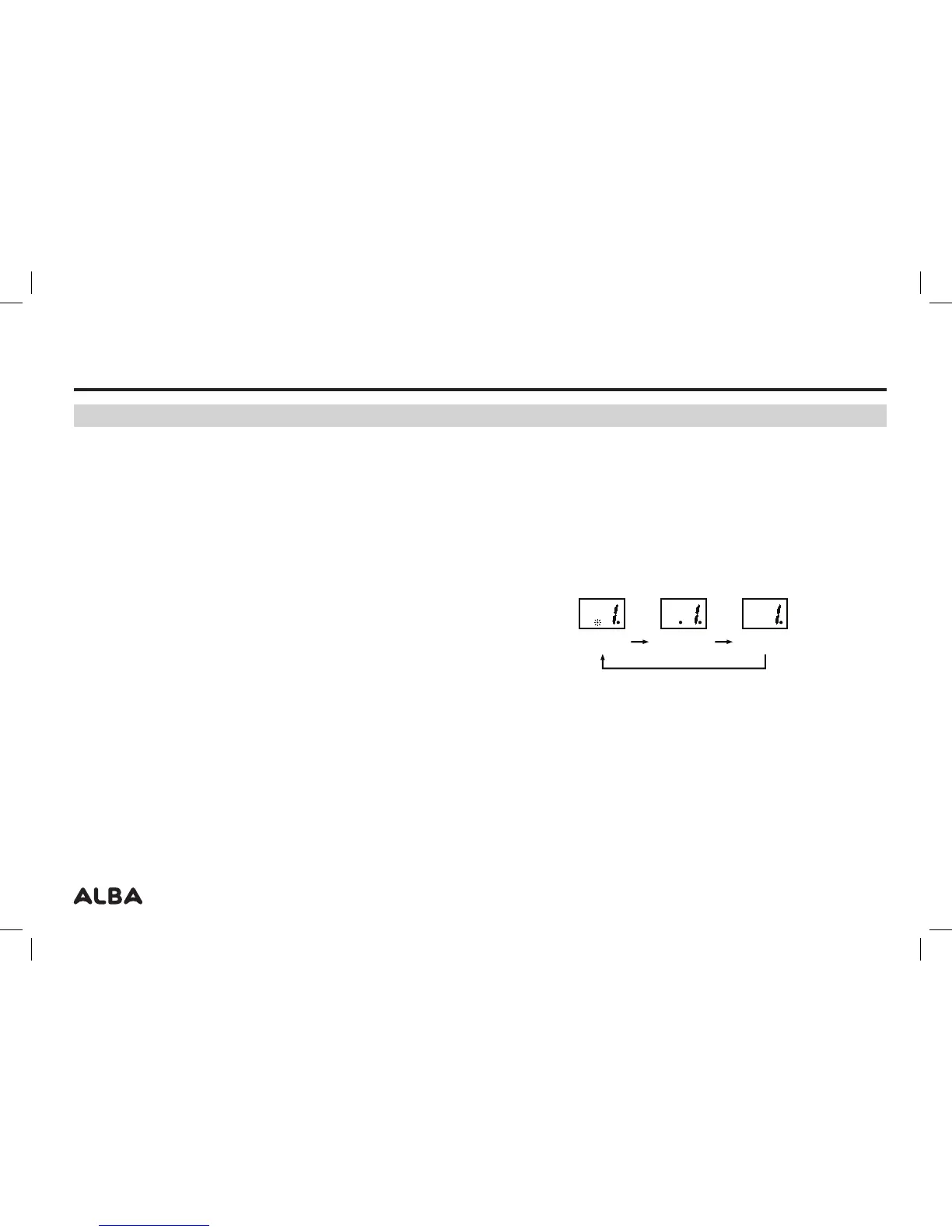
2: A dot will appear on the LED DISPLAY to the left of the track number and flash
to indicate REPEAT 1 is active (this mode repeats only the current track).
3: Press again or twice from default mode will display a static dot to the left of the
track number to indicate REPEAT ALL is active (this mode plays all tracks on
the current disc).
4: Pressing the CD-REPEAT button once more disables any REPEAT modes and
resumes default playback.
User instructions
REPEAT 1 REPEAT ALL
NORMAL
PLAYBACK



 To Next Page